Viper Installation Manual
Publication Number: 621260373INS - 28 - © 2008-2015, Cornelius Inc.
Setting BRIX
BRIX is important to the quality of the final product. The BRIX menu provides a measured amount of product with a constant
volume so that a BRIX comparison can be made between samples. The unit is set to provide a three second dispense of the
product for BRIX testing.
Testing BRIX Level
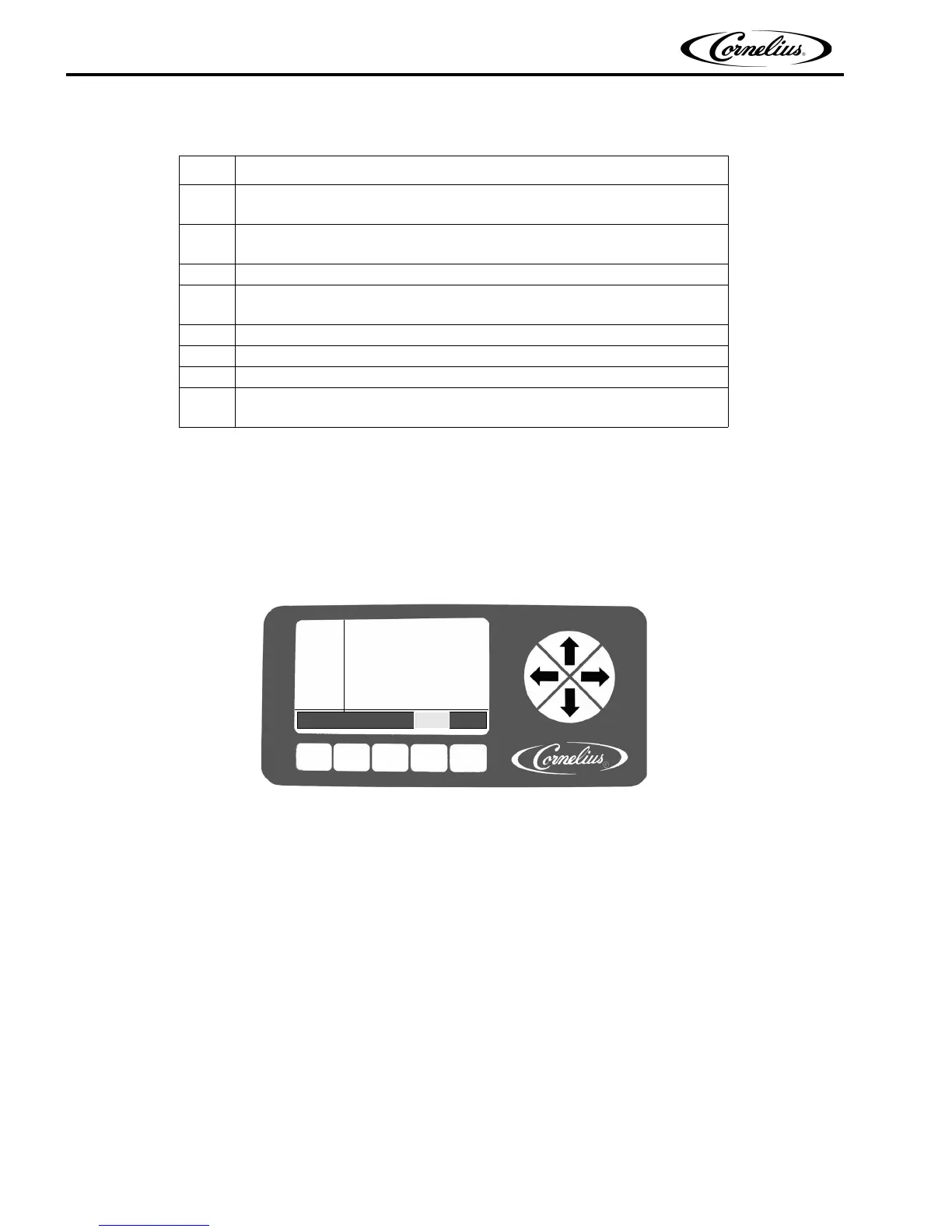
The BRIX Setup menu is located on the Maintenance menu. The Maintenance menu is shown in Figure 27.
Figure 27.
The BRIX Setup menu facilitates the extraction of a sample of product from the unit for BRIX measurement. There is a three
second dispense that produces a constant volume dispense so that BRIX comparison can be made between samples.
Table 15.
Step Action
1
Slowly turn on the CO
2 regulator for the syrup BIB pumps to avoid damag-
ing them and set them so there is 70-75 psig syrup pressure at the unit.
2
Turn the product supply valve to the down (BRIX) position and open the
valve at the end of the sample tube.
3 Place the end of the tube in a bucket.
4
Manually press the syrup valve at the front of the unit (Figure 26) to fill the
syrup system.
5 When syrup flows from the sample tube, the system is full.
6 Check the system for syrup leaks.
7 Repeat Steps 2 through 5 for each barrel in the unit.
8
Verify that the Do Not Drink and Out of Product lights go off on all barrels
and the “Syrup Out” message clears.
SELECT
12:51P
MAR 04
BARREL MAINT
MANUAL DIAG
TOTALS
BRIX SETUP
MOTOR SETUP
SYSTEM
BACK MAIN SETUP MAINT GO












 To Next Page