Viper Installation Manual
Publication Number: 621260373INS - 34 - © 2008-2015, Cornelius Inc.
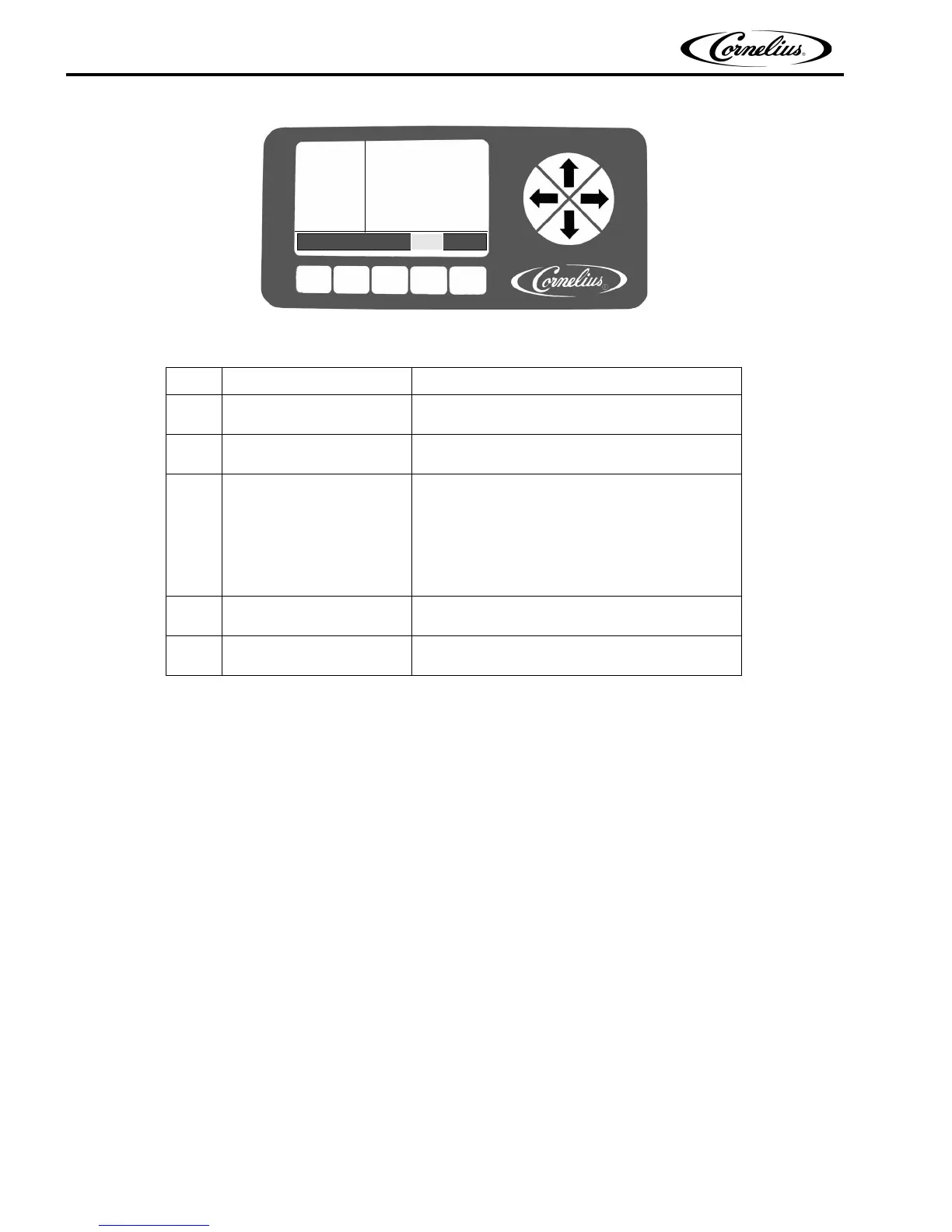
Figure 32. Select Screen
Table 19.
Step Action Procedure
1 Select Motor Setup
Use the Up and Down arrows to highlight MOTOR
SETUP on the Maintenance menu.
2 Select the barrel
Use the Up and Down arrows to highlight the
desired barrel
3 Start calibration
Press the CAL button at the bottom of the Motor
Setup menu to start the calibration process.
The calibration cycle continues for five (5) minutes
to allow the gearbox to stabilize at temperature
and ensure correct calibration. At that time the
motor stops and it is calibrated.
4 Complete the procedure
Press the BACK button at the bottom of the dis-
play to return to the Maintenance menu.
5 Verify
Select SPIN to run the motor and visually ensure
that the calibration reading is 20 +/- 2.
SELECT
12:51P
MAR 04
BARREL MAINT
MANUAL DIAG
TOTALS
BRIX SETUP
MOTOR SETUP
SYSTEM
BACK MAIN SETUP MAINT GO












 To Next Page