FMFV - Installation Manual
Publication Number: 919000012INS - 19 - © 2018-19, Cornelius Inc.
Installation of UI display
Table 7: UI display
1.
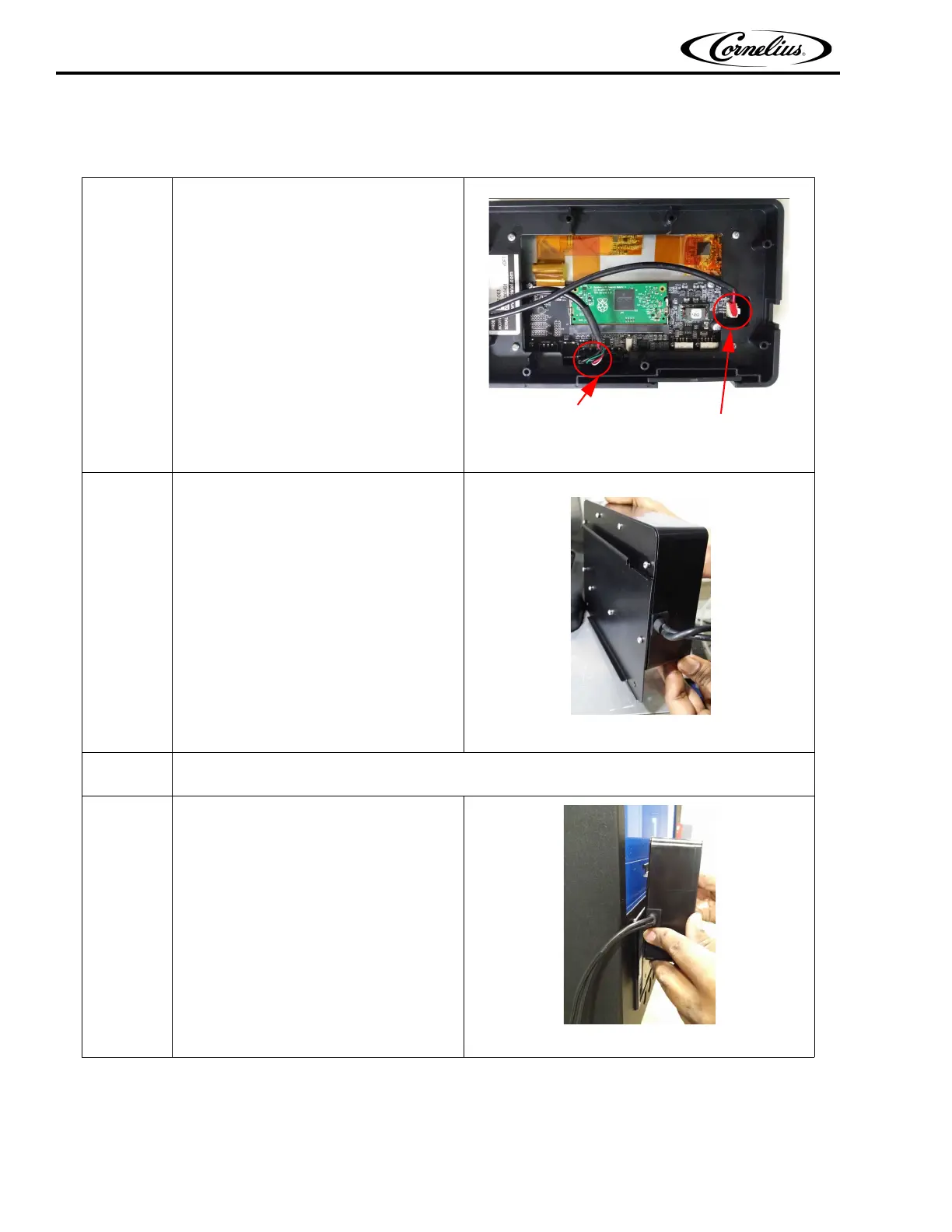
Connect the Display cable connections
from C-box to display module at the
shown location.
Data Cable Power input
Figure 32.
2.
Assemble “Grommet Harness
(910002239)” on display.
Assemble the Display mounting
bracket to Display module using “self
tapping screws “(910002053) at 8
places.
NOTE: Use screw driver, Phillips
head #1
Figure 33.
3.
Assemble the “Display mounting Magnet” by Phillips screw depending on the side of display
mounting
4.
Hook the assembled Display bracket
on the Viper merchandiser.
Figure 34.



 To Next Page