FMFV - Installation Manual
Publication Number: 919000012INS - 21 - © 2018-19, Cornelius Inc.
OPERATION
INSTRUCTION
Switch ON the power supply to Power On the Kit.
The machine operation shall be done only by operator.
Update the software and firmware (Refer Software and Firmware update section in page no. 24).
DISPENSING PRODUCT
Display
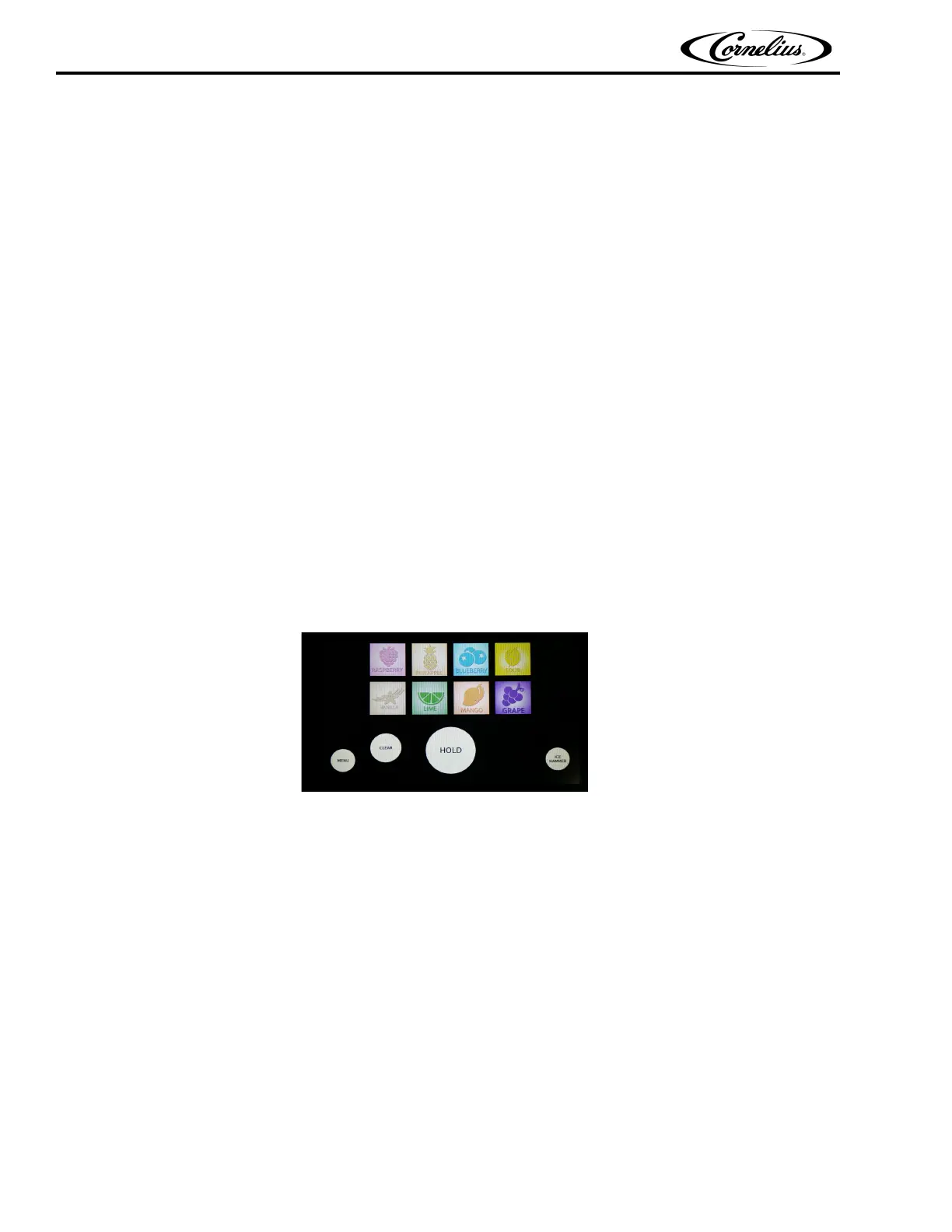
• This unit has 8 different flavours whose icons are shown in the display that help in dispensing the
assorted drink
• The Pneumatic dispensing valve get actuated by the compressed air.
• The display has two USB ports which will help the service provider to install the software.
Dispense Screen
The Dispense Screen has the following options
• Menu
• Hold
• Clear
• Ice Hammer
• Flavour Icons.
Figure 36.
Menu
The Menu icon help to go back to the lock screen.
Hold
To dispense the drink Operator must touch the “HOLD” icon continuously till the cup get filled and the valve stop oper-
ating when “HOLD” icon is released.
Clear
If the operator wants to change the flavour. The operator can touch the “CLEAR” icon which enables to reselect the
flavour as needed.
Ice Hammer
If the Valve has restricted flow use, “ICE HAMMER” to activate the valve via compressed air and clears the way to dis-
pense.
Flavour Icons
The Unit has flexibility to dispense



 To Next Page