FMFV - Installation Manual
Publication Number: 919000012INS - 13 - © 2018-19, Cornelius Inc.
Installation of Valve
Table 5: Installation of Valve
1.
Defrost cylinders by referring the Viper unit manual.
2.
When the barrel is defrosted, go to the Maintenance menu. If the security feature is active, access
the Maintenance menu by pressing and holding the far left and right buttons simultaneously for
approximately five seconds.
3.
Remove the splash panel. See “BRIX Setup Menu
4.
Turn the Product/BRIX valve off to shutoff product to the barrel.
5.
Place a large waste container under the dispense valve.
6.
Barrel Maintenance menu, press the PURGE button to re-pressurize the barrel with CO
2
. As
product level lowers in the barrel, partially close the valve to avoid spurting.Em[ty product from the
barrel.
7.
Disconnect the BIB from the unit, shut unit down, disconnect electrical power from Unit.
8.
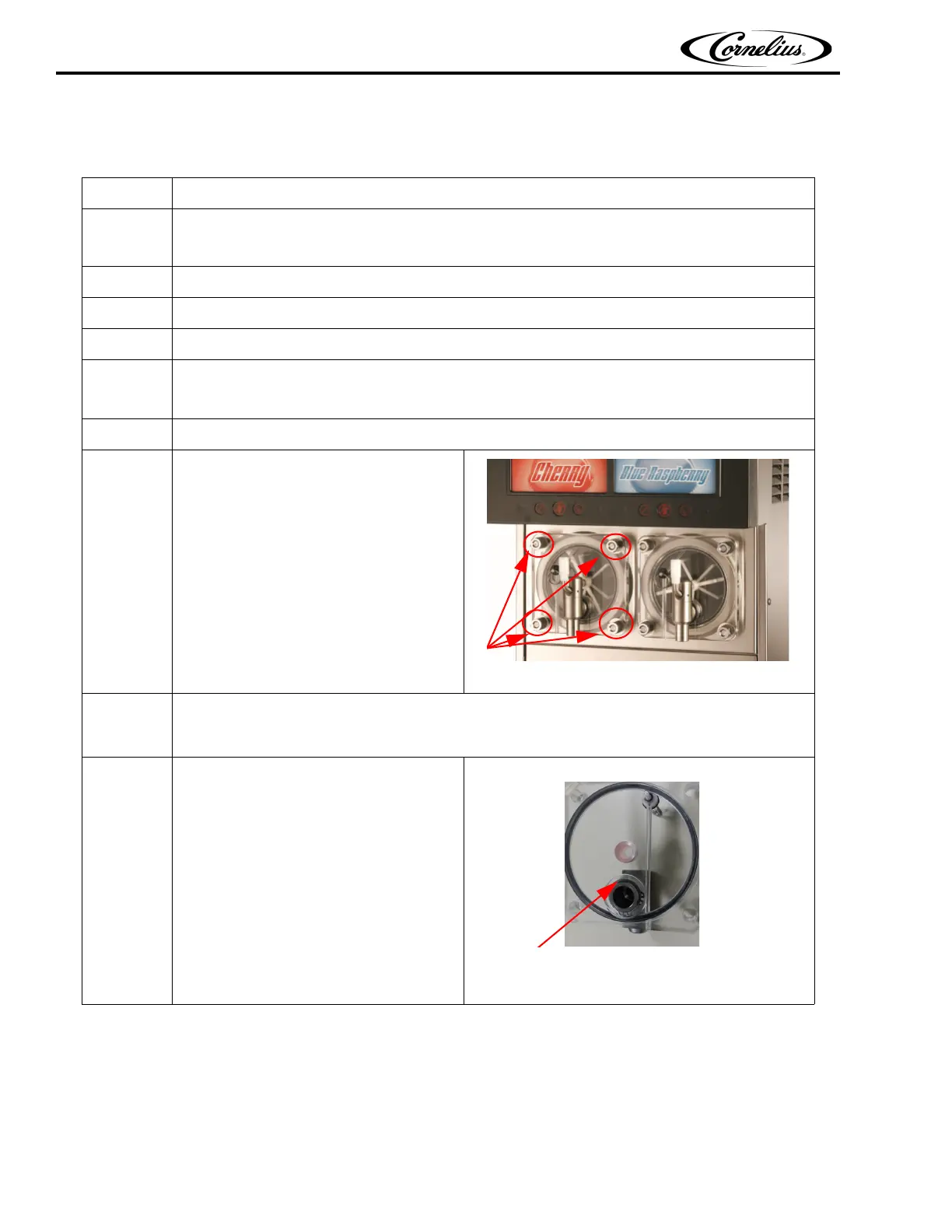
Remove the hex nuts and flat washers
securely, then remove the faceplate
from the barrel.
Figure 17.
9.
Carefully remove the existing Valve from the faceplate.
Refer the procedure mentioned in viper service manual for removing Motorman and SPH/Delta
valves.
10.
Assemble the Valve (910002035) to face
plate using retainer ring provided with
valve assembly
NOTE: Use snap ring plier to
remove retainer ring.
Retaining ring
Figure 18.



 To Next Page