32 - USING THE DISPENSER
COROB™ D600 - D700 - D800 EXTRA
6.3.6 Punching the cans
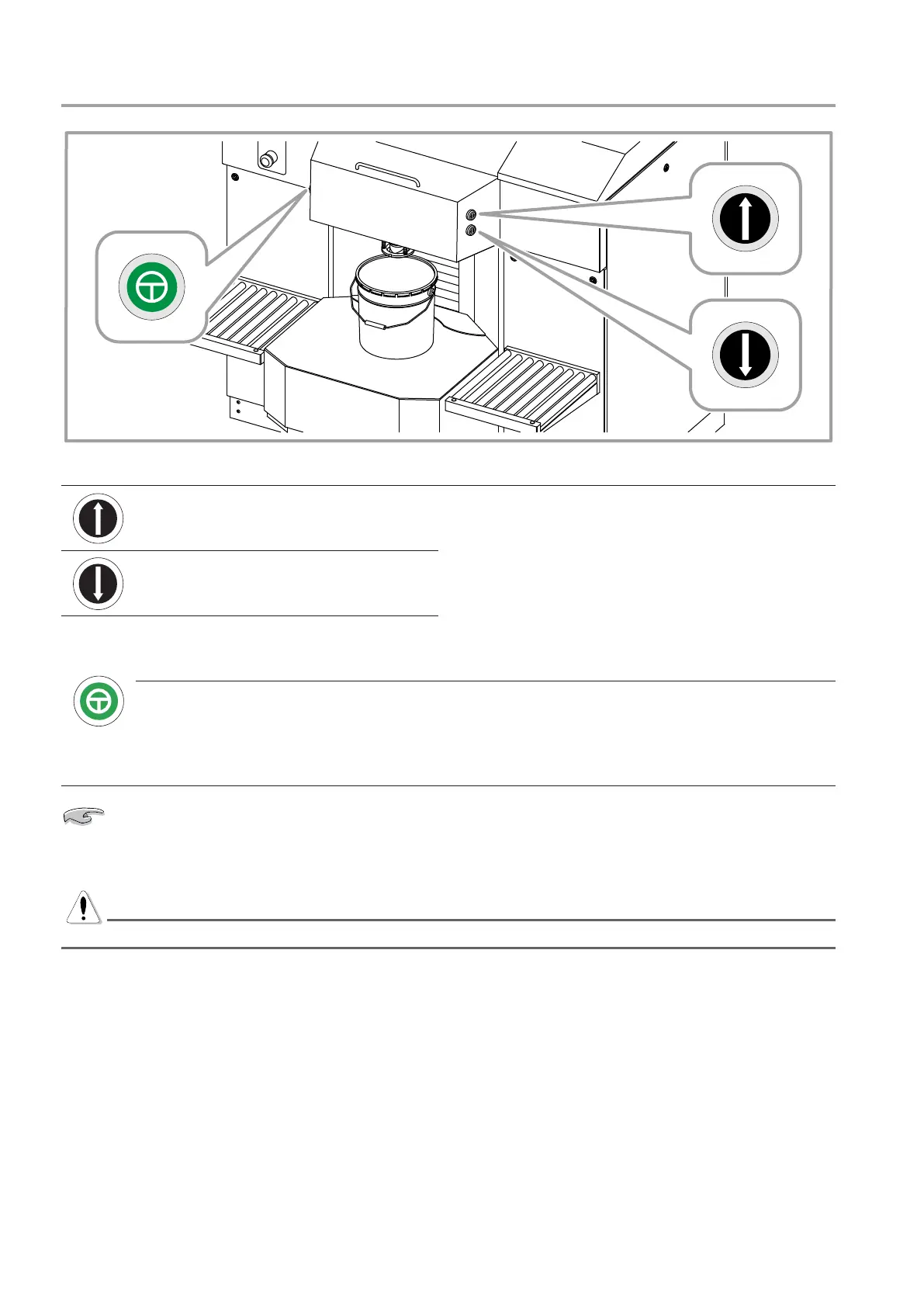
Figure 19
Shelf UP button
When the punching lamp is on, pressing the three
buttons simultaneously will cause the shelf to be raised
to punch the can lid.
Shelf DOWN button
SAFETY button, to enable shelf
movement
Punching lamp
The green lamp on indicates that the machine is
ready to execute punching, since the can is correctly
positioned and obscures the photocell.
The blinking lamp indicates that an error has occurred
during punching.
Remember to carry out punching BEFORE commanding the dispensing from the software.
1. When the can has been positioned so as to obscure photocell (A) (chapter 6.3.1) the green lamp will light,
to indicate that is it is now possible to proceed with punching.
WARNING
Ensure that there is a lid on the can.
2. Press and hold down contemporaneously the Safety, Up and Down buttons; the shelf will rise further in
order to push the can against the puncher and then return to the initial position. During shelf descent, it
is possible to release the buttons.



 To Next Page