MOBILTEX® DATA LTD.
Calgary, Alberta
www.corTalk.com
TITLE: RMU1 Installation and Configuration Guide
DOCUMENT NO.:
RMU1-MAN-001
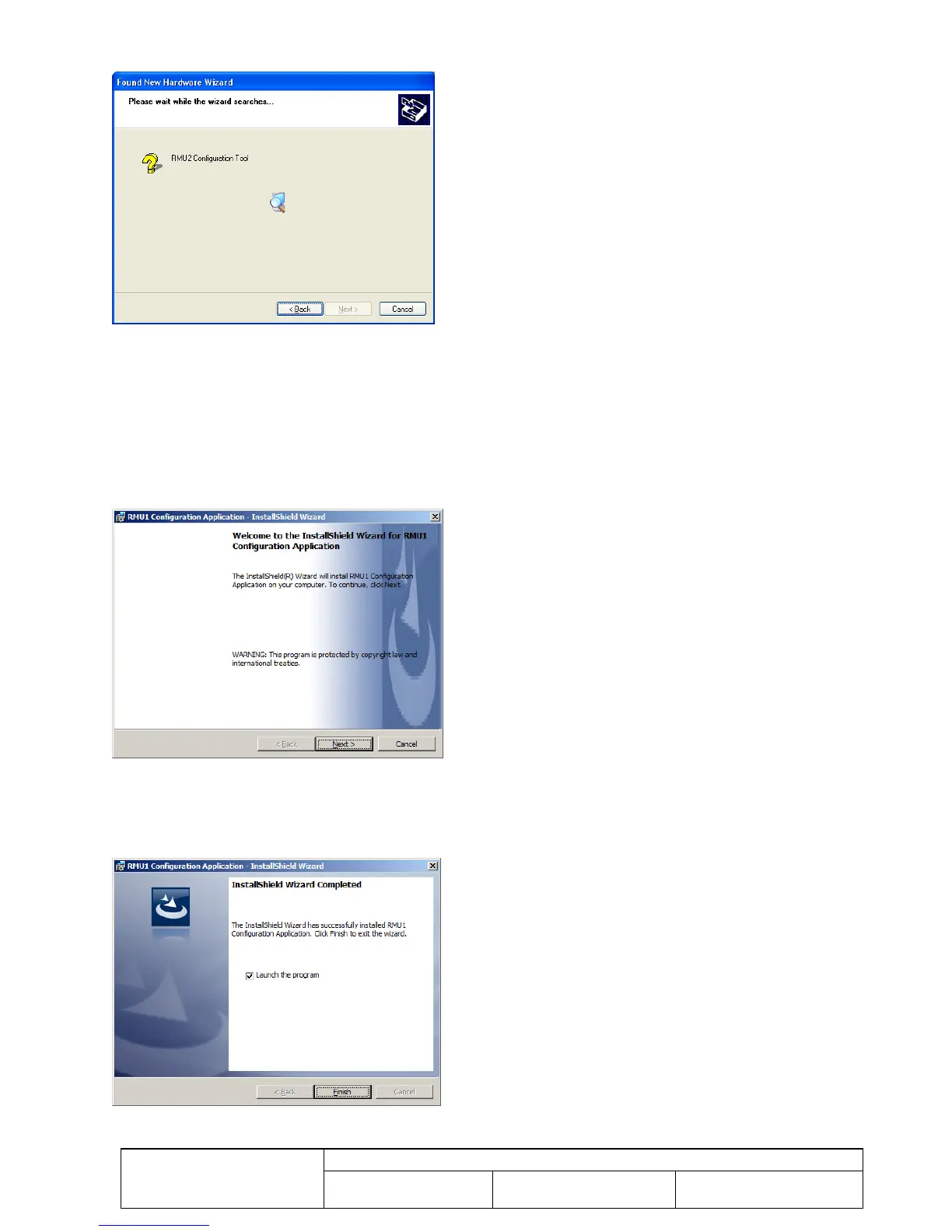
Once you click “Next” the following screen will appear until the operating system has found the appropriate driver.
Figure 35 Driver Installation - Driver File Search
Once the correct driver has been found, it will install automatically and the completed screen should appear. Simply
click the “Finish” button to complete the driver installation.
6.2.2 Configuration Application Installation
Click on the “Install RMU1 Configuration Application” button to start the application installer. A security warning
dialog may appear. Click the “Run” button to continue.
The following dialog should now appear:
Figure 36 RMU1 Configuration Application Installation Dialog
Follow the instructions presented in the installation screens, clicking “Next” to move to the next screen each time. Some
screens may pause for tens of seconds as the Windows installation procedure is processing. The final screen should
show the screen in Figure 37. Click “Close” to complete the installation.
Figure 37 RMU1 Configuration Application Installation Complete



 To Next Page