EasyManua.ls Logo

Cotek SP-3000 - RS232 Command Format and Settings

Default Icon
46 pages
Print Icon
To Next Page IconTo Next Page
To Previous Page IconTo Previous Page
Loading...
39
Function
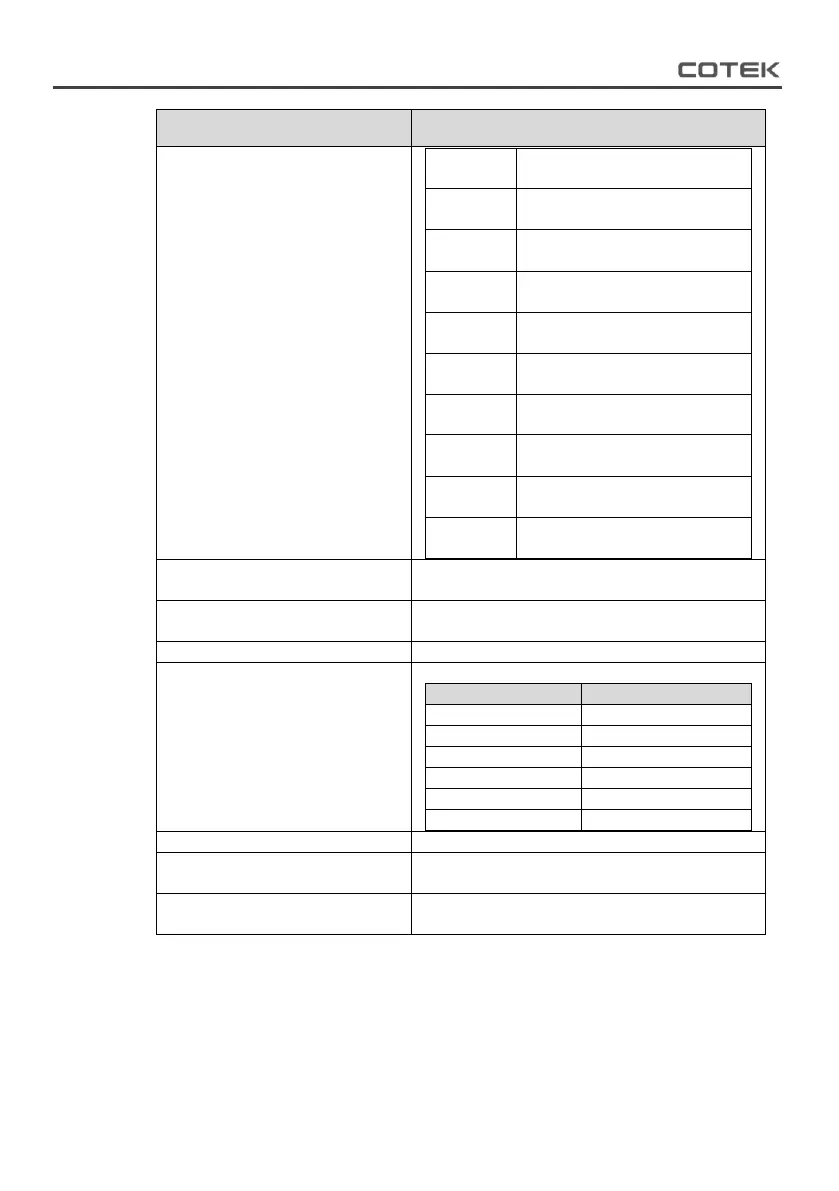
Command and description
BIT2
0:No PLL Fail
1:PLL Fail
BIT3
0:No Poff Protection
1:Poff Protection
BIT4
0:No Short Protection
1:Short Protection
BIT5
0:No OOCP Protection
1: OOCP Protection
BIT6
0:NoOVP Protection
1:OVP Protection
BIT7
0:No UVP Protection
1:UVP Protection
BIT8
0:No OTP Protection
1: OTP Protection
BIT9
0:No UTP Protection
1: UTP Protection
BIT10
0:No OLPL Protection
1: OLPL Protection
BIT11
0:No OLPH Protection
1: OLPH Protection
Query the SP series DC input
voltage of the battery
Format: VBAT?
Query the SP series output
power
Format: PINV?
Reset default
Format:*RST
Select the Setup Menus with the
help of Function Codes
Format : FUNC <Function Code>
Function code
Setting Menu
0
OVP setting
1
OVP Recovery
2
UVP Setting
3
UVP Recovery
4
UV Alarm
5
RS-232 Baud-rate
Query the functions No
Format: FUNC?
Query the setting value of the
function
Format: SETT?
Set or adjust the value of the
function
Format: SETT <value>
Table 34. RS-232 interface command
The following data shows the function code detail setting value.

Other manuals for Cotek SP-3000

Related product manuals