Kangaroo™ Connect Enteral Feeding Pump | 10
Table of Contents
Important Note: The basic Kangaroo Connect enteral feeding setup consists
of the pump, AC power adapter, feeding set and pole clamp. If necessary, the
car charger may be used to supplement the AC power adapter. The pump
can provide remote communications if one of the wireless accessories (either
the WCH or WiFi module) is installed along with the pump, and a Kangaroo
Connect ENtelliSet Feeding Set is being used. The pump and WCH or WiFi
module, along with feeding sets and accessories need to be installed and put
into service in accordance with the information provided by this manual and
accompanying documents.
Attaching the power adapter
The pump may be charged directly or through use of the WCH.
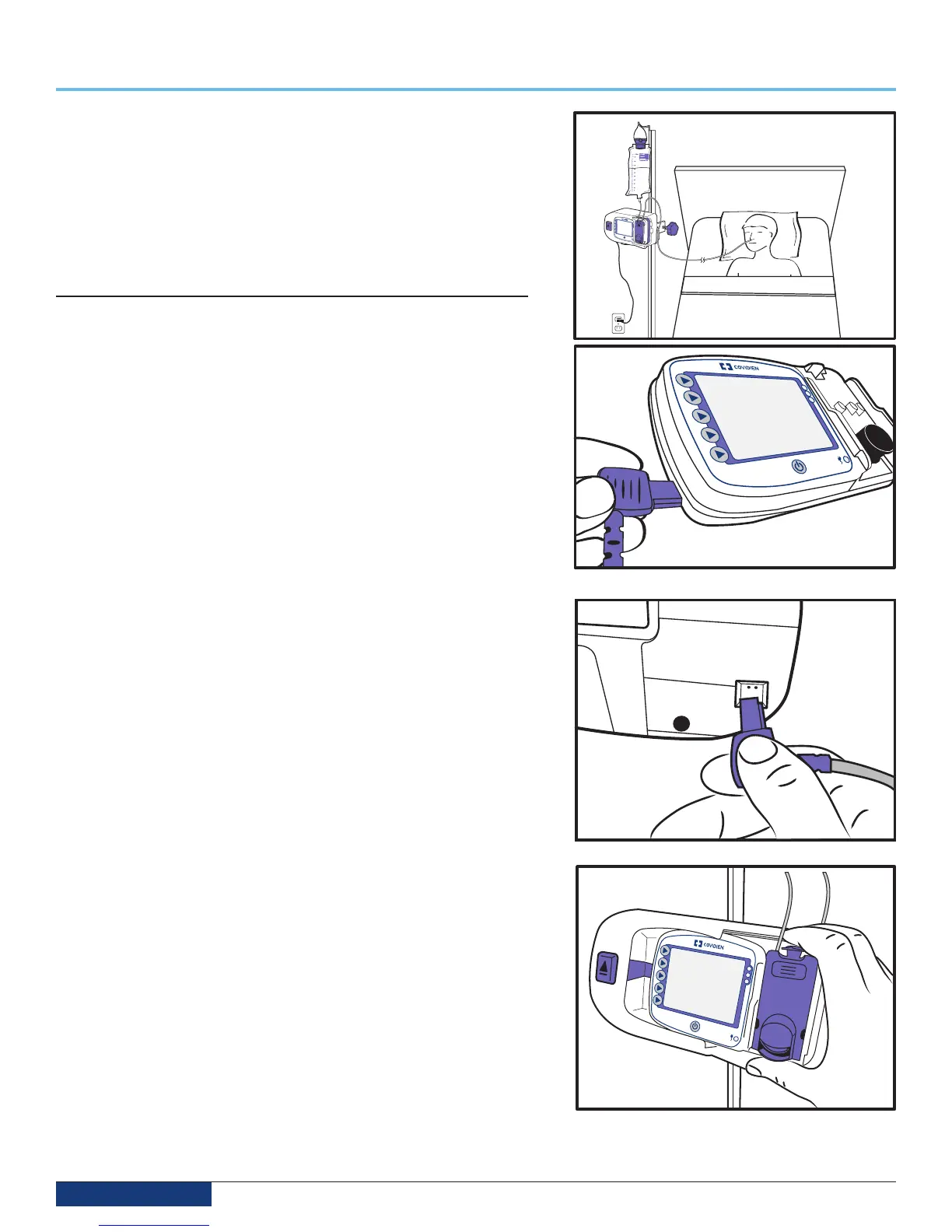
1. The pump can be charged directly.
a. Plug the power adapter into the power adapter port located on the left
side of the pump (Fig. 1). Plug the other end of the power adapter into
a nearby A/C outlet. Or if using the car charger power adapter, plug the
cylindrical connector into the car charger port.
b. Check to see that the A/C Indicator Light is on to confirm that the
pump is receiving power.
c. Since the pump batteries are shipped with less than full charge, be
sure to charge the pump for a minimum of 7 hours before initial use.
2. The WCH is designed to serve as a docking station to re-charge the pump
batteries. Quick disconnection is facilitated with the clearly visible eject
button located on the left side of the WCH.
Note: The WCH uses the same power adapter that is provided with the pump.
To re-charge the pump in this configuration, simply:
1. Place the WCH on a tabletop surface or attach to pole clamp.
2. Plug the pump power adapter into the port on the back of the WCH (Fig. 2).
3. Slide the pump from right to left into the WCH until you hear a click (Fig 3).
The WCH is designed to automatically latch the pump to the base when the
pump is fully seated in the base.
4. Check to see that the Power Indicator Light is on to confirm that the pump
is receiving power from the wall outlet. See page 3, number 4, to find the
location of the A/C Indicator Light.
5. Since the pump batteries are shipped with less than full charge, be sure to
charge the pump for a minimum of 7 hours before initial use.
6. Since the WCH also provides wireless capability to the pump, check that the
wireless module is activated by looking through the window on the back of
the wireless communications hub (WCH). Confirm that the Power icon in the
window is lit up. Reference Section 5 for icon descriptions and pictures.
The Kangaroo Connect enteral feeding pump and WCH can be attached to a
vertical pole using the pole clamp which is included with the pump. The pole
clamp can easily retain the pump or the WCH. This can be done using the “slide
and click” attachment feature located on the back of the pump (Fig. 4).
To attach the pole clamp to an IV pole, place the inside elbow of the clamp
against the IV pole. Turn the knob to tighten the pole clamp against the IV pole.
Turn the knob hard enough so the pole clamp does not slide down the pole.
Next, rotate the plastic latch plate of the pole clamp so that the “slide and click”
feature looks like an upside down letter “U”. Once this step is complete, you are
ready to attach the pump or WCH to the pole clamp.
Section 5 — System Setup
Fig. 1
Fig. 2
Fig. 3


 To Next Page