Kangaroo™ Connect Enteral Feeding Pump | 14
Table of Contents
Section 6 — User Screen
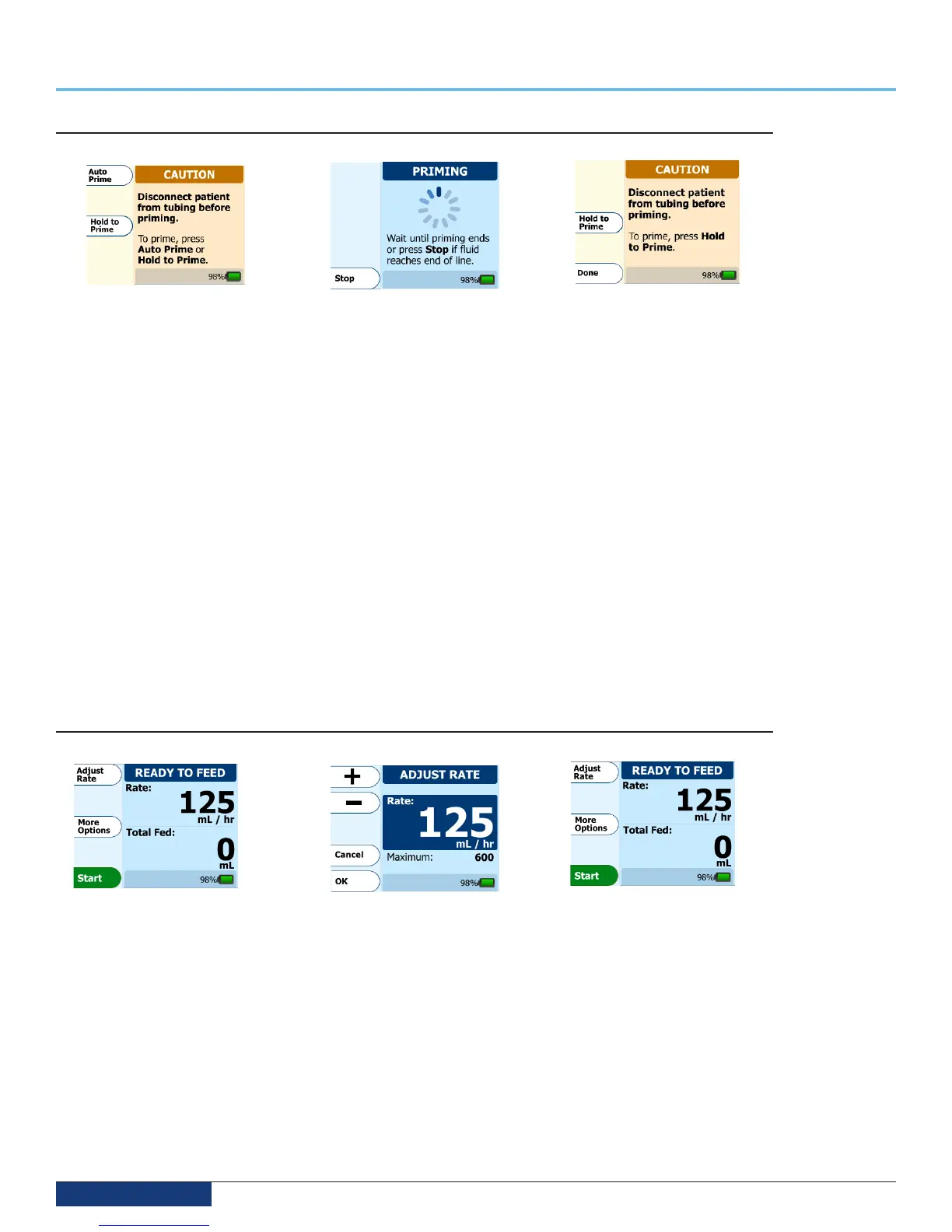
Entering feed rate settings
Step 11
Upon completion of the prime, the
Ready to Feed screen will appear.
Press Adjust Rate to enter the
feeding rate.
Step 12
Press the + OR – buttons to increase
or decrease the rate. Push and hold
on either button to accelerate the
numbers. Press OK when finished.
Step 13
The screen should now say Ready
to Feed. Press the Start button to
begin feeding. Once started, you
must press the Pause button to
change the feed rate.
Priming the pump
Step 8
Once you press the Prime button,
you will see the screen above. Note
the warning on the screen, fill the
feeding container/bag with feeding
solution, then press Auto Prime.
Auto Prime will automatically
prime the feeding set. If desired,
Hold to Prime can be used instead
for a manual prime.
Note: When using Hold to Prime
feature; Feed Bag Empty, Patient
Tube Blocked and Supply Tube
Blocked alarms are disabled.
Step 9
The pump will show an animated
timing sequence indicating the
prime is in process. Wait for the
priming to complete.
Step 10
Once the Auto Prime is complete,
the feeding solution will stop short
of the feeding set connector. To
“top off”, press and hold the Hold
to Prime button. To continue with
pump set-up, press Done.
Note: Due to the head pressure of the formula within the feeding set bag, the tube may fill with fluid up to and including
the cassette. In this case, the Auto Prime feature will not function and Manual Prime will have to be used to prime
the set.


 To Next Page