Kangaroo™ Connect Enteral Feeding Pump | 18
Table of Contents
Section 9 — Alarms and Troubleshooting
LED Indicator Lights
The pump status LED Indicator lights on the upper right of
the pump provides a quick visual indication of the pump
status, especially in darkened rooms.
A solid green light indicates the pump is feeding.
A blinking green light indicates the pump is ready for
operation but not feeding.
A solid yellow light indicates an informational notice.
A blinking yellow light indicates a caution.
A blinking red light indicates a critical warning.
See the information below for detailed descriptions of
each warning. If an unexpected operation or event occurs
while using the pump, please report any findings to
Customer Service.
Caregiver Alarm Notification
All alarms are intended to be heard by operators that
are within hearing range of the pump buzzer. The pump
buzzer is located on the back of the pump. The pump is
designed so the alarm can be heard within the patient’s
room, at a minimum. The display and LED alarm indicators
are intended to be seen by an operator within the room,
facing the front of the pump. Since audible alarms are
limited by distance, it is recommended that the operator
conduct a check to determine at what distance the alarm
can still be heard.
Note: Going outside of the patient’s room may make
hearing the alarms more difficult.
Verifying functionality of the
alarm system
The best method to confirm the proper functionality of
the alarm system is to run a Performance Certification
cycle (See Section 7: Certification of Performance). Another
quick test that can be performed to confirm audibility and
function of alarms is:
1. Load a new feeding set onto the pump
2. Leave the feeding set empty!
3. Run Auto Prime
4. Once the pump begins priming, it will detect a Feed
Bag Empty condition and alarm
5. Confirm that the audible alarm, color display,
and colored LEDs all properly indicate a Feed Bag
Empty condition
Caution: To allow proper operation of audible alarms,
avoid blocking or obstructing the series of buzzer
holes located in the back of the pump.
How to temporarily silence/clear the alarm
The alarms cannot be permanently silenced or muted. However, by pressing
the Silence Alarm button, the alarm audio can be temporarily silenced for two
minutes. After two minutes, the alarm audio will restart. To re-engage the audio
alarm before the two minutes is up, press the Bell button. This will restart the
audible alarm and end the temporary pause of the alarm.
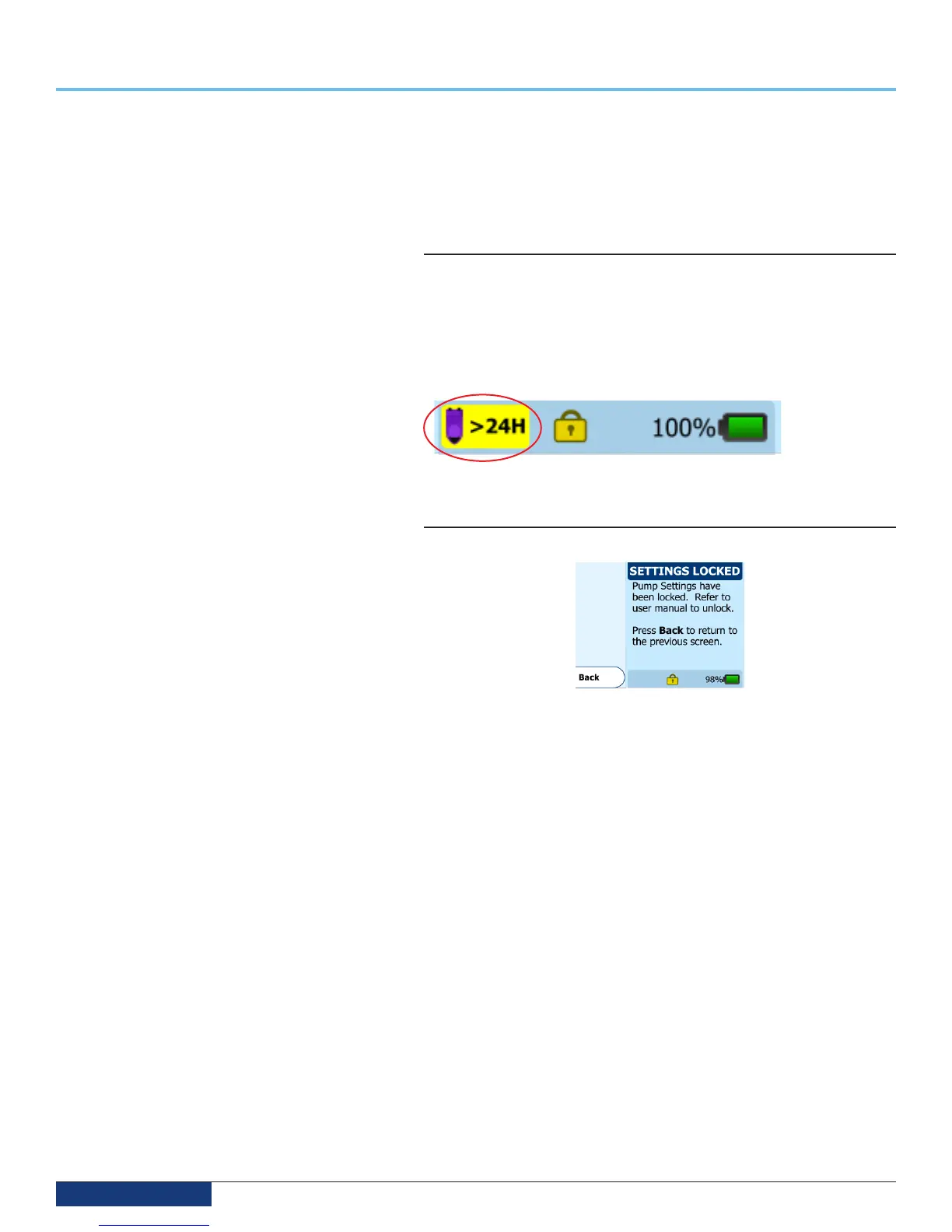
Feeding Set Usage > 24 Hours Condition
LED indicator: Solid Green
The feeding set usage indicator is a reminder that will appear on the bottom
of the FEEDING screen if a Feeding Set has been used for 24 or more hours
(hours actually running). It is recommended to replace feeding sets after this
length of usage. This icon is only an informational message and does not require
immediate action.
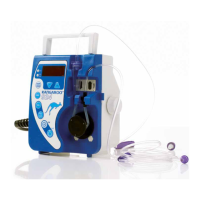
Settings locked Notification
LED indicator: blinking green
The SETTINGS LOCKED screen will appear if the Lock Settings feature has
been activated in the Biotech Mode. By design, no settings can be changed
while the pump is in this state. To disable the Lock Settings, you must disable
this feature in the Biotech mode.


 To Next Page