CowTech Ciclop 3D Scanning Guide
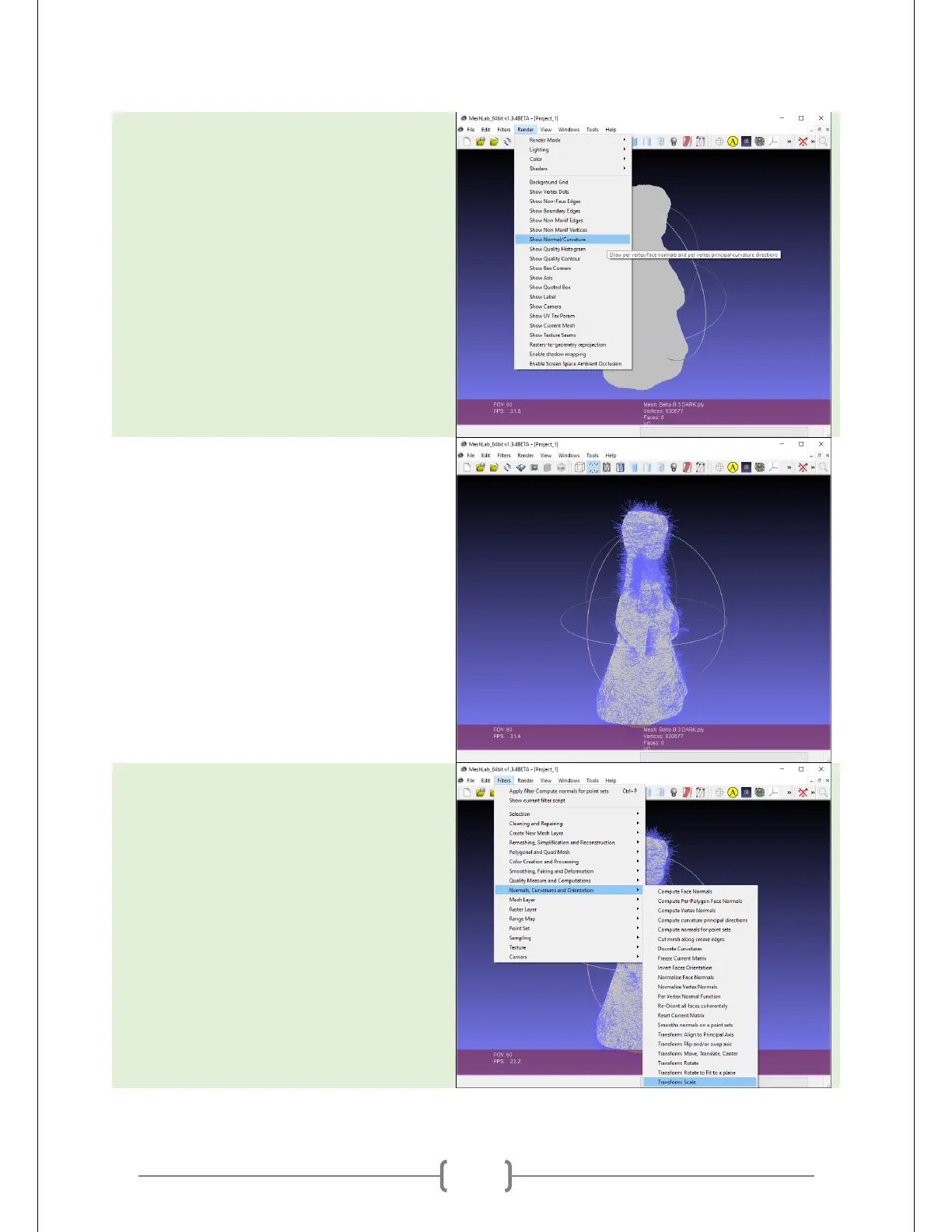
Display the normals. To do this, go to
Render -> Show Normal/Curvature. (If you
haven’t yet generated the normals,
please read the BQ guide linked to earlier
in this document!)
At right is an example of a bad set of
normals. Generally it is easy to tell if the
normals are bad because the normals
look like scraggly hairs instead of a rich
coat of fur.
Go to Filters -> Normals, Curvatures and
Orientation -> Transform: Scale.



 To Next Page