CowTech Ciclop 3D Scanning Guide
Supplemental Troubleshooting Guides
The following guides go into more detail about potential issues and how to solve them. If your problems
persist, please reach out to the community at:
https://groups.google.com/a/cowtechengineering.com/forum/?hl=en#!forum/cowtech-ciclop-3d-scanner
Precisely Calibrating the Stepper Motor Driver
Earlier in this document, we give a ballpark method for calibrating the
Stepper Motor Driver. If your stepper motor is experiencing erratic behavior,
we recommend calibrating the Stepper Motor Driver more precisely with
the following method.
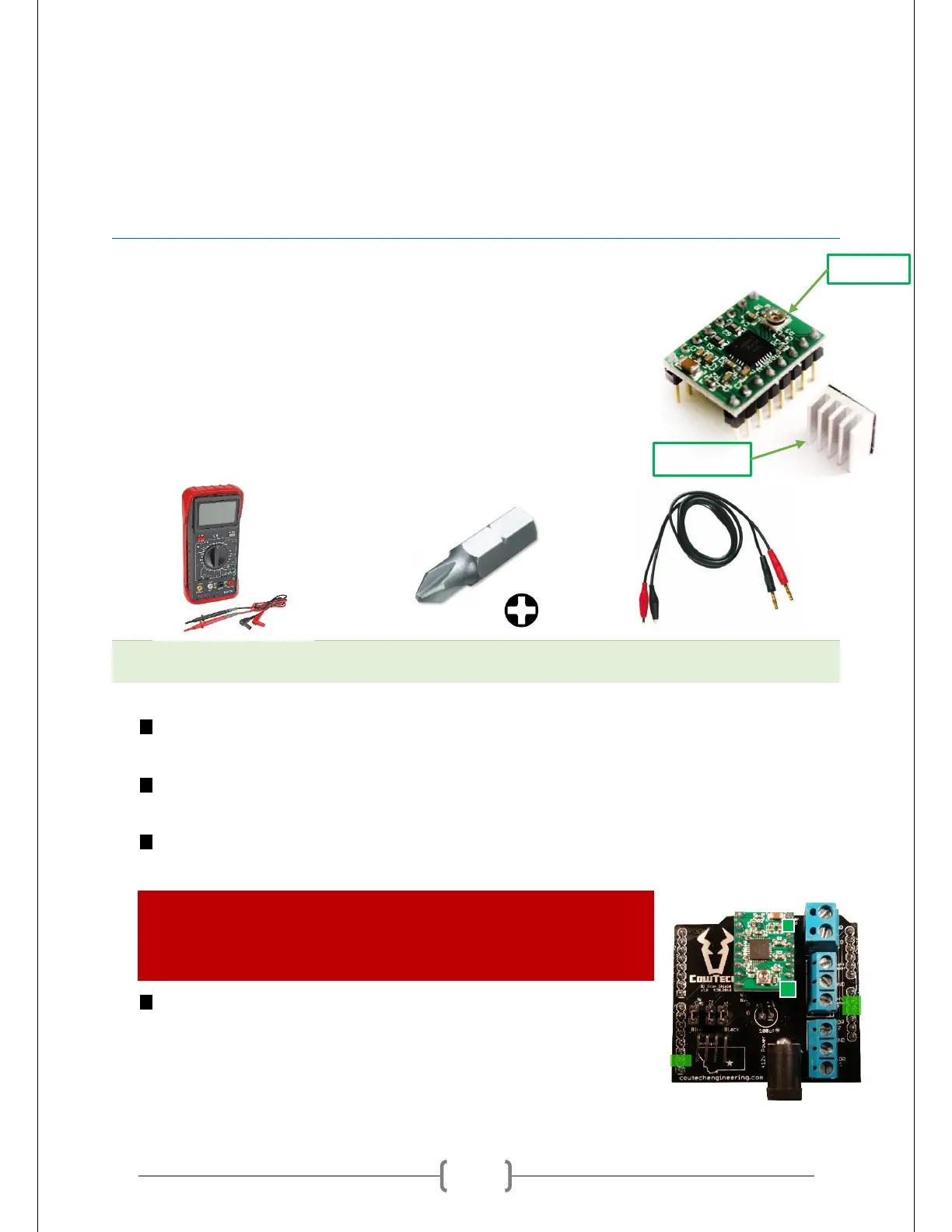
Precisely adjusting the Stepper Motor Driver will require the following tools:
Small Phillips Head Screwdriver
or Screwdriver Bit
Plug in the Uno Clone to your computer via USB. This will power the board. You must use the USB,
make sure you do not use the barrel plug. The CT Board must also remain unplugged.
Prepare your multimeter. Put a probe on the black side of the multimeter and an alligator clip on
the red side. Adjust it so that it can read voltage between 0V and 1V to at least 0.01V accuracy.
Clamp the alligator clip to the Phillips head screwdriver. Ensure that there is a good electrical
connection between the two.
WARNING: From this point on, it can be easy to accidentally short out the
Stepper Motor Driver and render it useless. Please be very aware of what
the probes are touching and make sure they are not making contact with
any pins or exposed solder on the board.
Measure the voltage between the Uno Clone’s ground and the screw.
Place the black probe at any of the locations indicated in green boxes
on the picture at right. These green highlighted areas are all
connected to the Uno Clone’s ground. Place the screwdriver with



 To Next Page