CowTech Ciclop 3D Scanning Guide
Installing the Software
Horus
Horus is a software program on your computer that connects to the Ciclop scanner. This guide was
written for use with Horus version 0.2rc1. You can download Windows, Mac, or Ubuntu versions of Horus
for free at the link below. Run the installer and follow the onscreen instructions. The installer may give
you the option to install “FTDI Drivers” or “Arduino Drivers.” Neither are necessary to run the CowTech
Ciclop 3D Scanner.
https://github.com/bqlabs/horus
After installation, it is recommended that you restart your computer before continuing.
Uno Clone Drivers
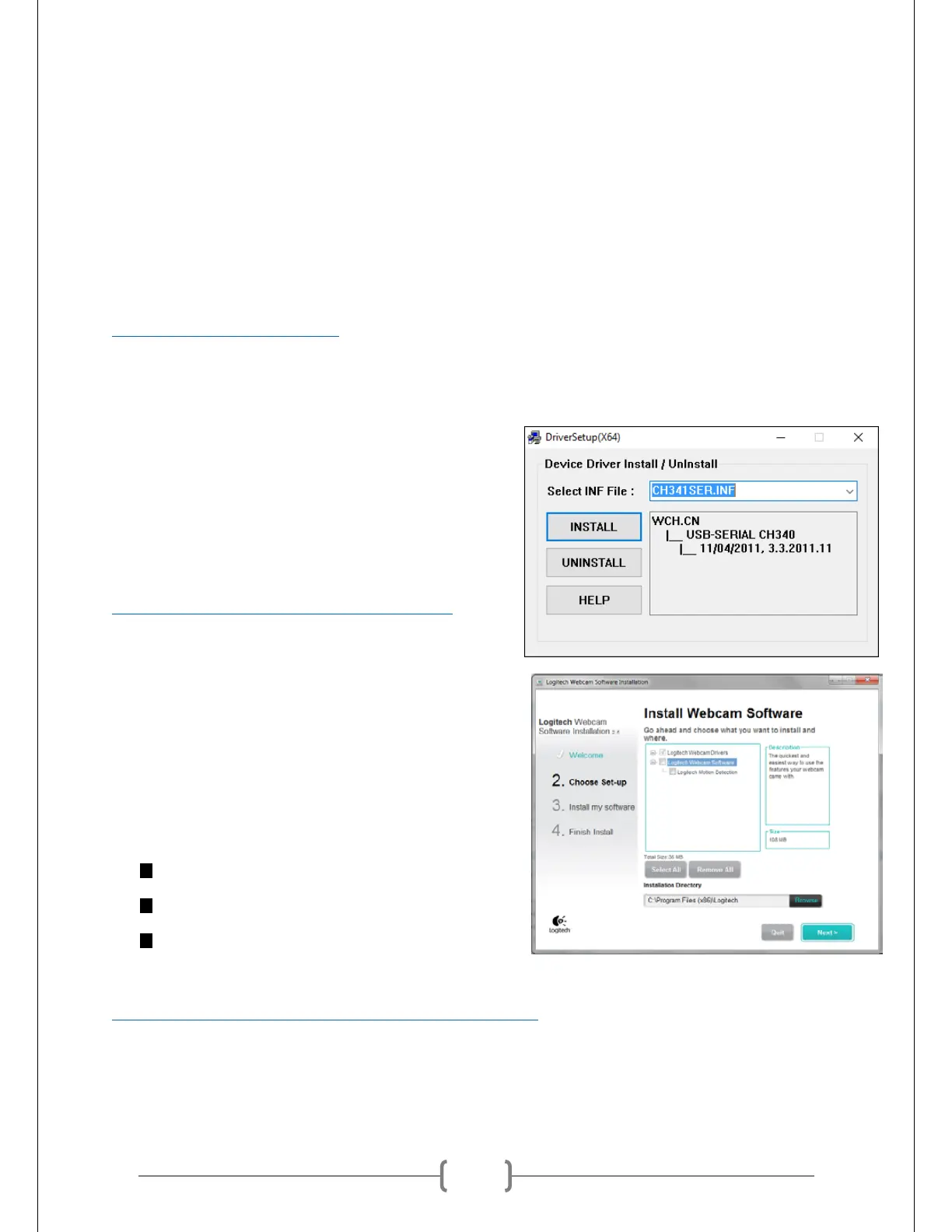
Horus interfaces with the components of the scanner via
the Uno Clone. In order to enable your computer to
recognize the Uno Clone when it’s plugged in, you may
have to download and install Uno Clone drivers. These
drivers can be found on the CowTech website. Please see
the link below. Unzip the file, run “SETUP.EXE,” and then
click “INSTALL.”
http://www.cowtechengineering.com/downloads
Logitech C270 Webcam Drivers
The Ciclop uses a Logitech C270 Webcam to make scans.
Although your computer may recognize the webcam if
plugged in straight out of the box, Horus will not be able
to. Horus requires a special set of webcam drivers, all of
which can be obtained from the Logitech website below.
Make sure that you download drivers that match your
operating system. The installer will give you the option to
install:
“Logitech Webcam Drivers”
“Logitech Webcam Software”
“Logitech Motion Detection”
The last two options are not necessary to run the CowTech Ciclop 3D Scanner.
http://support.logitech.com/en_us/product/hd-webcam-c270
If you ever have trouble getting Horus to recognize the webcam, uninstall and then reinstall Horus. In some
cases, Horus needs to be able to see the Logitech C270 drivers during installation in order to recognize



 To Next Page