Restore hot end to original
home position
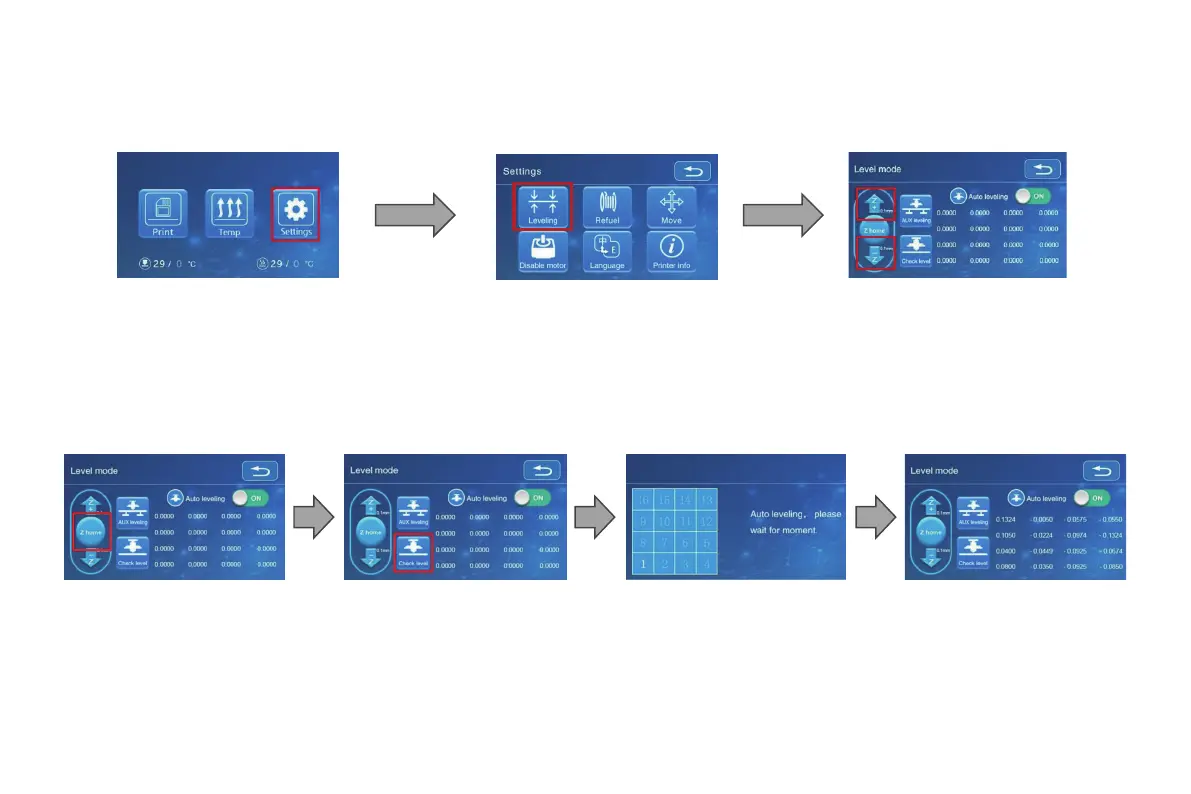
Auto-level the printing surface 16 point precise bed height
measurement
Printer will automatically
Printer will automatically
compensate for variable
bed height
*When using the auto level feature , we suggest that aing a ra from
the buil plate ahesion on in soware sengs
1. In “Settings” → “Leveling m ode”
2. 2mm feeler gauge between the nozzle and the hot bed → If the gap is to o thin or too large, click "Z+" or "Z-" on
the interface to adjust the gap to slightly more than 0.2 mm(the distance between the nozzle and the hot bed should
be about 0.2mm). At 0.2 mm the feeler can easily pass through the gap between the nozzle and the printing platform.
Auto leveling
29





 To Next Page