Installing Software in Windows 95 2-5
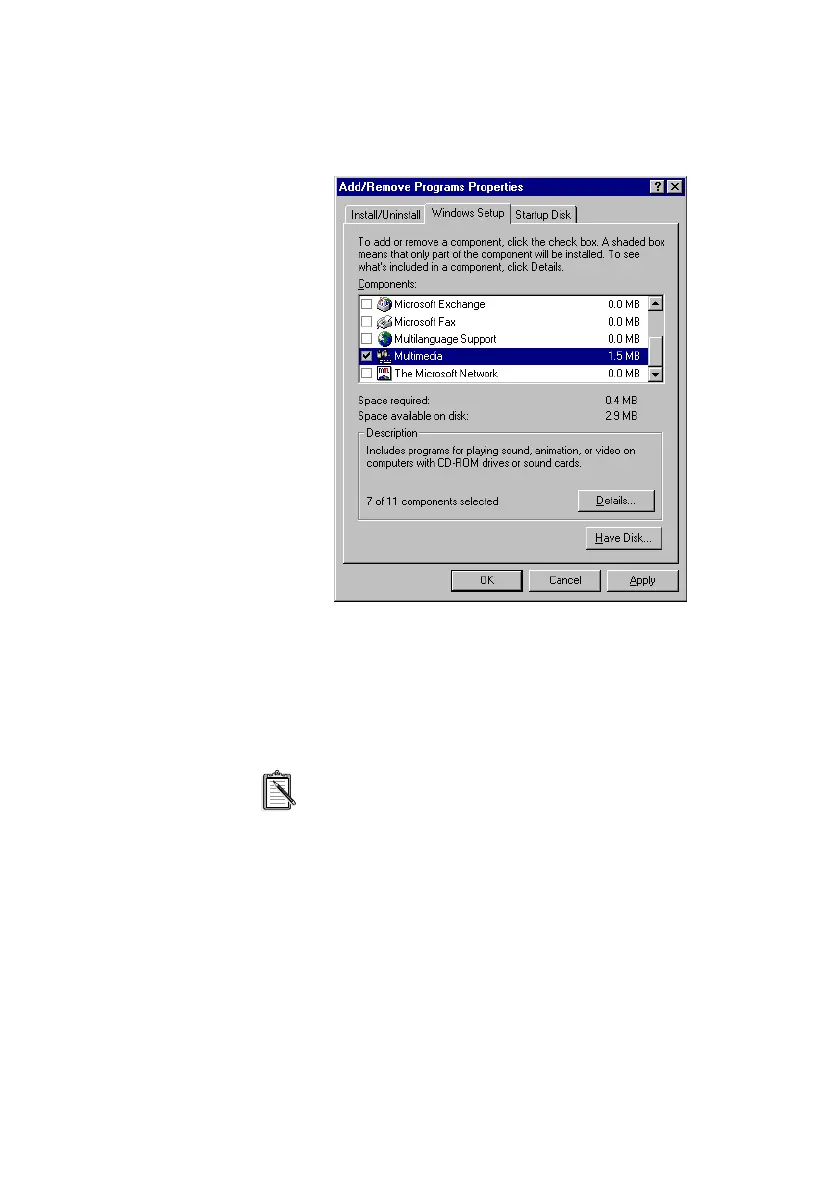
3. Click the Windows Setup tab.
The Windows Setup tabbed page similar to Figure 2-5 appears.
4. Make sure that the Multimedia check box is selected, and then
click the Details button.
5. In the Multimedia dialog box, make sure that the Media Player
check box is selected.
If you do not have Volume Control, Sound Recorder or
Audio Compression installed, make sure that the
relevant check boxes are also selected.
6. Follow the instructions on the screen to complete the
installation.
Figure 2-5: Windows Setup tabbed page.
This manual downloaded from http://www.manualowl.com



 To Next Page