2-4 Setting Up the Modem
❑ This modem is intended for use on an analog telephone line,
also called a POTS (Plain Old Telephone Service) line. This
modem cannot be connected directly to a digital telephone line,
such as those commonly found in businesses.
Either obtain an analog line or an analog converter compatible
with the telephone line you are using.
❑ Certain optional telephone features, such as a “message
waiting” light or call waiting, are not compatible with this
modem and should not be present on the telephone line on
which the modem is to be used. Call waiting may be selectively
disabled (in most areas) on outgoing calls. If call waiting is
present, it may interfere with data being transferred through the
modem.
To connect the telephone line and phoneset to your modem:
1. Locate the most convenient telephone wall outlet.
2. If a phone is already connected to it, unplug the telephone cable
from the wall outlet.
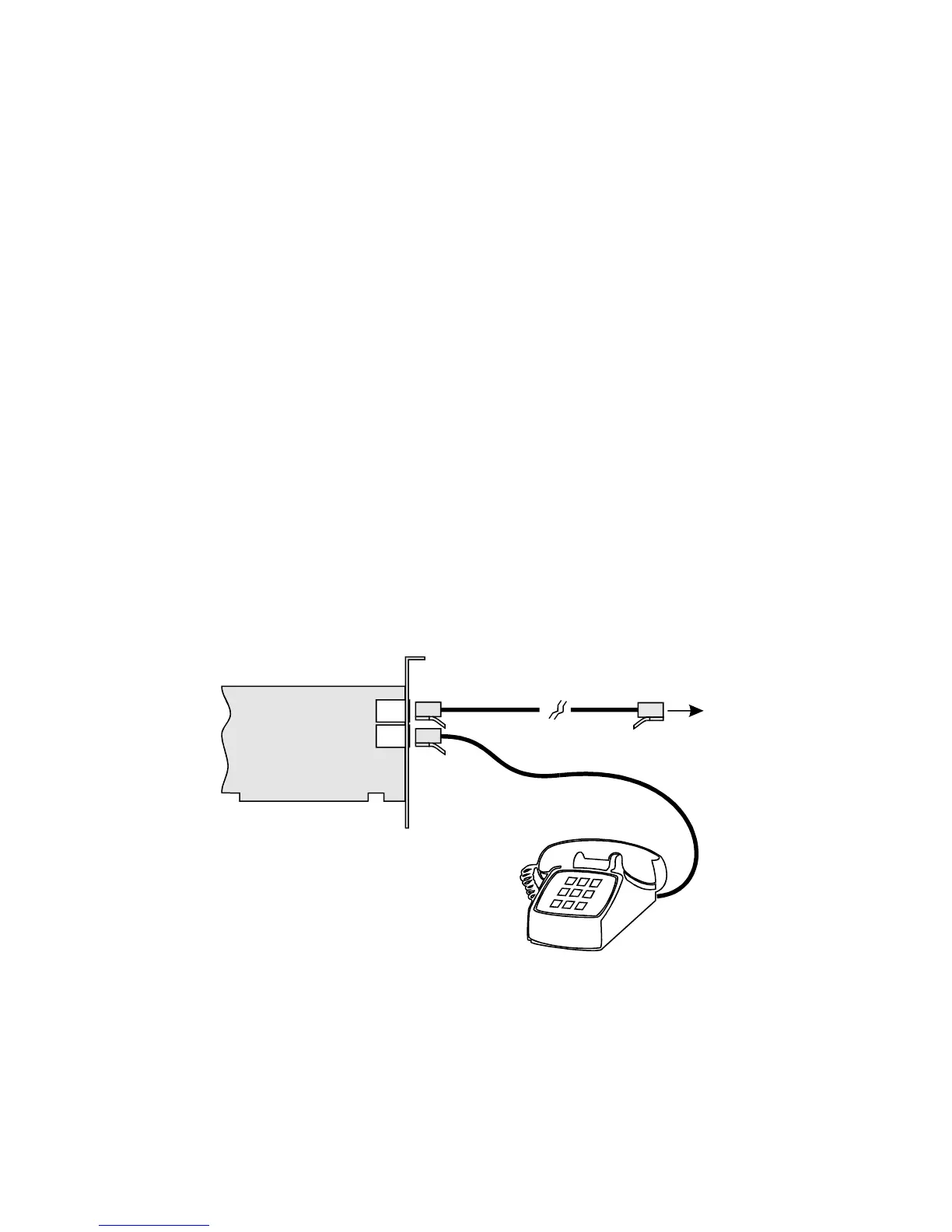
3. See Figure 2-8 for how to connect the telephone line and
phoneset to the modem.
i. Connect the telephone cable from the phoneset to the Phone
jack of the modem.
ii. Connect one end of the telephone cable provided, to the
wall outlet and the other end to the Telephone Line jack of
the modem.
Figure 2-8: Connecting telephone line and phoneset to your modem.
Telephone Line
Phone
Telephone cable provided
To wall outlet
Phone Set













 To Next Page