Setting Up the Modem 2-3
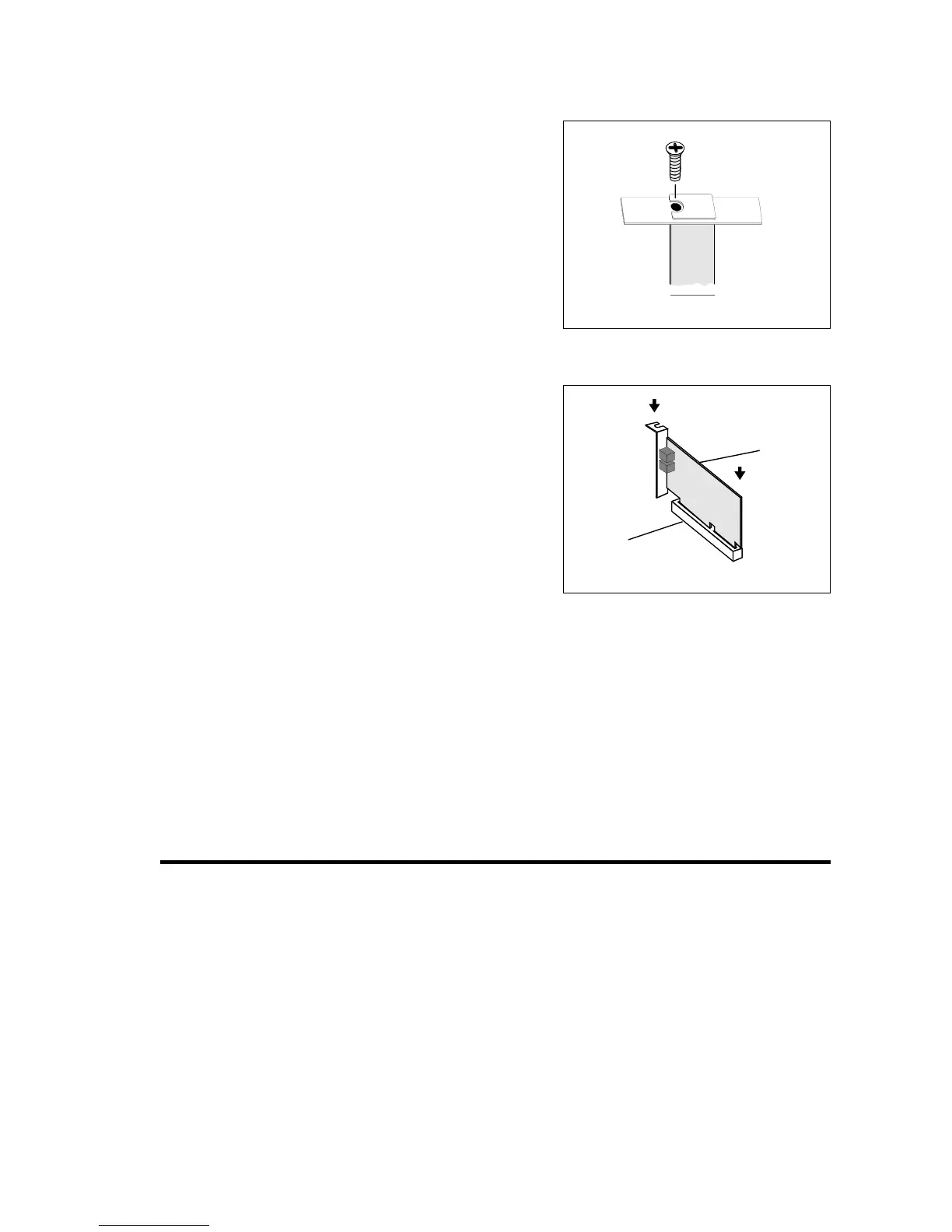
5. Remove the metal plate
from the slot you have
chosen. Retain the screw
and put the removed blank
plate aside.
6.
Align your card’s PCI slot
connector with the
expansion slot and press
the card gently and evenly
into the free slot as shown
in Figure 2-7.
Ensure that the bus
connector has been pressed
in as far as it will go and is
sitting firmly inside the
expansion slot.
7. Secure the card to the expansion slot with the screw you
removed from the blank metal plate.
8. Replace the cover of your system.
Connecting Telephone Line and Phoneset
Before using the modem, you need to connect your telephone line and
phoneset to the card. To ensure that the modem works properly, know
that:
❑ Your modem cannot be used on “party lines”, nor can it be used
on toll or coin-operated lines.
Contact your local telephone company for help if you are not
sure about the suitability of your telephone line.
Figure 2-6
Figure 2-7
PCI slot
Modem
card













 To Next Page