1.5.2 Freediving Mode Settings
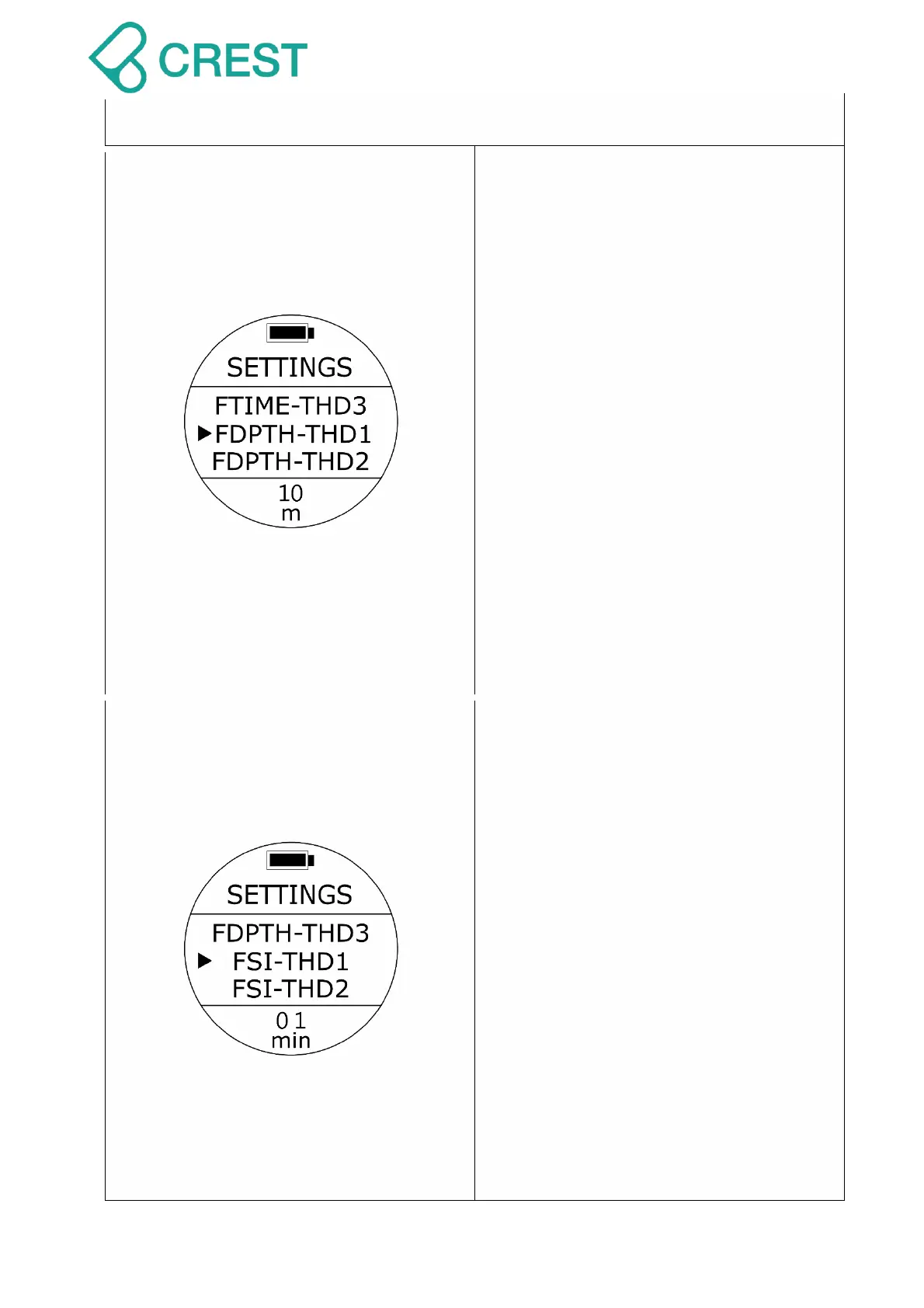
Description: Freediving Depth Alarm
Setting
To Access: Under Freediving Preview
Mode, press UP Button Or from
SETTINGS, press UP Button / DOWN
Button; until the cursor aligns with FDPTH-
THD1 to FDPTH – THD3. Press MODE
Button once.
One of the FDPTH-THD1 options will be
blinking at the bottom. Press UP Button /
DOWN Button to select other options as
needed. Press MODE Button to accept
your selection. If you set the FDPTH-ALM
on, when you reach the preset depth,
alarm warning will activate: long
beeping repeated two times with
vibration.
Default: 10 m (32 ft.), 20 m (65 ft.), 30m
(98 ft.)
Setup range:
0 m (0 ft.) – 99 m (324 ft.)
Description: Freediving Surface Interval
Alarm Setting
To Access: Under Freediving Preview
Mode, press UP Button Or from
SETTINGS, press UP Button / DOWN
Button; until the cursor aligns with FSI-
THD1 to FSI– THD3. Press MODE Button
once.
One of the FSI-THD1 options will be
blinking at the bottom. Press UP Button /
DOWN Button to select other options as
needed. Press MODE Button to accept
your selection. If you set the FTIME-ALM
on, when you reach the preset time, alarm
warning will activate: long beeping
repeated two times with vibration.
Default: 1minute, 3 minutes, 5 minutes.
Setup range:
0 minute – 60 minutes



 To Next Page