Setup range: YES / NO
WARNING:
1. Please make sure you fully
understand that changing this setting
will affect algorithm calculations and
the related risks. DO NOT USE this
function if you are not a certified
diving instructor or you are not
suggested to do so by a certified
diving instructor or facility.
2. If you are an instructor or you need to
rent this dive computer to different
students or customers, please make
sure they DO NOT have diving
activities within the pass 72 hours for
maximum safety control.
3. If you are the person who are
receiving this dive computer after
using Clear residual nitrogen
calculation function, please make
sure you DO NOT have diving
activities within the pass 72 hours for
maximum safety control.
4. Do not use this function if you are not
sure with related results. You are
responsible for your own safety.
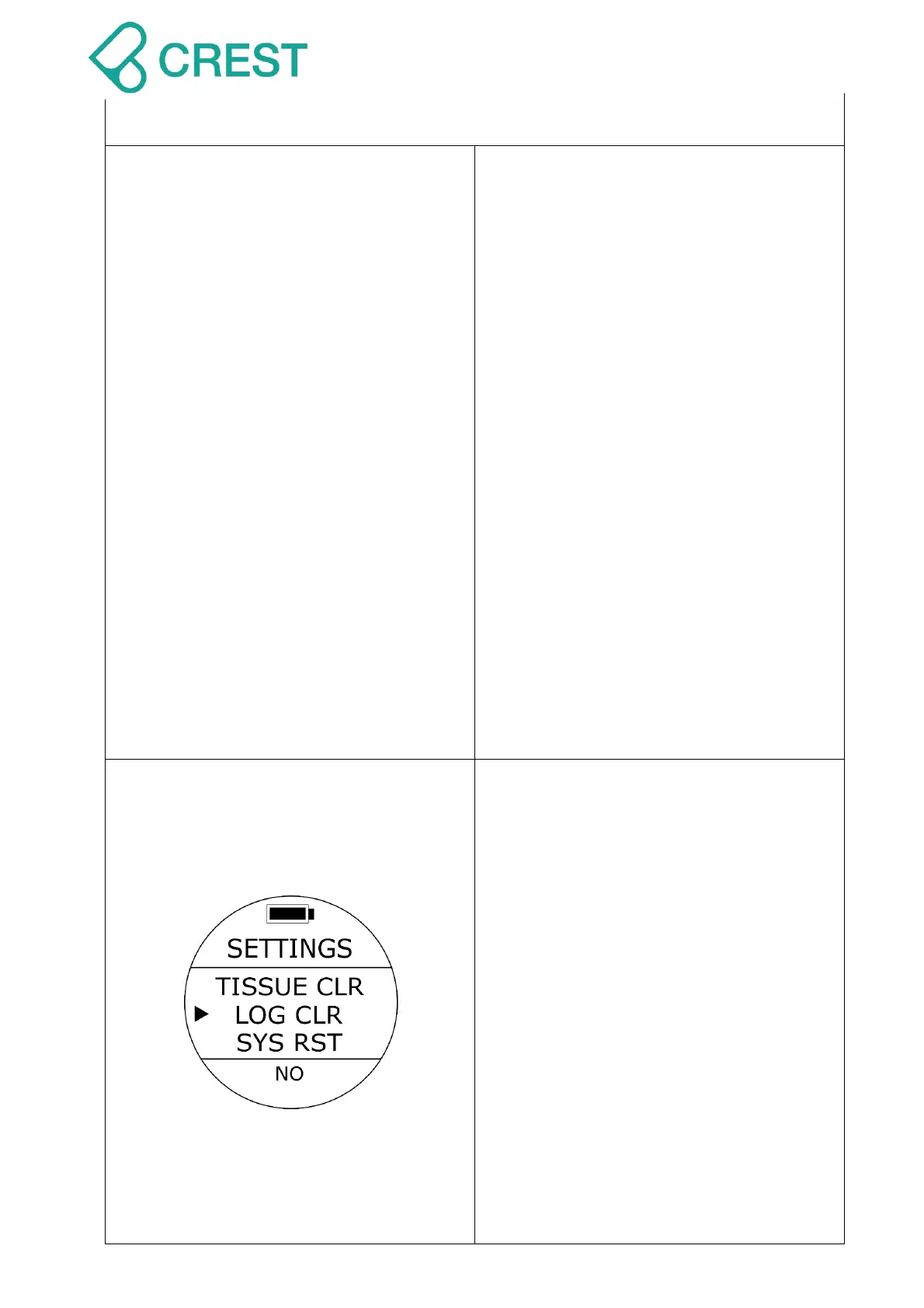
Description: Clear All Dive Logs (LOG
CLEAR)
To Access: From SETTINGS, press the
UP Button / DOWN Button until the cursor
aligns with LOG CLR. Press MODE Button
once.
One of the LOG CLR options will be
blinking at the bottom. Press UP Button /
DOWN Button to select other options as
needed. Press MODE Button to accept
your selection.
Default: NO
Setup range: YES / NO
Note:
1. By Clearing all dive logs, all logs will
be deleted permanently. There is no
way to retrieve them.
2. Clear logs won’t affect any existing
settings and residual nitrogen



 To Next Page