16 • DigitalMedia Switchers Product Manual – DOC. 8418A
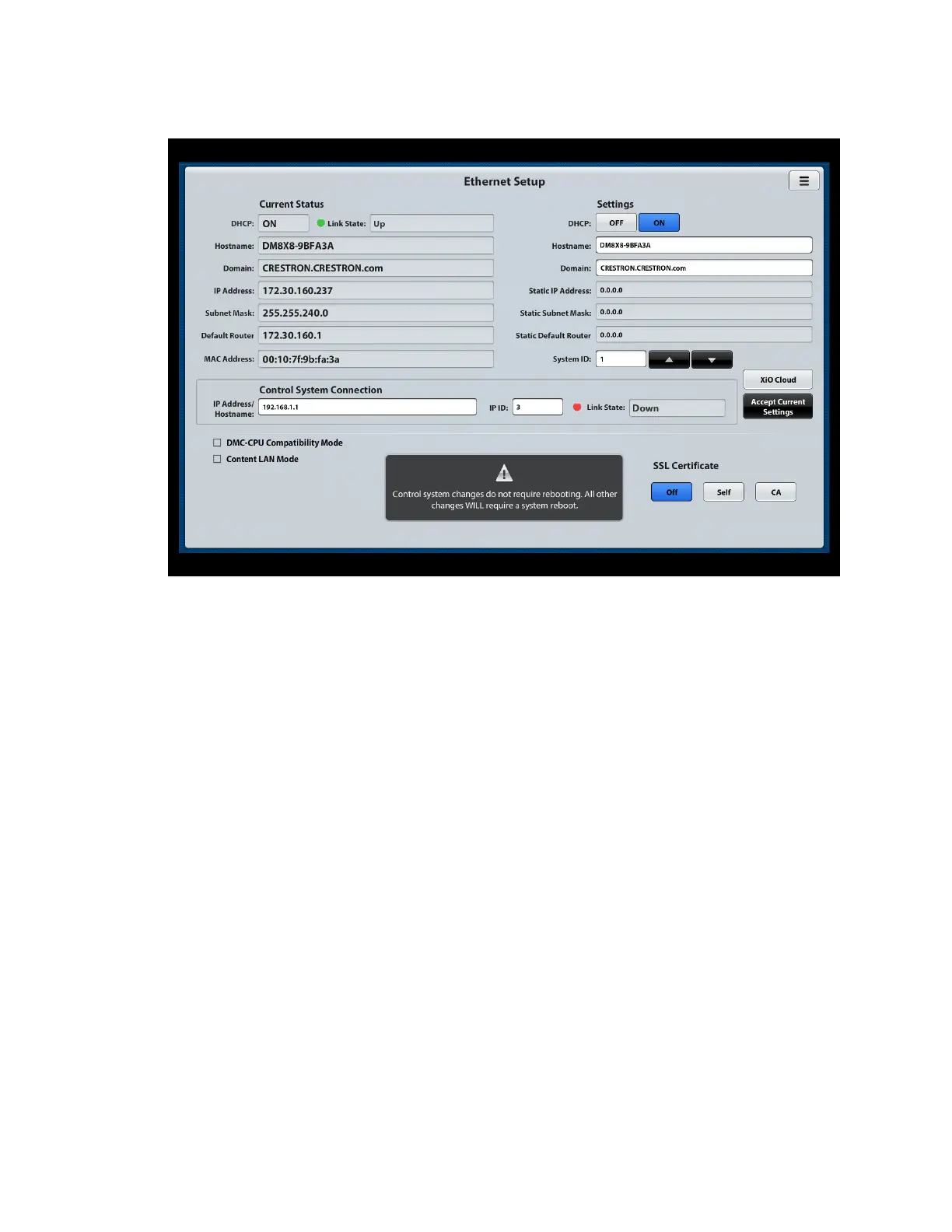
Sample Ethernet Setup Page
View Ethernet Setup Settings
The Current Status section of the Ethernet Setup page displays the following settings:
• DHCP: Indicates whether DHCP (Dynamic Host Configuration Protocol) is ON or
OFF.
• Link State: Indicates whether an Ethernet link is established between the
switcher and the network:
- A green circle and the word Up indicate that the switcher is connected to the
network.
- A red circle and the word Down indicate that the switcher is not connected to
the network.
• Hostname: Indicates the hostname of the switcher:
- For the DM-MD8X8-CPU3, the default hostname is DM8X8-
xxxxxx
(
xxxxxx
represents the last six characters of the MAC address).
- For the DM-MD16X16-CPU3, the default hostname is DM16X16-
xxxxxx
(
xxxxxx
represents the last six characters of the MAC address).
- For the DM-MD32X32-CPU3, the default hostname is DM32X32-
xxxxxx
(
xxxxxx
represents the last six characters of the MAC address).
• Domain: Indicates the domain name of the switcher
• IP Address: Indicates the IP address of the switcher



 To Next Page
 Loading...










