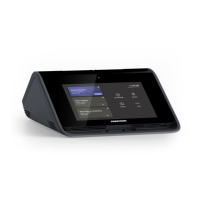
Need help?
Do you have a question about the Crestron Flex Series and is the answer not in the manual?
Provides instructions to reset Crestron Flex Phones to their factory default state before configuration.
Details the process of changing the default administrator password on the device's web interface.
Explains how to configure IP address, subnet mask, gateway, and DNS for wired network setup.
Provides instructions for setting up Wi-Fi network parameters like DHCP, IP address, and DNS.
Guides on configuring IEEE 802.1X authentication for wired Ethernet interfaces.
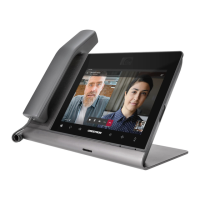
This document outlines the security reference guide for Crestron Flex Phones, detailing the necessary steps to harden an installation and providing information about system configuration for firmware release 1.0.4.22 or later. It assumes a basic understanding of security functions and protocols. The guide covers various models of Crestron Flex 8-inch and 10-inch Audio and Video Desk Phones for Microsoft Teams® Software, including international and handset-equipped versions.
Crestron Flex Phones are designed to integrate seamlessly with Microsoft Teams® environments, offering both audio and video communication capabilities depending on the model. The devices function as secure endpoints within an enterprise network, supporting various network protocols and authentication methods to ensure secure communication and data handling.
The core function of these devices is to facilitate communication within a Microsoft Teams ecosystem. This includes handling calls, video conferences, and other collaborative features provided by the Microsoft Teams software. The devices are designed to operate within a secure network environment, with provisions for both wired Ethernet and Wi-Fi™ communications.
Security is a paramount aspect of the Crestron Flex Phones. The devices support 802.1X authentication on their primary wired Ethernet interface, which is an IEEE network standard for enhancing the security of both wireless and wired networks. This allows for robust authentication of devices before they are granted access to the network, ensuring that only authorized devices can communicate. The authentication process can leverage EAP-TLS Certificates for client certificate-based authentication or EAP MSCHAP V2 for username and password-based authentication. Server validation is also supported, allowing the 802.1X supplicant to validate the authentication server's certificate, with an option for OCSP stapling response for non-trusted certificates.
Network configuration is a critical function, allowing administrators to define how the device connects to the local area network (LAN). This includes settings for DHCP, static IP addressing (IP address, subnet mask, default gateway), and DNS server settings. The devices also support VLAN configuration, PC Port Mode, CDP, and LLDP for advanced network deployments.
For remote management and monitoring, the Crestron Flex Phones can send audit logs to a remote Syslog server. This functionality is crucial for maintaining a comprehensive record of device activities and for security auditing purposes. The Syslog configuration allows for specifying the remote server address, port, and log level (DEBUG, INFO, WARNING, ERROR), as well as keyword filtering for specific events. If TLS is enabled for Syslog, the device requires a TLS-enabled server with appropriate certificates and supports server validation using trusted Certificate Authorities.
The devices are also capable of connecting to the XiO Cloud® service, which enables remote discovery, claiming, and management of the devices. This cloud connectivity provides a centralized platform for managing a fleet of Crestron Flex Phones, streamlining deployment and ongoing maintenance. However, this feature can be disabled if organizational policies do not permit communication with external services.
The Crestron Flex Phones offer a user-friendly interface for both end-users and administrators. For administrators, the device provides a web-based configuration interface, accessible via a web browser, which is the primary method for performing secure configurations as detailed in this guide. Additionally, some configuration aspects can be managed through the XiO Cloud® service.
Local setup pages are available directly on the device's touch screen display, accessible by tapping the gear icon on the home page and selecting "Device Settings." This allows for quick adjustments to commonly used configuration settings without needing a separate computer.
A key usage feature is the ability to create and manage an admin account password. Upon initial access to the web configuration interface, the system prompts for a password change from the default credentials, enforcing strong password policies (8-32 characters, including numbers, uppercase, lowercase, and special characters) to enhance security.
Network configuration is straightforward, allowing administrators to choose between DHCP for automatic IP assignment or manual configuration for static IP addresses. This flexibility caters to various network environments and security requirements.
Bluetooth™ communications are enabled by default, allowing the devices to connect to supported peripheral devices. This enhances the usability of the phones by enabling wireless accessories. However, this feature can be easily disabled through the settings if not required or if organizational policies restrict Bluetooth usage.
The devices are designed to perform automatic updates by default. This ensures that the firmware and Microsoft Teams APK (Android Package Kit) are kept up-to-date, providing the latest features, security patches, and performance improvements. The update schedule can be configured, allowing for updates at a set day and time or through a polling interval. This automatic update mechanism simplifies maintenance and ensures the device remains secure and functional.
User and group management is facilitated through integration with Active Directory (LDAP) service. This allows administrators to add Active Directory users and groups to the device, inheriting access levels defined within Active Directory. This centralized management simplifies user provisioning and access control, especially in large enterprise environments.
Maintenance of Crestron Flex Phones is supported through several features designed to ensure the device's longevity, security, and optimal performance.
One of the primary maintenance features is the ability to perform firmware updates. While automatic updates are enabled by default, administrators can also perform manual firmware updates through the web configuration interface. This involves uploading a firmware BIN file from a host computer, providing flexibility for controlled update deployments or in scenarios where automatic updates are disabled.
The device offers a factory default restore option, which is crucial for troubleshooting or re-provisioning a device. This process involves disconnecting and reconnecting the Ethernet cable, then pressing and holding specific buttons (Volume Up and Microphone Mute) during boot-up to initiate a factory restore. This ensures that the device can be returned to a known secure state before configuration.
Managing Trusted Certificate Authorities (CAs) is another important maintenance function. Administrators can add or delete CAs from the device for use with 802.1X authentication and remote Syslog server validation. This ensures that the device can securely communicate with authenticated servers and validate their identities, which is vital for maintaining a secure communication chain. The web interface provides tabs for different CA types (Root, Intermediate, Machine, Web Server) and allows for easy upload and deletion of certificates.
Time and date synchronization is handled via Network Time Protocol (NTP). By default, the device synchronizes its clock with pool.ntp.org, but administrators can configure a custom NTP server. Accurate timekeeping is essential for logging, authentication, and overall system integrity.
The remote Syslog feature serves as a critical maintenance tool for monitoring device health and security. By sending audit logs to a remote server, administrators can centralize log collection and analysis, enabling proactive identification of issues, security incidents, or unusual activities. The configurable log levels and keyword filters allow for granular control over the type and volume of logs collected, optimizing storage and analysis efforts.
User and group management, tied to Active Directory, simplifies the process of adding or removing users and groups from the device. This ensures that access permissions are consistently applied and can be easily revoked or modified as personnel changes occur, contributing to the overall security posture of the deployment.
The ability to disable features like Bluetooth communications and XiO Cloud connectivity provides administrators with granular control over the device's external interactions, allowing them to align the device's operation with specific organizational security policies and reduce potential attack surfaces.
Overall, the Crestron Flex Phones are designed with a comprehensive set of functions and features that support secure deployment, efficient usage, and straightforward maintenance within an enterprise communication environment.
 General
| SIP | Yes |
|---|---|
| Display | Touch screen |
| Supported Protocols | SIP, H.323 |
| PoE | Yes |
| Network Connectivity | Ethernet |
| HDMI Output | Yes |
| Audio | Built-in speaker and microphone |
| Power | PoE |

 To Next Page