19
3. USING CRICKET BROADBAND
active state.
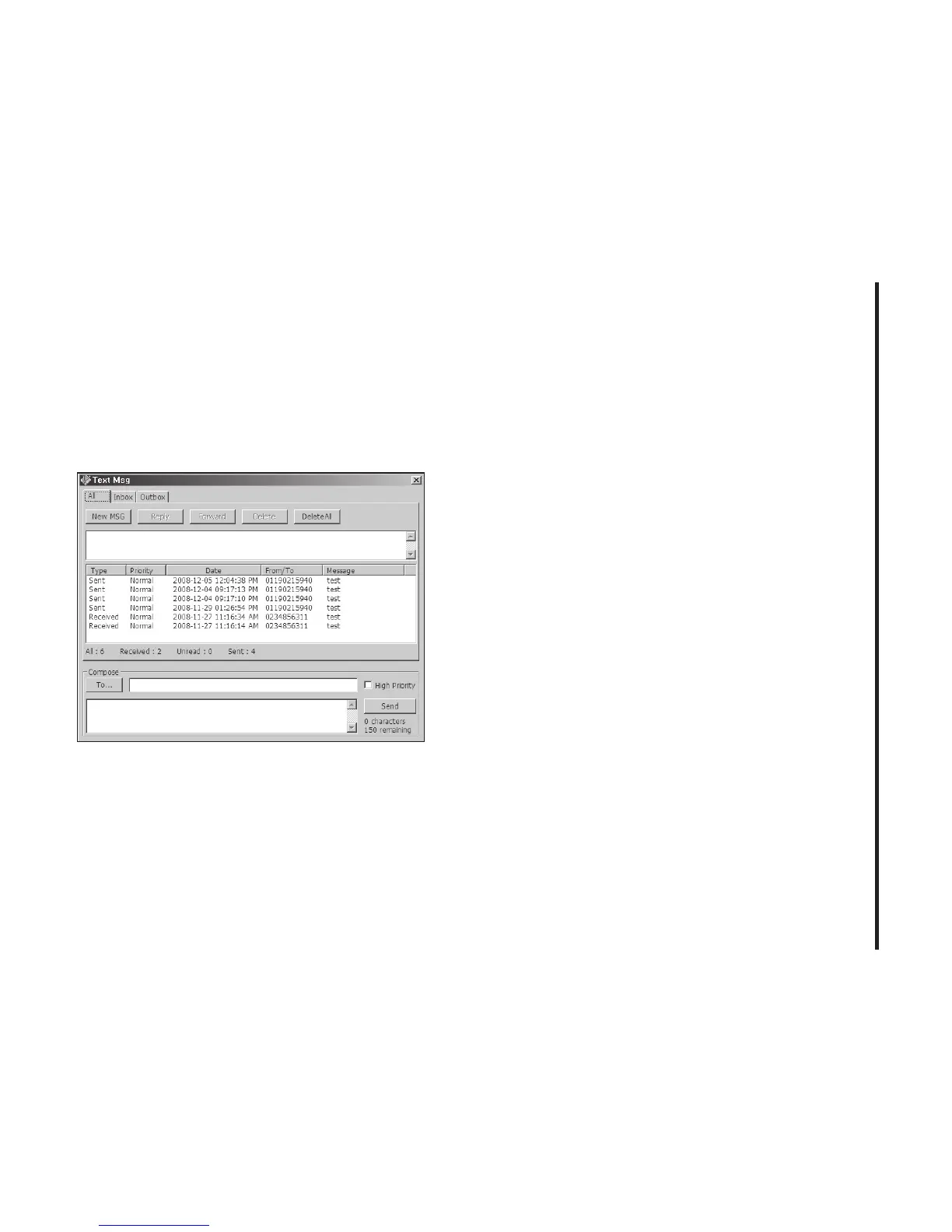
Text Messaging
Cricket Broadband supports text messaging
for the Cricket A600.
Receiving Text Messages
• All of your text messages will appear in the
list box at the top of the text messaging
view. By default, all sent and received
messages will appear.
• To view only certain messages, click on
the message and select “All”, “Inbox” or
“Outbox”.
• If you are in the text messaging view and
a new message arrives, the message will
automatically appear in the list and
formatted in bold.
• To view a long text message, select the
message in the list view. The details of the
message will appear above the list.
• To reply to an incoming message, select
the message and press the [Reply] button.
The phone number of the sender will auto
populate in your new message. Enter your
new message and press the [Send] button
to send the message.
• To forward an incoming message, select
the message and press [Forward] button.
The message will auto populate in the send



 To Next Page