• As you type, suggested words appear above the keyboard. Tap a correctly
suggested word to select it; press and hold a suggested word to see
additional word options.
• Tap
to use uppercase. Double tap to lock uppercase. This key also
changes to indicate the current case you are using:
for lowercase, for
uppercase, and
when locked in uppercase.
• Tap to delete the text before the cursor.
•
Tap
to select numbers and symbols. You can then tap
more.
.snocitome dna sijome esoohc ot paT •
• Tap
to use Google Voice typing.
the available
È.
• Tap the alphabetic keys to enter letters.
Press
accented letters or
and
numbers. For example, to enter È,
press and hold
accented letters and number 3 appear.
Then slide to choose
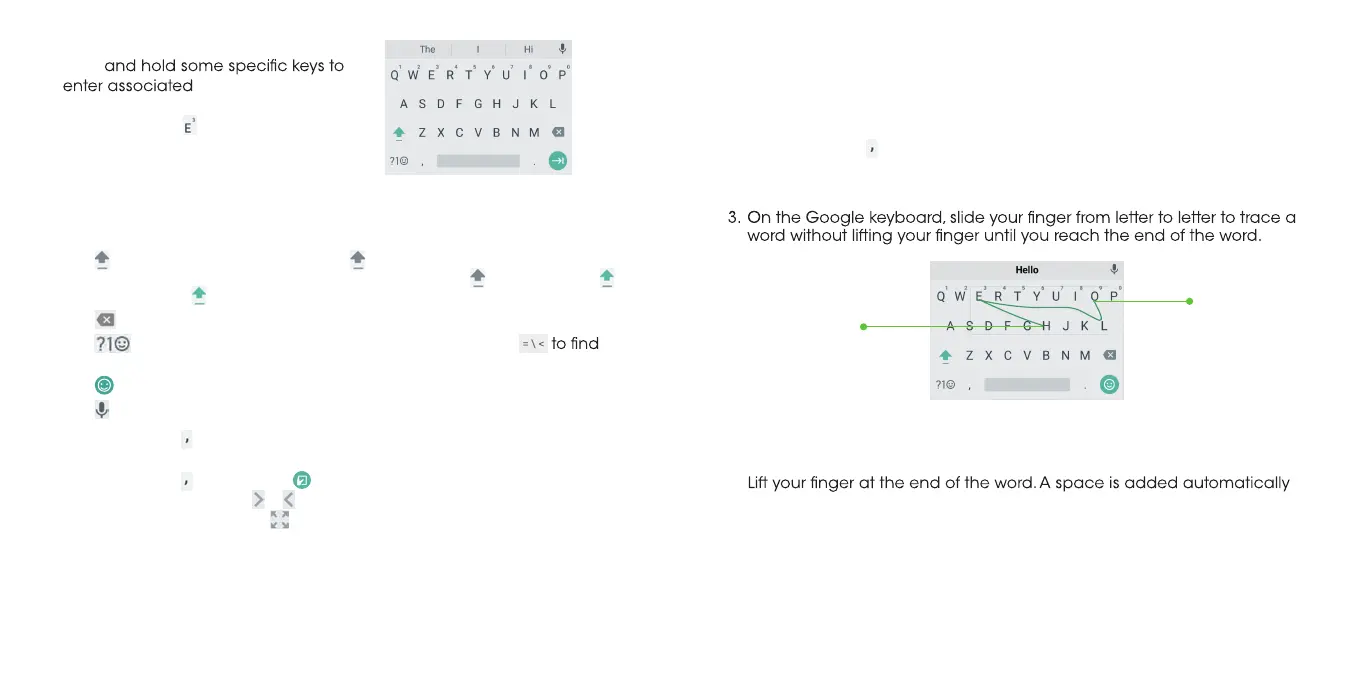
Glide typing
The Google keyboard supports the gesture-typing feature. Use this feature to
input a word by sliding from letter to letter on the keyboard.
To enable and use gesture typing:
dloh dna sserP .1 on the Google keyboard, and then tap Google
Keyboard settings.
2. Tap Gesture typing>Enable gesture typing if this feature is turned off.
Notes:
• Tap to type when you want to. If you want to enter a single letter, simply
tap the key once.
•
when you begin to trace the next word.
End of the word
Start of the word
dloh dna sserP •
to change the input languages or set up the Google
keyboard.
ot edils dna dloh dna sserP •
to change to a smaller keyboard for easier
one-handed typing. Tap /
to switch to the right-hand or left-hand
keyboard, respectively. Tap
to switch back to the full-sized keyboard.
26 27



 To Next Page