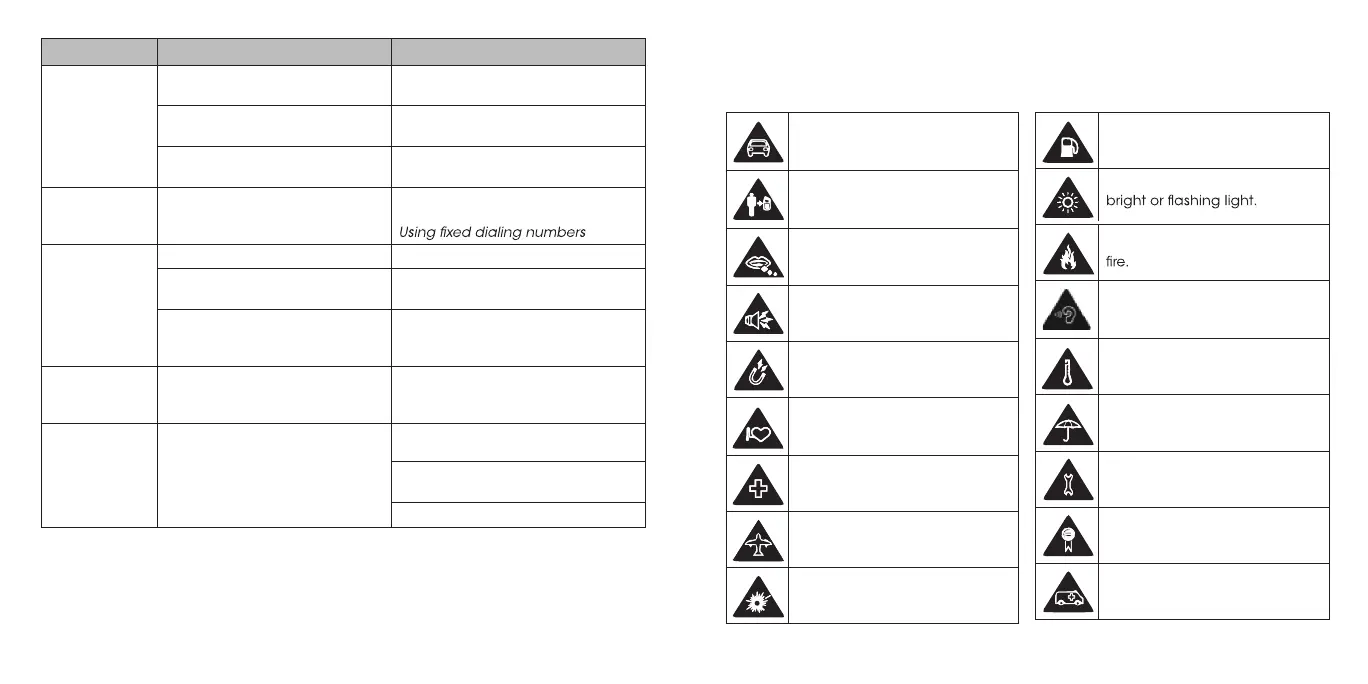
Problem Possible causes Possible solution
nano-SIM
card error
The nano-SIM card has
malfunctioned or is damaged.
Take the nano-SIM card to your
service provider for testing.
The nano-SIM card is inserted
improperly.
Insert the nano-SIM card properly.
Debris is on the nano-SIM card
contacts.
Use a soft, dry cloth to clean the
nano-SIM card contacts.
Cannot make
outgoing calls
You have activated the Fixed
dial numbers feature.
Disable this feature. See Phone
calls – Adjusting your call settings –
.
Unable to
connect to the
network
The nano-SIM card is invalid. Contact your service provider.
You are not within the network’s
service area.
Check the service area with your
service provider.
Poor signal.
Move to an open space, or if you
are inside a building, move closer
to a window.
PIN Code
blocked
You have entered an incorrect
PIN code three consecutive
times.
Contact your service provider.
Phone
crashes,
reboots, freeze,
or cannot be
powered on
Some third-party software is not
compatible with your phone.
Reset the phone to factory status.
Uninstall the software that may be
causing the problem.
Upgrade the phone software.
Don’t make or receive
handheld calls while driving.
Never text while driving.
Keep your phone at least
15 mm away from your ear or
body while making calls.
Small parts may cause
choking.
Your phone can produce a
loud sound.
Avoid contact with anything
magnetic.
Keep away from pacemakers
and other electronic medical
devices.
Power off when asked to in
hospitals and medical facilities.
Power off when told to in
aircrafts and airports.
Power off when near explosive
materials or liquids.
Don’t use at gas stations.
Your phone may produce a
Don’t dispose of your phone in
To prevent possible hearing
damage, do not listen at high
volume levels for long periods.
Avoid extreme temperatures.
Avoid contact with liquids. Keep
your phone dry.
Don’t take your phone apart.
Only use approved accessories.
Don’t rely on your phone for
emergency communications.
For your safety
General safety
84 85



 To Next Page