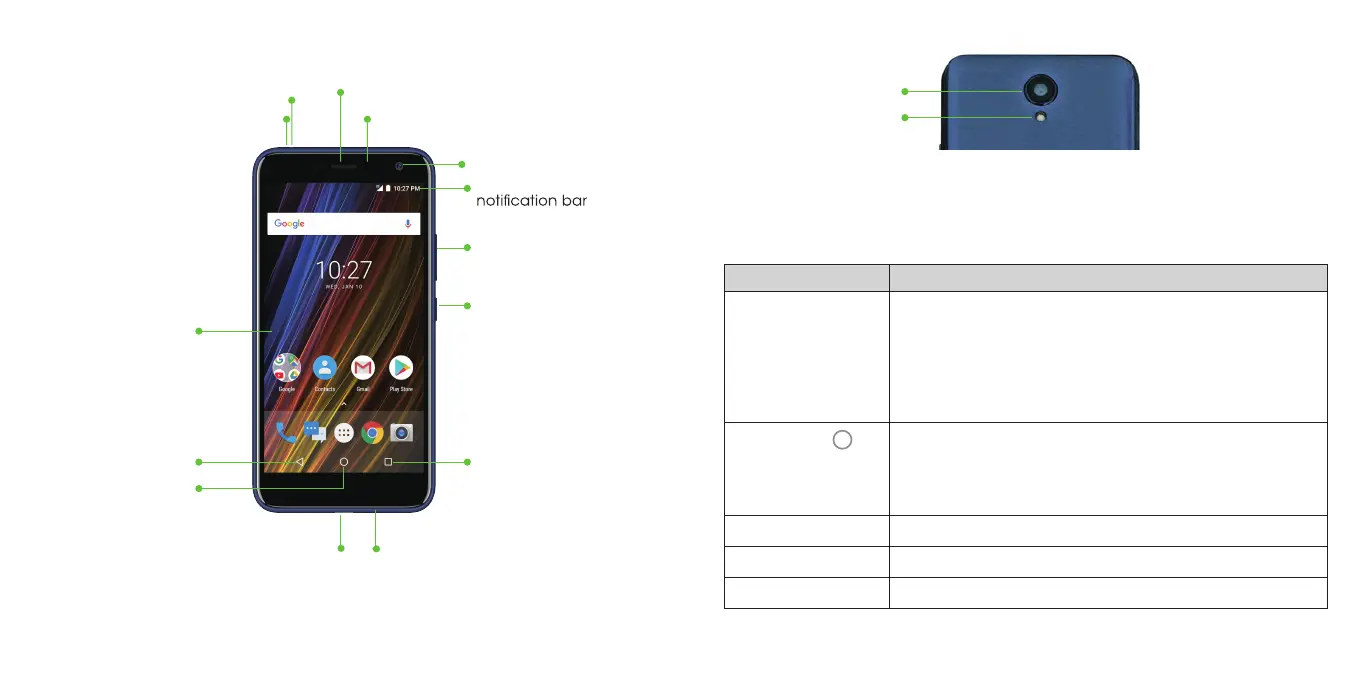
Getting to know your phone
Key functions
Key Function
Power key Press and hold to turn Airplane mode on or off, reboot,
or to power off.
Press to change your phone to Sleep mode.
Press to wake up your phone.
Flash
Camera
(back)
Volume key
Chargingport Microphone
Status and
Power key
Touch screen
Earpiece
Headset port Proximity and light sensor
Microphone
Camera lens
Home key Press to return to the home screen from any
application or screen.
Press and hold to access Google Search or
Recent apps key Press to see recently used applications.
Back key Press to go to the previous screen.
Volume key Press or hold to turn the volume up or down.
Recent appsBack keys
Home
Google Assistant.
12 13



 To Next Page