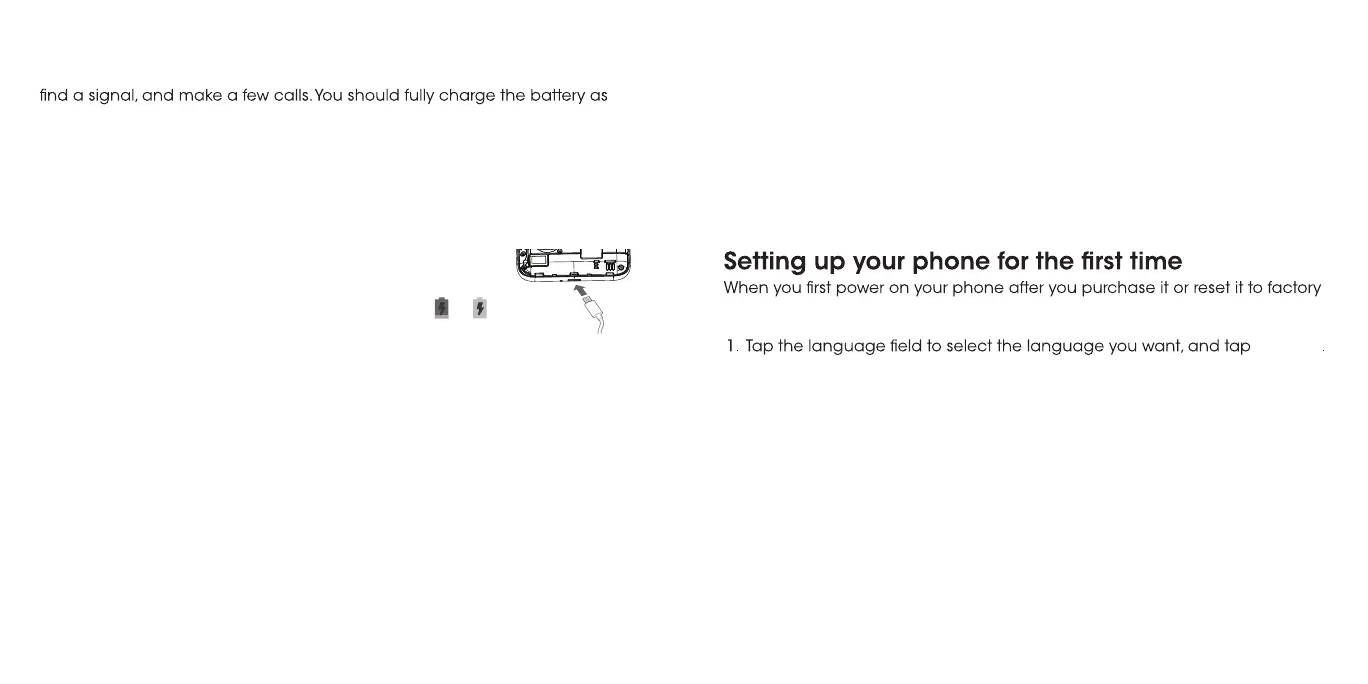
Charging the battery
Your phone’s battery should have enough power for the phone to turn on,
soon as possible.
If the battery is low, there will be a pop-up message on the screen. As you
charge your phone, the screen will tell you the exact battery level each time
you wake up your phone.
Warning! Use only approved chargers and USB Mico cables. The use of
unapproved accessories could damage your phone or cause the battery to
explode.
BSU
/gnigrahceht ot retpadaeht tcennoC.1
port.
eht fI .teltuollawCAdradnats aot regrahceht tcennoC.2
phone is on, you’ll see a charging icon, such as or ,
appear in the Status Bar.
.degrahcylluf si yrettabeht nehwregrahceht tcennocsiD .3
Note: If the battery is extremely low, you may be unable to power
on the phone even when it is being charged. In this case, try again
after charging the phone for at least 20 minutes. Contact customer
service if you still cannot power on the phone after prolonged charging.
Extending the battery life
Active applications, screen brightness levels, Bluetooth and Wi-Fi usage, and
GPS functionality can drain your battery. You can follow the helpful tips below
to conserve your battery power:
• Use the Battery saver feature in Settings.
• Reduce the screen backlight time.
• Lower the screen brightness.
• Turn auto-sync, Wi-Fi, and Bluetooth off when not in use.
• Disable the GPS function when not in use. Most applications using this
function will periodically query the GPS satellites for your current location;
each query drains your battery.
Powering your phone on/off
• Press and hold the Power key to power on your phone.
• To turn it off, press and hold the Power key to open the options menu.
Tap Power off.
Note: If the phone freezes or takes too long to respond, press and hold the
Power key for about 25 seconds to res
tart the phone.
settings (see Settings – Backup & reset), you may need to set it up before
using it.
.2
eht daeR .3 User acceptance, and tap I AGREE.
Locking/Unlocking the screen and keys
Your phone allows you to quickly lock the screen and keys (put the phone
into Sleep mode) when not in use and also to turn the screen back on and
unlock it when you need it.
To lock the screen and keys:
To quickly turn the screen off and lock the keys, press the Power key.
Note: To save battery power, the phone automatically turns off the screen
after a certain period of time when you leave it idle. You will still be able to
receive messages and calls while the phone screen is off.
Mico
LET'S GO
Select to either Copy your data from a phone or the cloud or Set up as
new to get a fresh start. Follow the prompts.
8 9



 To Next Page