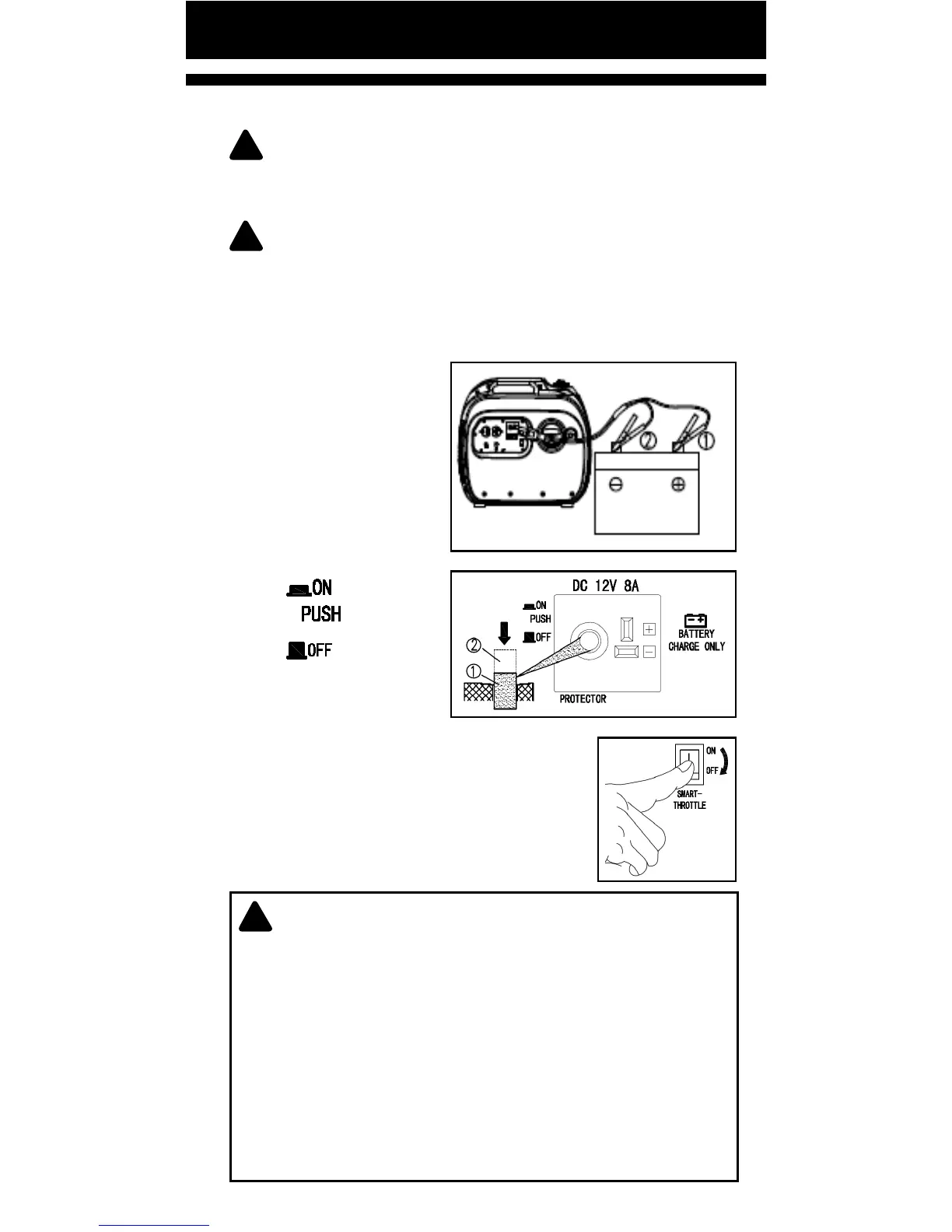
DC CONNECTION (BATTERY CHARGING)
!
WARNING: Never connect with VRLA (valve regulated
lead-acid) baery, which needs special (constant voltage)
baery charging.
!
NOTE: The generator rated DC voltage is 12V - 8 Amp.
• Make connecon to baery aer starng engine
• Clamp the red wire to the posive (+) terminal and
the black wire to the negave (-) terminal of the
baery. ① Red cable ② Black cable
STARTING THE ENGINE
1. Start the generator.
2. Press the DC
protector to reset and
connect.
① RESET
②
3. Turn the smart-
throle switch to OFF
posion.
4. Connect charging line to baery
terminal, and then plug to generator DC
socket.
!
NOTICE: Make sure the smart-throle switch is in
OFF posion while charging baery and ensure baery
lines are properly connected.
To avoid short circuit, connect charging line to baery
terminal rst, then to generator DC socket. Aer
charging, disconnect the generator terminal rst.
If DC protector turns OFF, reduce the load to the
generators rated output. If it turns OFF again, consult
your local dealer/service agent.
Pg. 22



 To Next Page