AirData 150 S2 USB User Manual
30
[Definition of each field]
SSID: Name of BSS or IBSS network
Network Type: Network type in use, infrastructure for BBS, Ad-Hoc for IBSS network
Channel: Channel in use.
Wireless Mode: AP support wireless mode. IT may support, 802.11b, 802.11g or 802.11n
wireless mode.
Security-Enable: Whether AP provides security-enabled wireless network
Signal: Receive signal strength of specified network
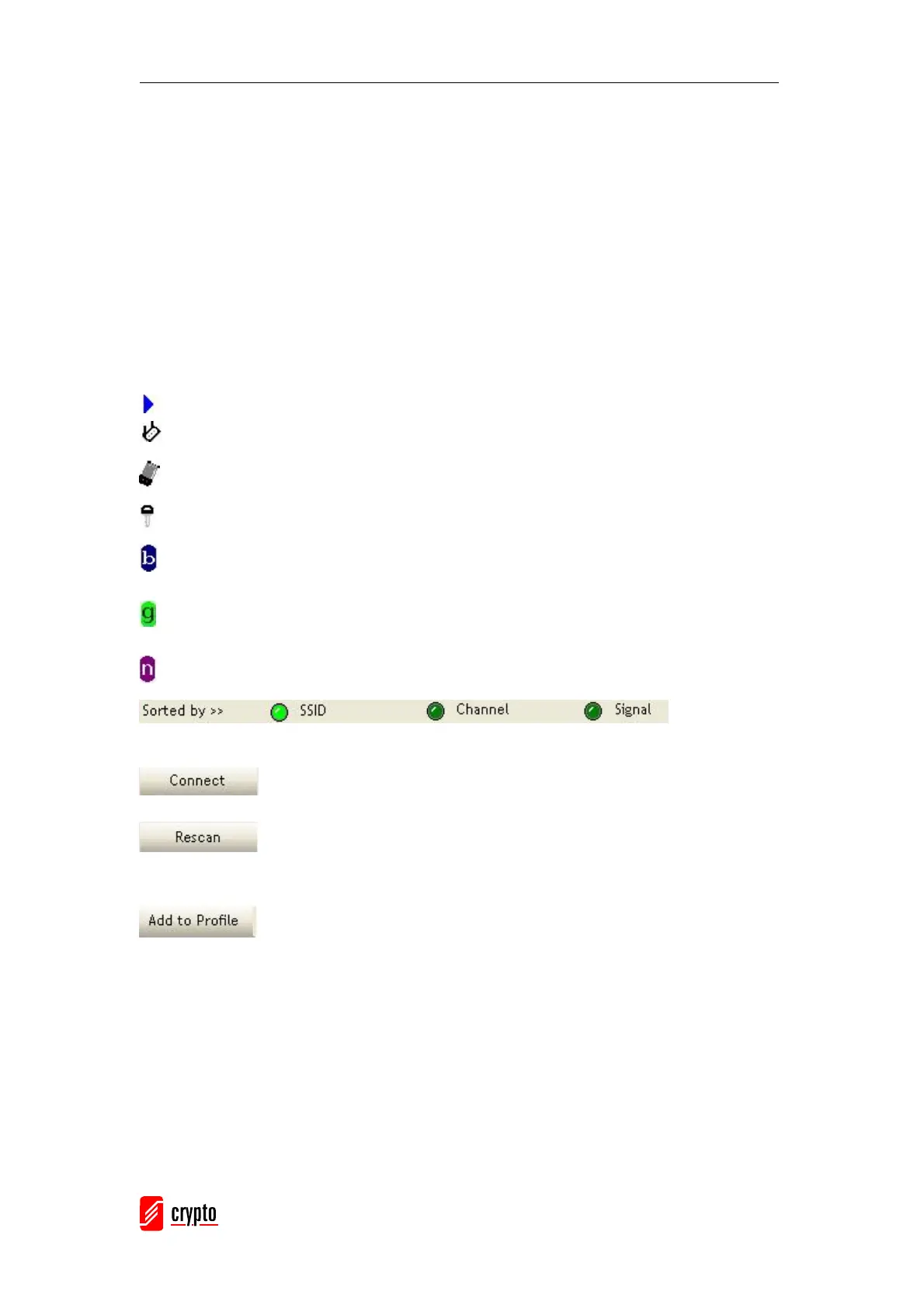
[Icons & Buttons]
Î Indicates a successful connection .
Î Indicates that the network type is infrastructure mode.
Î Indicates the network type Ad-Hoc mode.
Î Indicates a security-enabled wireless network.
Î Indicates 802.11b wireless mode.
Î Indicates 802.11g wireless mode.
Î Indicates 802.11n wireless mode.
Î Indicate the
AP lists are sorted by SSID, Channel, or Signal.
Î Command used to connect to the selected network.
Î Issue a rescan command to wireless NIC to update the information on
surrounding wireless networks.
Î Add the selected AP to Profile setting. It will bring up profile page and
save user’s setting to a new profile.



 To Next Page