AirData 150 S2 USB User Manual
52
Status: Current connection status. If no connection, then Disconnected will appear.
Otherwise, the SSID and BSSID will be shown here.
Extra Info: Display the link status and current channel in use.
Channel: Display the number of the radio channel and the frequency used for the
networking.
Link Speed (Mbps): Display the transmission and reception rate of the network. The
maximum transmission rate is 54Mbp.
Throughput (Kbits/sec): Display transmits and receives throughout in K bits/sec.
Link Quality: Display connection quality based on signal strength and TX/RX packet error
rate.
dBm: If you want to know the signal strength in dBm’s, select the check box.
Signal Strength: Receive signal strength, user can choose to display in percentage or
dBm format.
Signal Strength2: Receive signal strength 2, user can choose to display in percentage or
dBm format.
Noise Level: Display the noise signal strength.
HT: Display current HT status in use, containing BW, GI, MCS, SNR0, and SNR1 value.
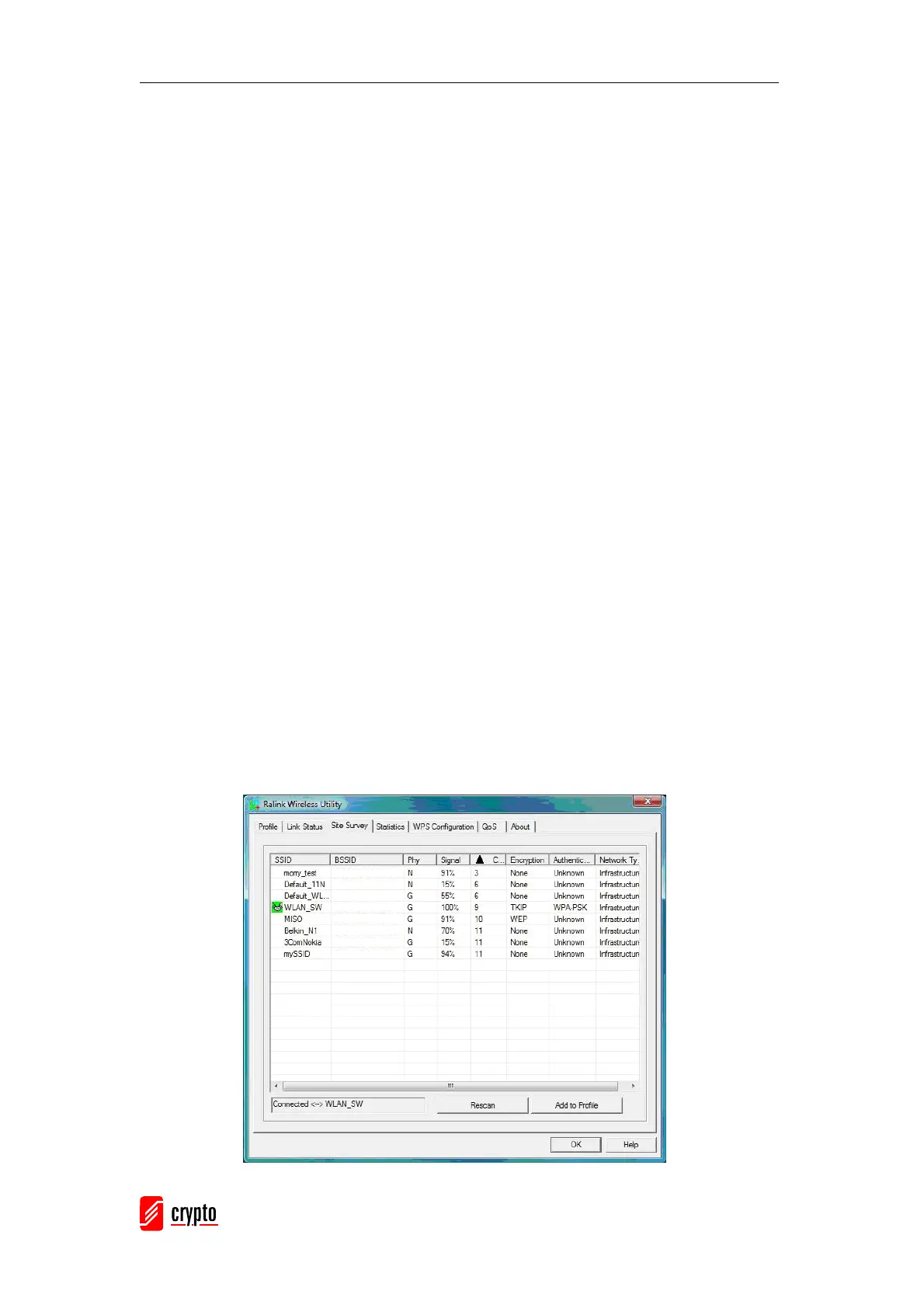
3.2.3 Site Survey
When you open the Configuration Utility, the system will scan all the channels to find all the
access points/stations within the accessible range of your adapter and automatically
connect to the wireless device with the highest signal strength. From the “Site Survey”, all
the nearby networks will be listed. You can change the connection to another network or
add one of the networks to your own profile list.



 To Next Page