AirData 150 S2 USB User Manual
53
SSID: Name of BBS or IBSS network.
BSSID: MAC address of AP or randomly generated oρ IBSS.
Signal: Receive signal strength of specified network.
Channel: Channel in use.
Encryption: Encryption algorithm used within BBS or IBSS. Valid value includes WEP, TKIP,
AES, and Not Use.
Authentication: Authentication mode used within the network, including Unknown, WPA-
PSK, WPA2-PSK, WPA and WPA2.
Network Type: Network type in use, Infrastructure or Ad-Hoc.
Rescan: Issue an rescan command to wireless NIC to update information on surrounding
wireless network.
Re-Scanning: Clicking the re-scan button to perform the re-scanning action.
Add to Profile: Add the selected AP to Profile setting. It will bring up profile page and save
user’s setting to a new profile.
[Connect A Network]
(1) When Raconfig is executed for the first time, it will select the best AP to connect
automatically.
(2) If the user wants to connect to another AP, the user can double-click on the intended AP
to make a connection.
(3) If the intended network has encryption other than “Not Use”, Raconfig will bring up the
security page and let user input the appropriate information to make the connection.
This icon indicates that the changes have been made.
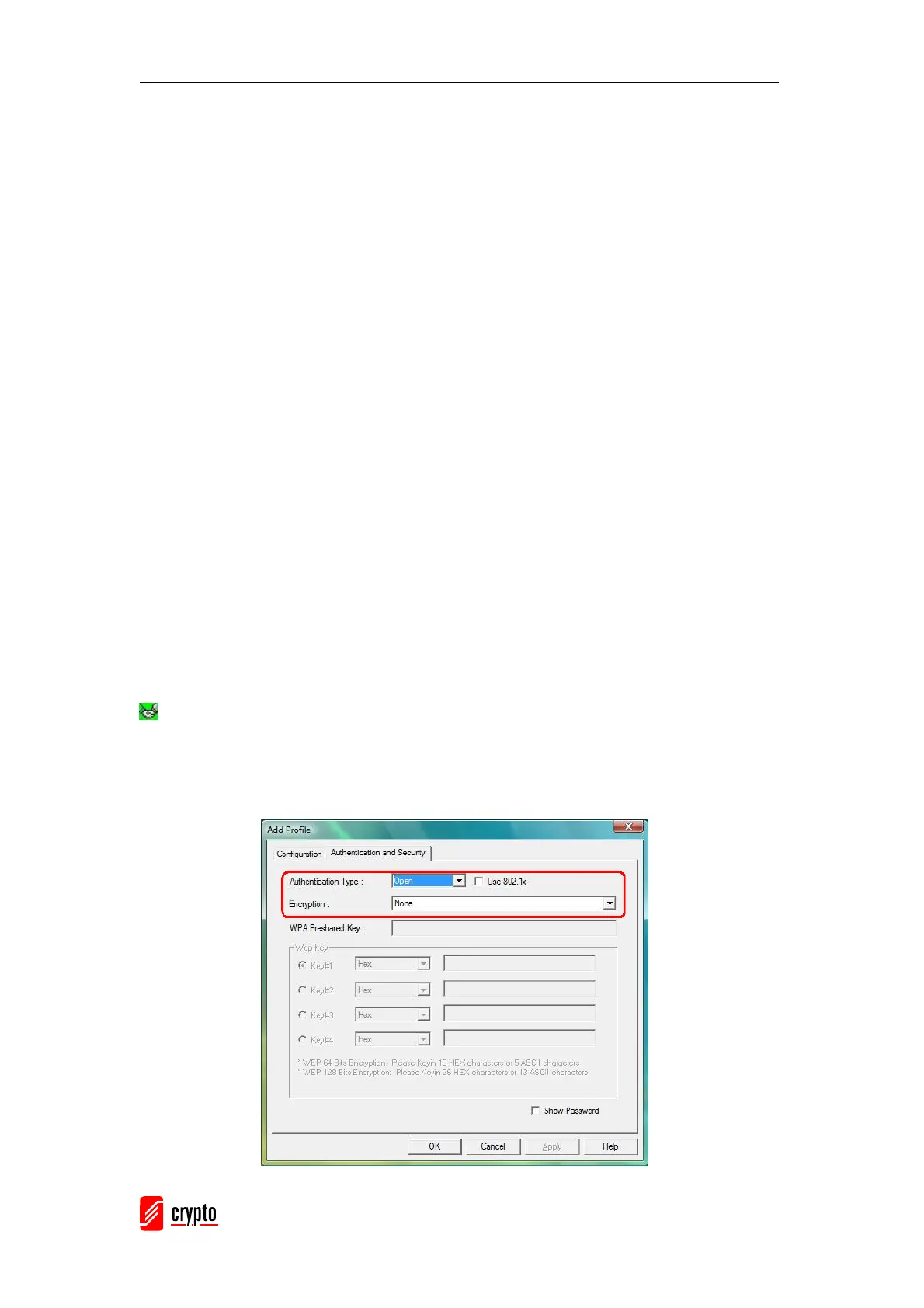
Example 1: Open and Non-Encrypted
Step 1 – Choose “Open” authentication type
Step 2 – Choose “None” encryption type



 To Next Page