AirData 150 S2 USB User Manual
54
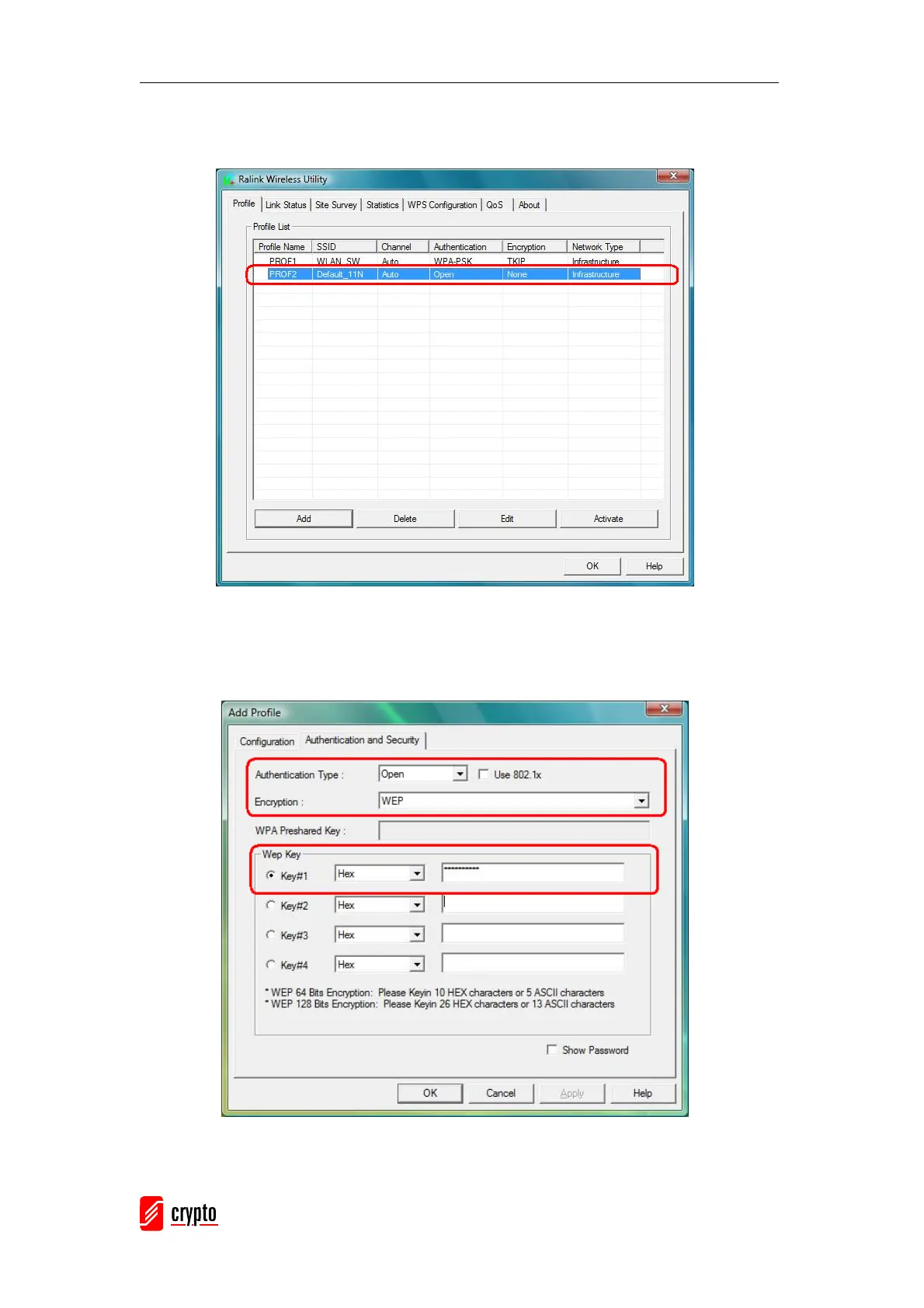
Step 3 – After the profile is saved, click “Activate” button on Profile Page to activate
the profile.
Example 2: WEP-Encrypted
Step 1 – Choose “Open” or “Shared” authentication type
Step 2 – Choose “WEP” encryption type
Step 3 –Enter the WEP KEY
Step 4 –After the profile is saved, click the “Activate” button on Profile Page to



 To Next Page