AirData 150 S2 USB User Manual
8
For Vista/7
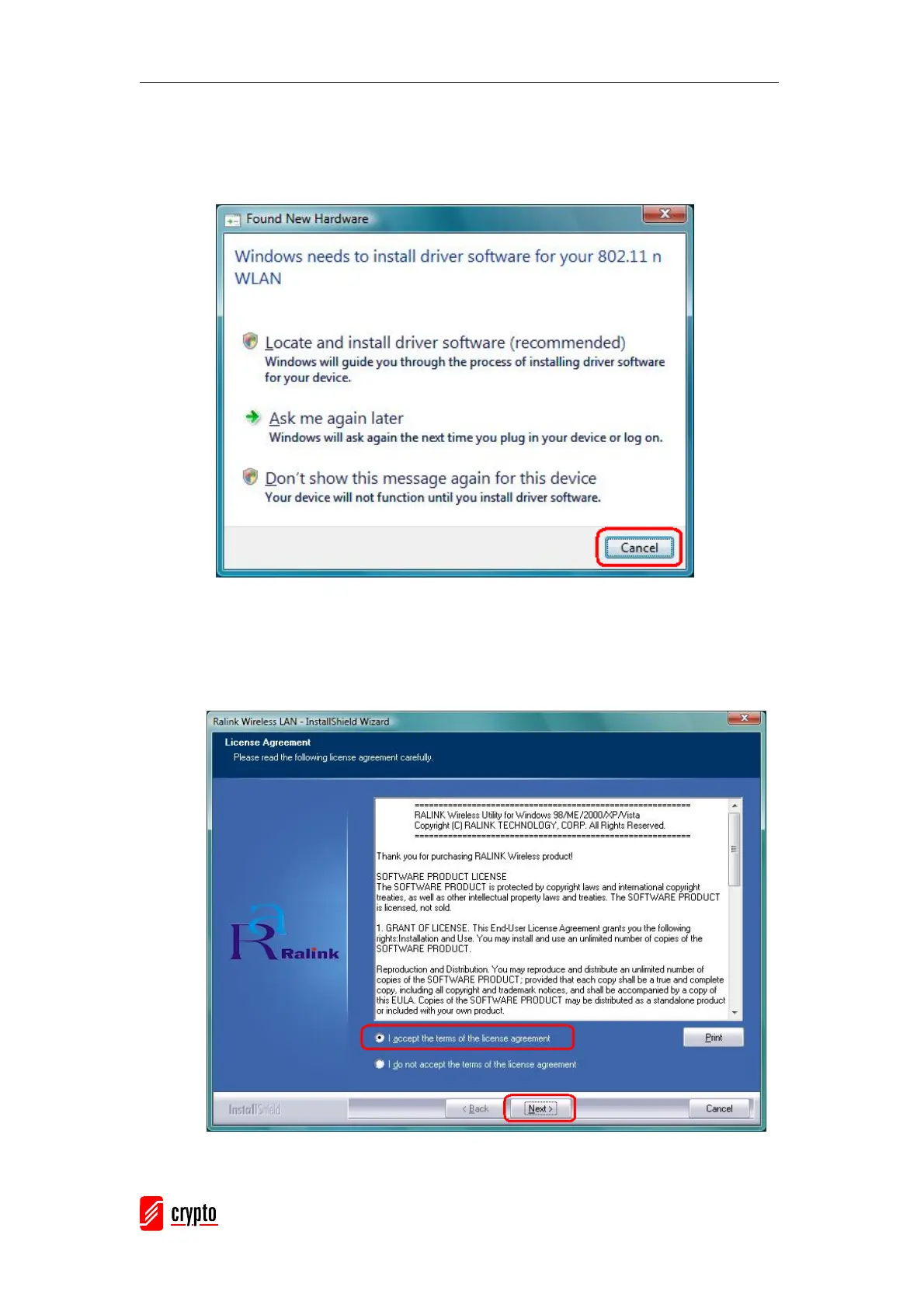
The Found New Hardware Wizard below will appear after the USB adapter is installed.
Please click Cancel to continue.
Insert the Installation CD into the CD-ROM drive, and the following window will appear.
Click Install Driver & Utility to begin the device driver installation.
Please read the following license agreement. Use the scroll bar to view the rest of this
agreement. Select I accept the terms of the license agreement and click Next to
continue.
Click Install to begin the installation.



 To Next Page