AirData 150 S2 USB User Manual
31
[Connected Network]
When RaUI is executed for the first time, it will select the best AP to connect automatically.
If the user wants to connect to another AP, he can click the “Connect” button for the intended
AP to make a connection.
If the intended network has encryption other than “Not Use”, RaUI will bring up the security
page appropriate information to make the connection.
When you double-click on the intended AP, you can see the AP’s detailed information.
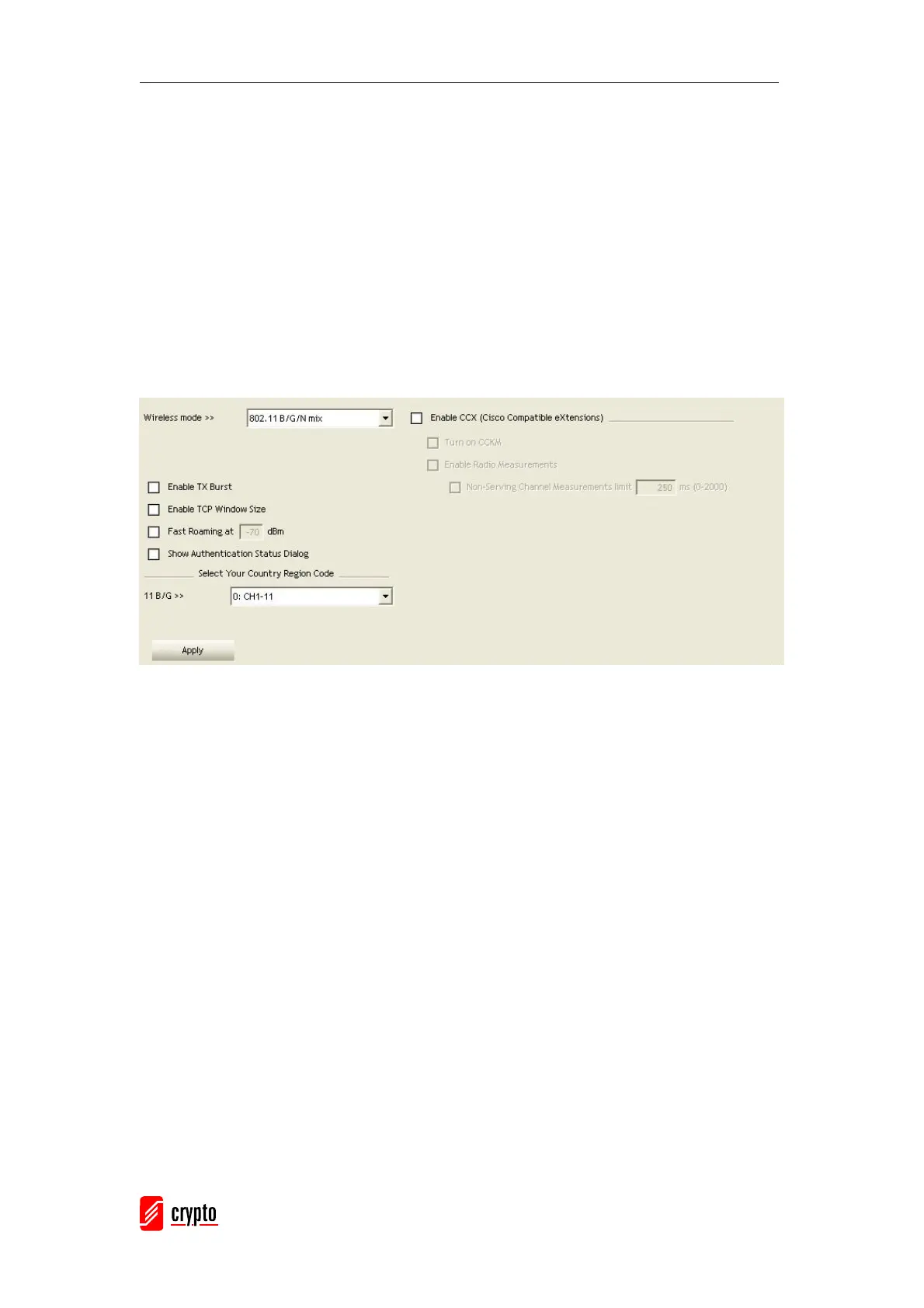
3.1.4 Advanced
Wireless Mode: Select wireless mode. The following options are supported: 802.11B only,
802.11B/G mix, and 802.11B/G/N mix. (802.11 A/B/G mix selection item only exists for A/B/G
adapter; 802.11B/G/N mix selection item only exists for B/G/N adapter; 802.11B/G/N mix
selection item only exists for A/B/G/N adapter.)
Enable Tx Burst: Ralink’s proprietary frame burst mode.
Enable TCP Windows Size: Enhance throughout.
Fast Roaming at: Fast to roaming, setup by transmit power.
Select your Country Region Code: 8 countries to choose.
Show Authentication Status Dialog: When you connect AP with authentication, choose
whether show “Authentication Status Dialog” or not. Authentication Status Dialog display the
process required for 802.11x Authentication.
Enable CCX (Cisco Compatible eXtensions): support Cisco Compatible Extensions
function.
Î LEAP turn on CCKM
Î Enable Radio Measurement: can channel measurement every 0~2000
milliseconds.
Apply: Save the save changes



 To Next Page