AirData 150 S2 USB User Manual
51
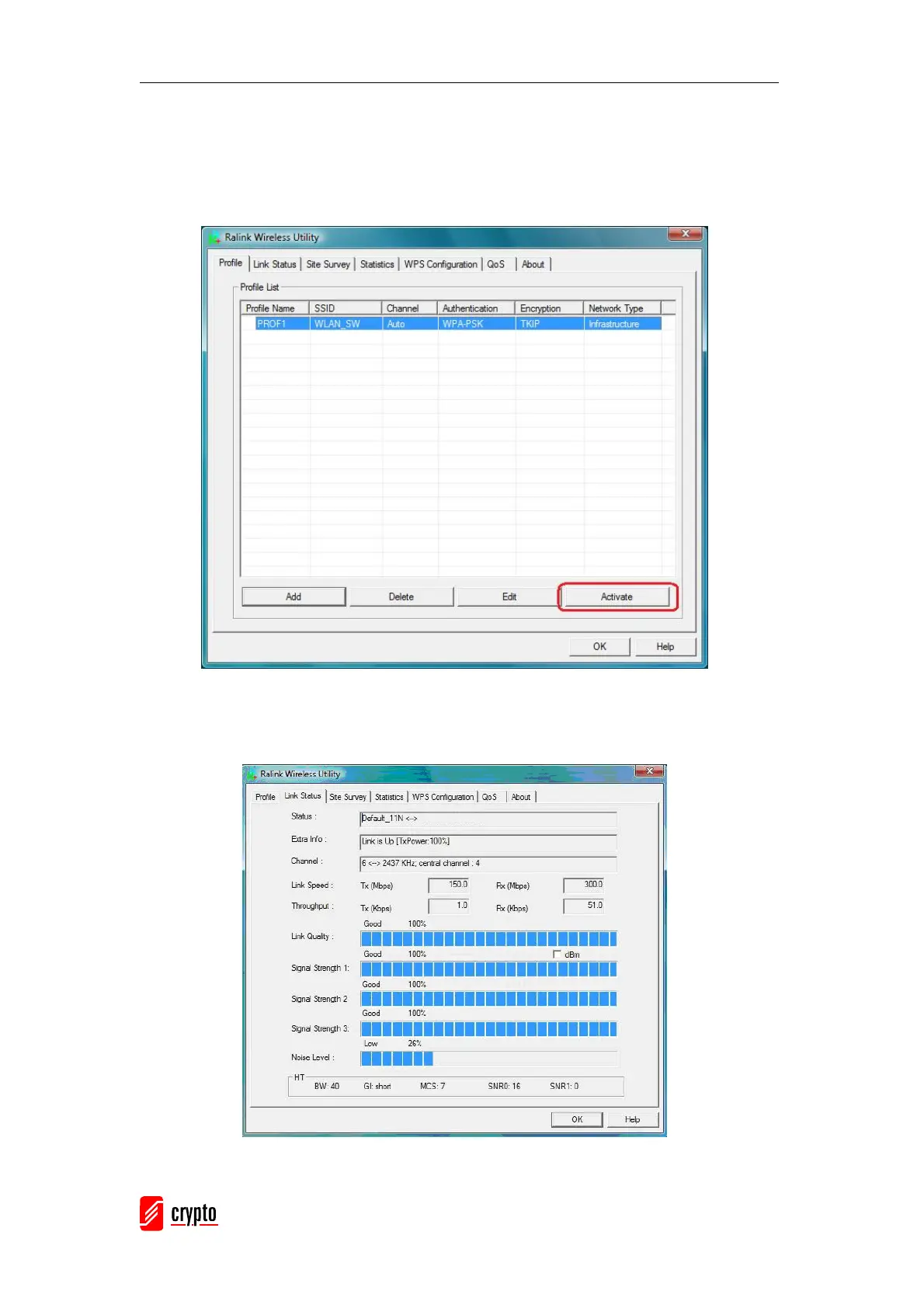
3.2.1.4 Activate a profile
Select an existing profile then click the “Active” button on Profile Page to activate the
profile.
3.2.2 Link Status
In this section, you can immediately monitor the current connected link status, such as Link
Speed, Throughput, Link Quality, Signal Strength, Noise Level …etc.



 To Next Page