AirData 150 S2 USB User Manual
12
3. Wireless Network Configuration Utility
3.1 For Windows XP
The Configuration Utility is a powerful application that helps you to configure the Wireless
LAN adapter and monitor the link status and statistics during the communication process.
When the adapter is installed, the configuration utility will be displayed automatically. This
adapter will auto connect to wireless device which has better signal strength and no
wireless security setting.
In Windows XP, it provides wireless configuration utility named “Windows Zero
configuration” which provides a basic configuration function for Ralink Wireless NIC,
Ralink’s Utility (RaUI) provides WPA supplicant functionality. To make it easier for user to
select the correct utility, RaUI will let user make the selection when it first runs after
windows XP boots.
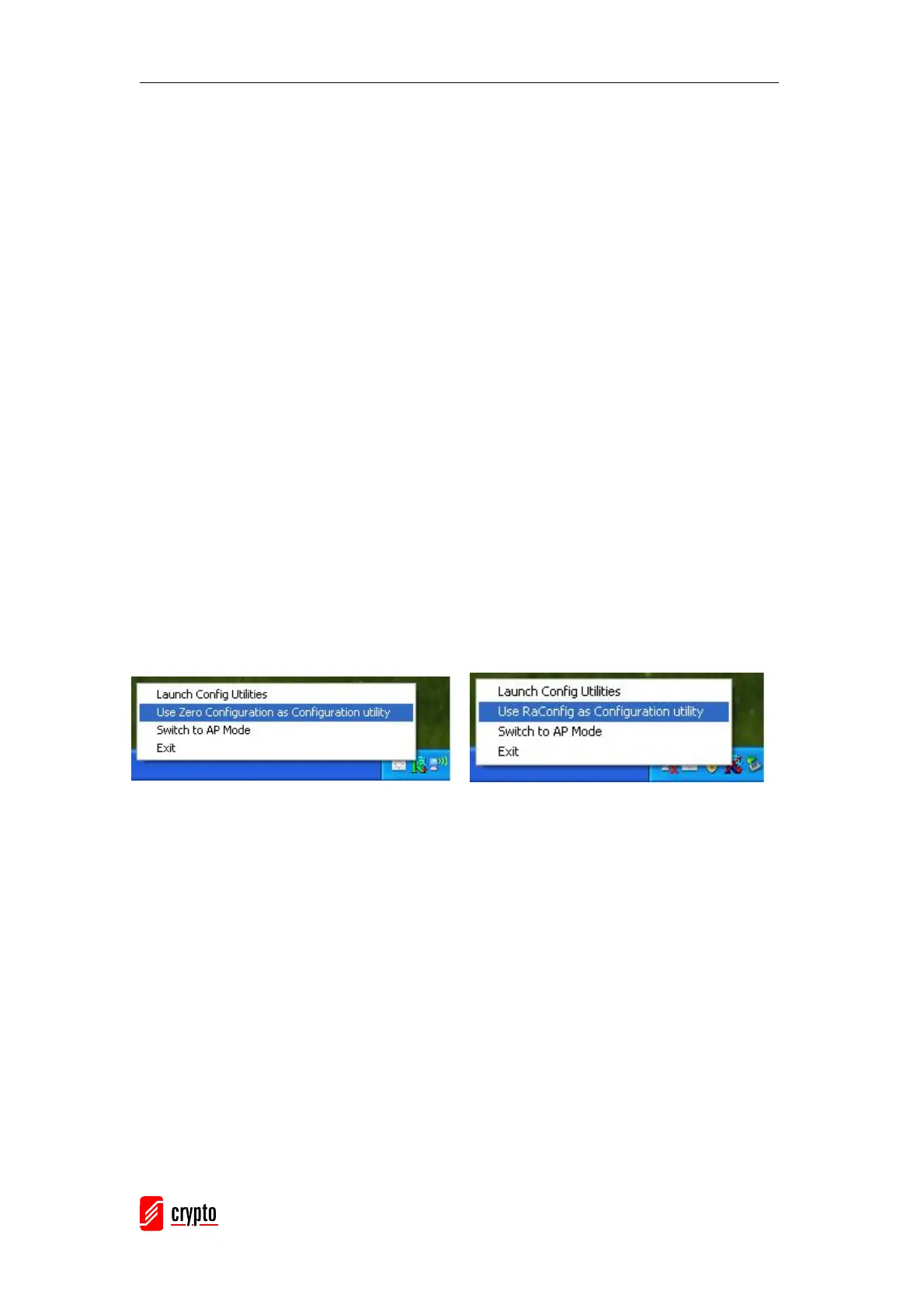
RaUI can co-exist with WZC (Windows Zero Configuration). When coexisting with WZC,
RaUI only provides monitoring function, such as link status, network status, statistic
counters, advanced feature status, WMM status and WPS status. It won’t interfere with
WZC’s configuration or profile functions. Please see the picture below: To select WZC or
RaUI
If “Use Zero Configurations as Configuration utility” is selected, please continue on the
section. The picture below illustrates the RaUI status when WZC is active as the main
control utility.



 To Next Page