34
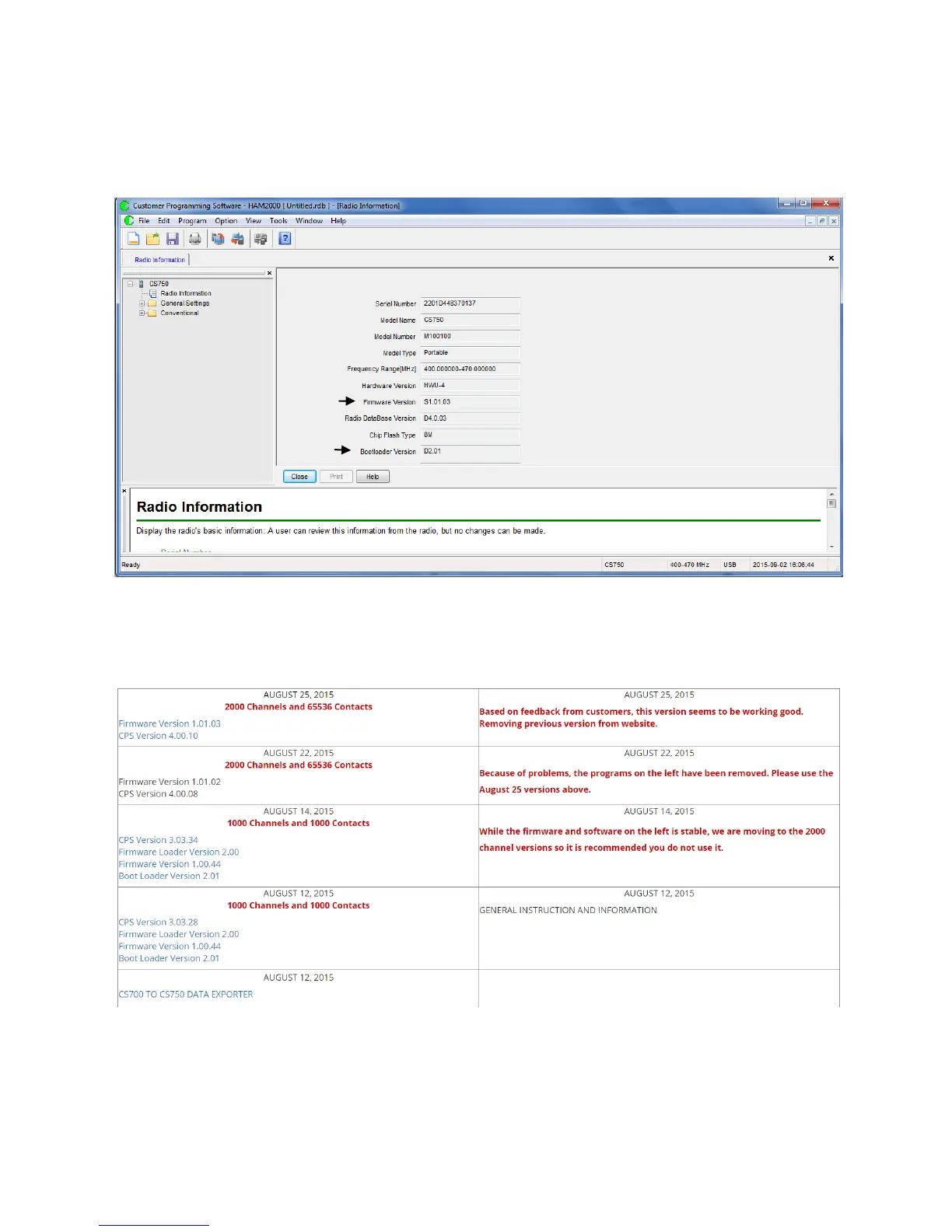
You can now access the current configuration of the radio by double clicking on the
Radio information listed in the drop down menu on the left. Screen will show the
configuration information similar to this:
The arrows point to the information you need to record.
When you go to the CSI site, and select software for the CS750 you will see a listing of
firmware updates. Below is a screen shot of the site as an example of what you will see.
According to CSI, if your radio is more than one firmware version older than the latest
version, you DO NOT have to do the intermediate firmware updates, however if the
CPS version (the programming software) is at a newer version than what you have, you
need to perform the CPS Upgrade described in this document.



 To Next Page