5
Unpacking and Checking the Equipment
Unpack the radio carefully. We recommend that you identify the items listed below in the
following table before discarding the packing material. If any items are missing or have been
damaged during shipment, please contact the carrier or the dealer immediately.
Supplied Accessories
Getting started
Charging the Battery
Plug the power adapter into the proper AC wall outlet and insert the DC plug in the charger
base. The Red LED will flash for 4.5 seconds after it is first turned on.
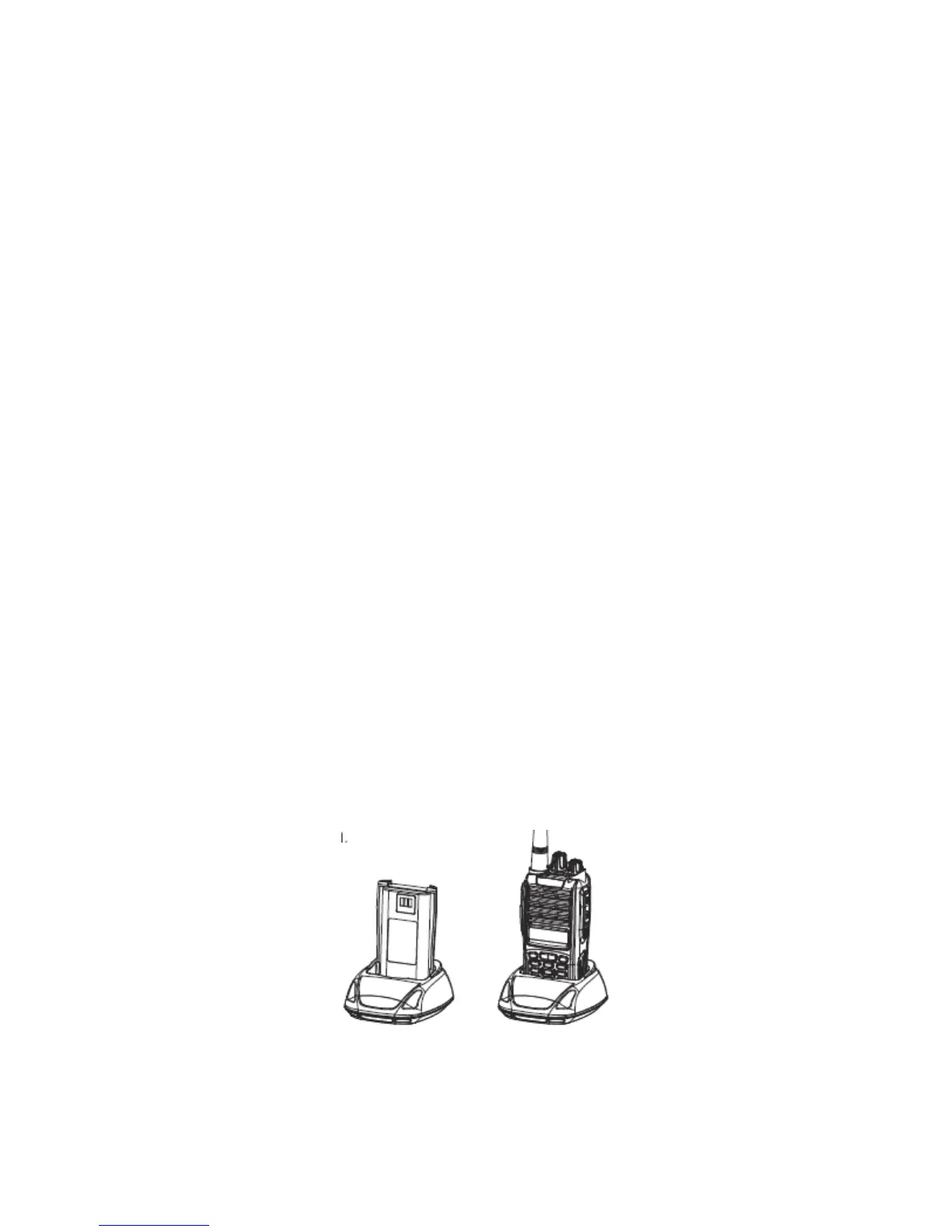
Insert the battery or the radio to be charged into the charger slot. Please turn off the radio
before inserting it into the charger.
Make sure the battery is in good contact with the charger terminals. When the red indicator is lit,
the charger begins to charge the battery.
After charging for about 3 hours, the red LED will turn OFF and the green LED will turn on
indicating the battery has been fully charged.
Only for NiMH battery on the first charge, please leave the battery in for two more hours after
the green light first turns on before you remove it from the charger to achieve the best
performance of the battery. Then you can disconnect the power adapter from the AC outlet.
If the Red LED flashes quickly (0.2s on 0.2s off), this means the charging process has stopped
because the charging temperature is too high or the battery has a problem. If that happens the
charger enters a protective state and no more charge is delivered to the battery. Please stop
charging in such situation and remove the battery from the charger.
Notice:
The new battery is not fully charged in the factory, and needs to be fully charged when you use
the radio for the first time.
The radio is supplied with a standard battery manufactured by the factory.



 To Next Page