39
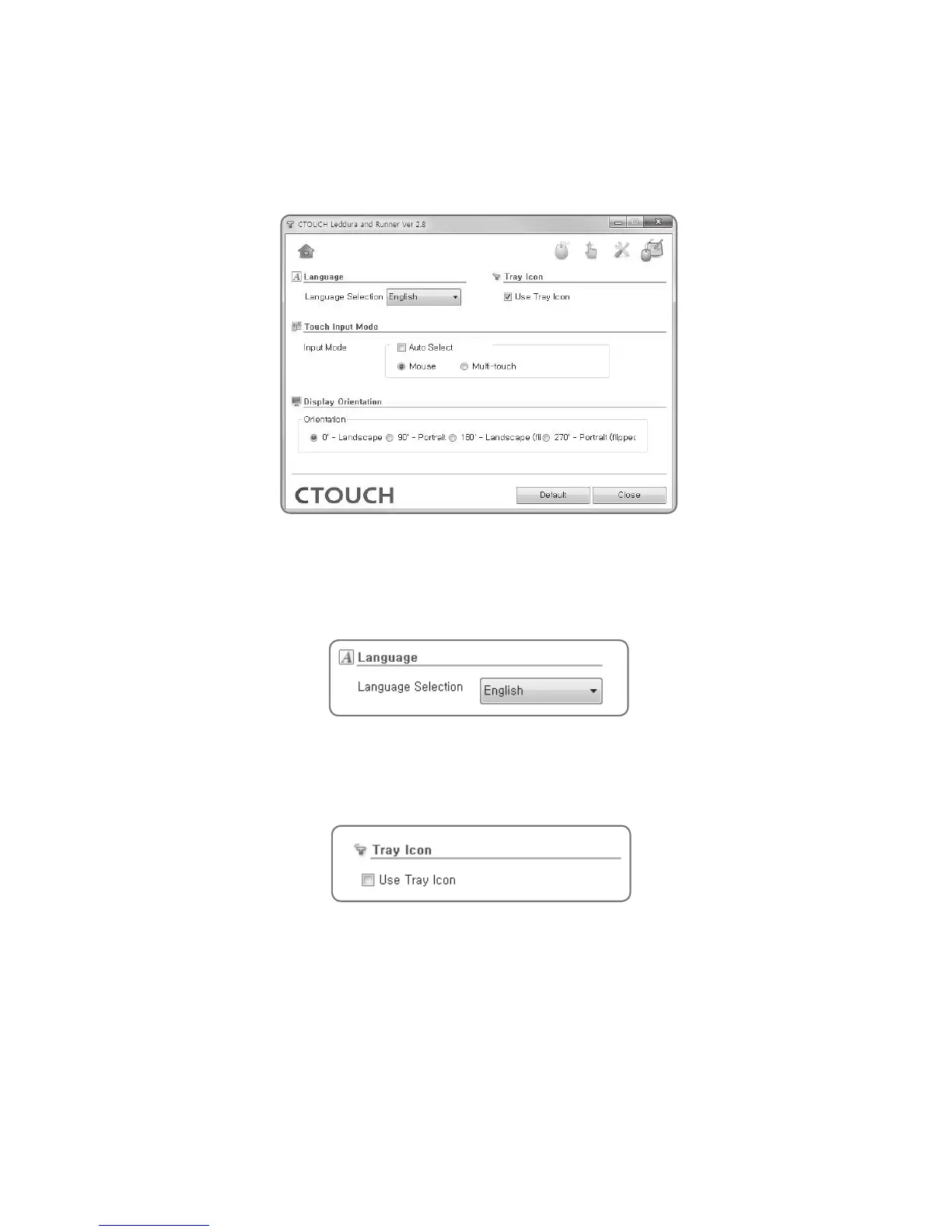
General Settings
This is the where one can set the language, tray icon settings, and the touch input mode.
Language
This is for selecting the language. One can select from English, Korean, Traditional / Simplified
Chinese, French, Spanish, Portuguese and Japanese.
Tray Icon
This is the setting to use the tray icon.


 To Next Page