19
Introduction
This document
1
is the User Manual of the settings software for CTOUCH sensors.
Program CTOUCH_tools.exe
Operating System Microsoft Windows XP (32 & 64 bit), Vista (32 & 64 bit), and 7 (32 & 64 bit), Mac OSX,
Linux
Minimum Requirements
Intel Celeron 333 MHz Processor
Resolution of 1024 x 768 or higher
[ Prerequisites for Running CTOUCH_tools ]
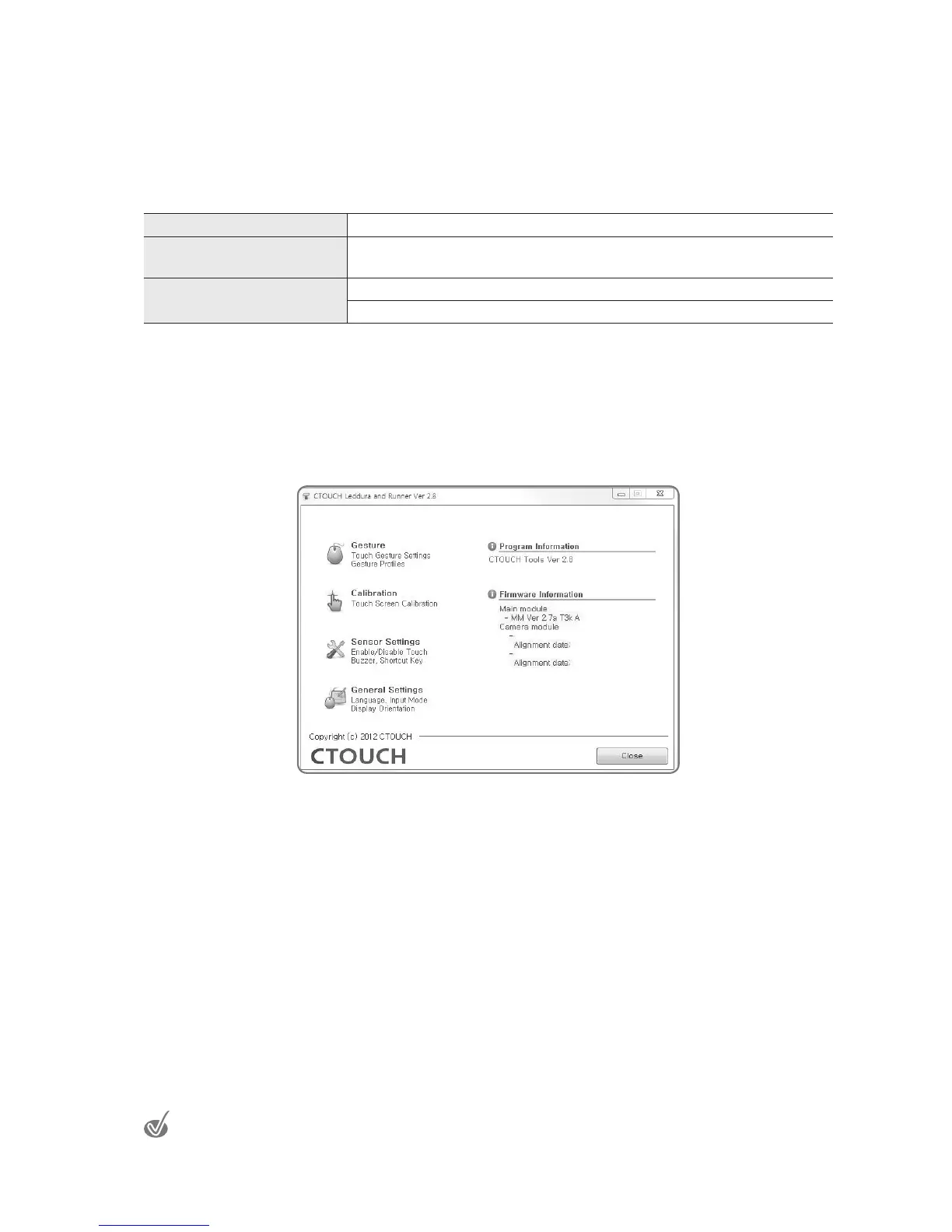
The following is the window that comes up when one launches the CTOUCH_tools.exe
program. The left side is where buttons for setting the mouse, calibration and settings are
located. Select each to go to the appropriate menus. One can see from the lower right hand
side of this window that the software has gotten information from the Touch sensor hardware.
1
This document is subject to change without prior notice.


 To Next Page