Getting Started
9
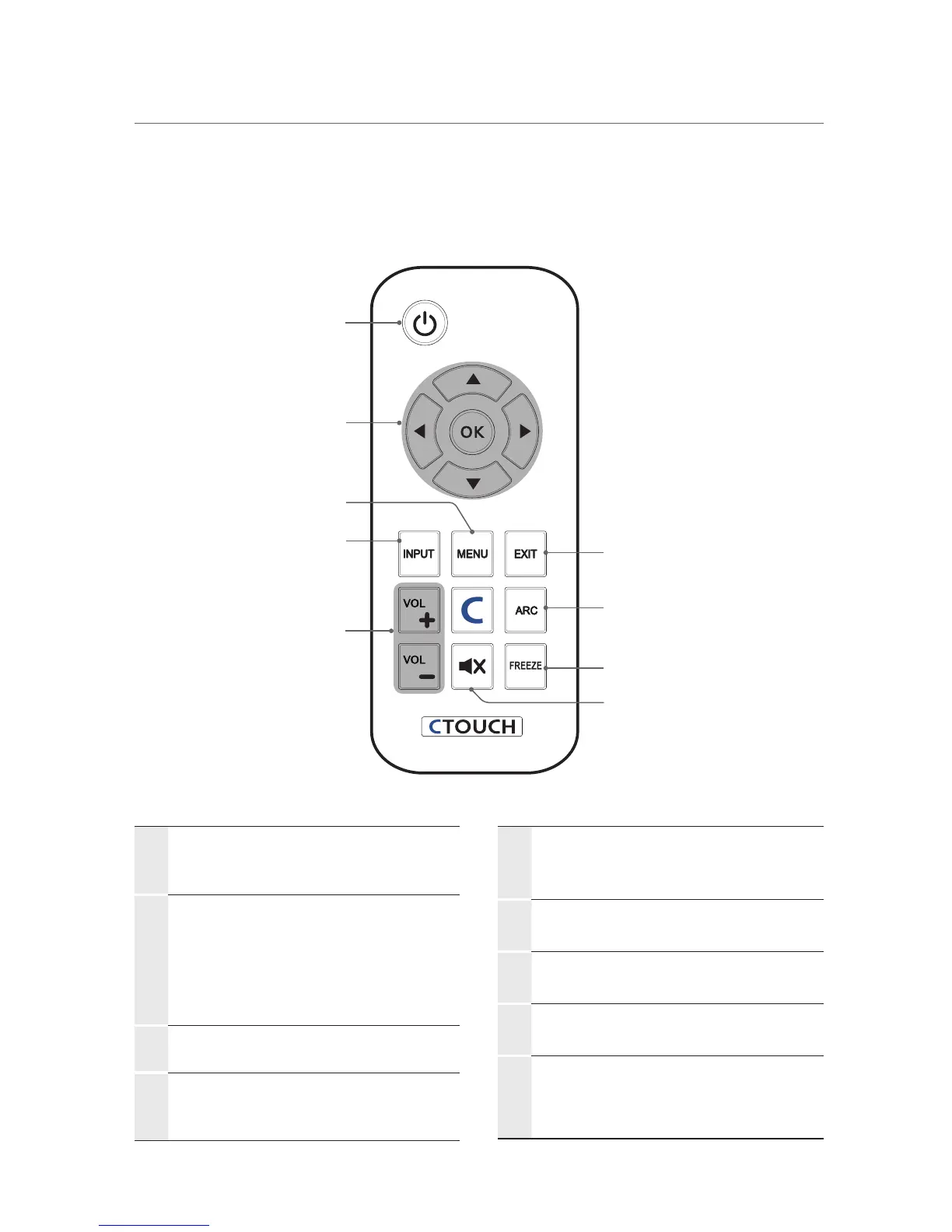
Viewing the remote control
①
POWER
Press to turn the CTOUCH interactive
display on and off.
②
OK
Press to accept your selection or
display the current mode.
▲/▼/◄/►
Press to select on-screen menu items
or change menu values.
③
MENU
Press to display the on-screen menu.
④
INPUT
Press to display a menu of all available
input sources.
⑤
VOL
Press to increase or decrease the
volume.
⑥
EXIT
Press to exit the current menu.
⑦
ARC
Press to adjust the screen size.
⑧
FREEZE
Press to freeze the picture.
⑨
MUTE
Press to temporarily switch the sound
off.
①
②
④
③
⑦
⑥
⑧
⑨
⑤


 To Next Page