Getting Started
7
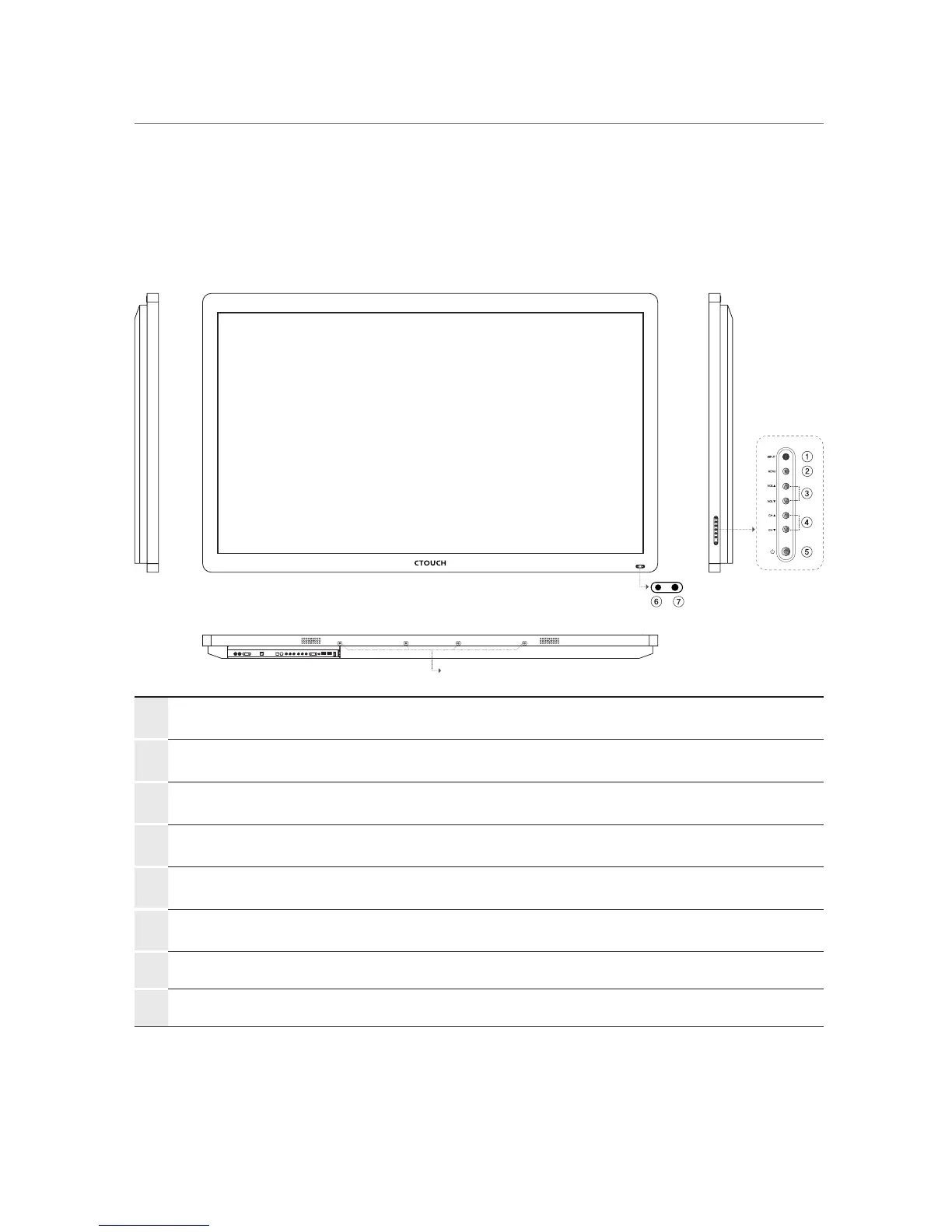
Viewing the control panel
①
INPUT Display all the inputs.
②
MENU Displays a menu.
③
VOL ▲/▼
Adjust the volume.
In the menu screen, adjust menu settings.
④
CH ▲/▼ Select a menu item.
⑤
Standby Toggles between normal and standby modes.
⑥
Power LED
Blue : In power on mode.
Red : In standby mode.
⑦
Remote control sensor
Aims the remote control towards this spot on the CTOUCH
interactive display.
⑧
Sound bar holder Combine Sound Bar (Option)
⑧


 To Next Page