© CUB CAMPERS • C16 OWNER’S MANUAL • REVISION 1 - 6/02/2023 PAGE 29 of 59
HOT WATER
Click for TRUMA CP Plus Control Panel User Manual
1. SWITCH WATER PUMP ‘ON’
Locate the 'POWER' switch on the inside of the entry door to the left and switch 'ON' (LED
lamp will alight). Note: Switch 'OFF' at night to avoid being woken by the pump periodically
re-pressurizing the system.
2. SWITCH TRUMA SYSTEM ‘ON’
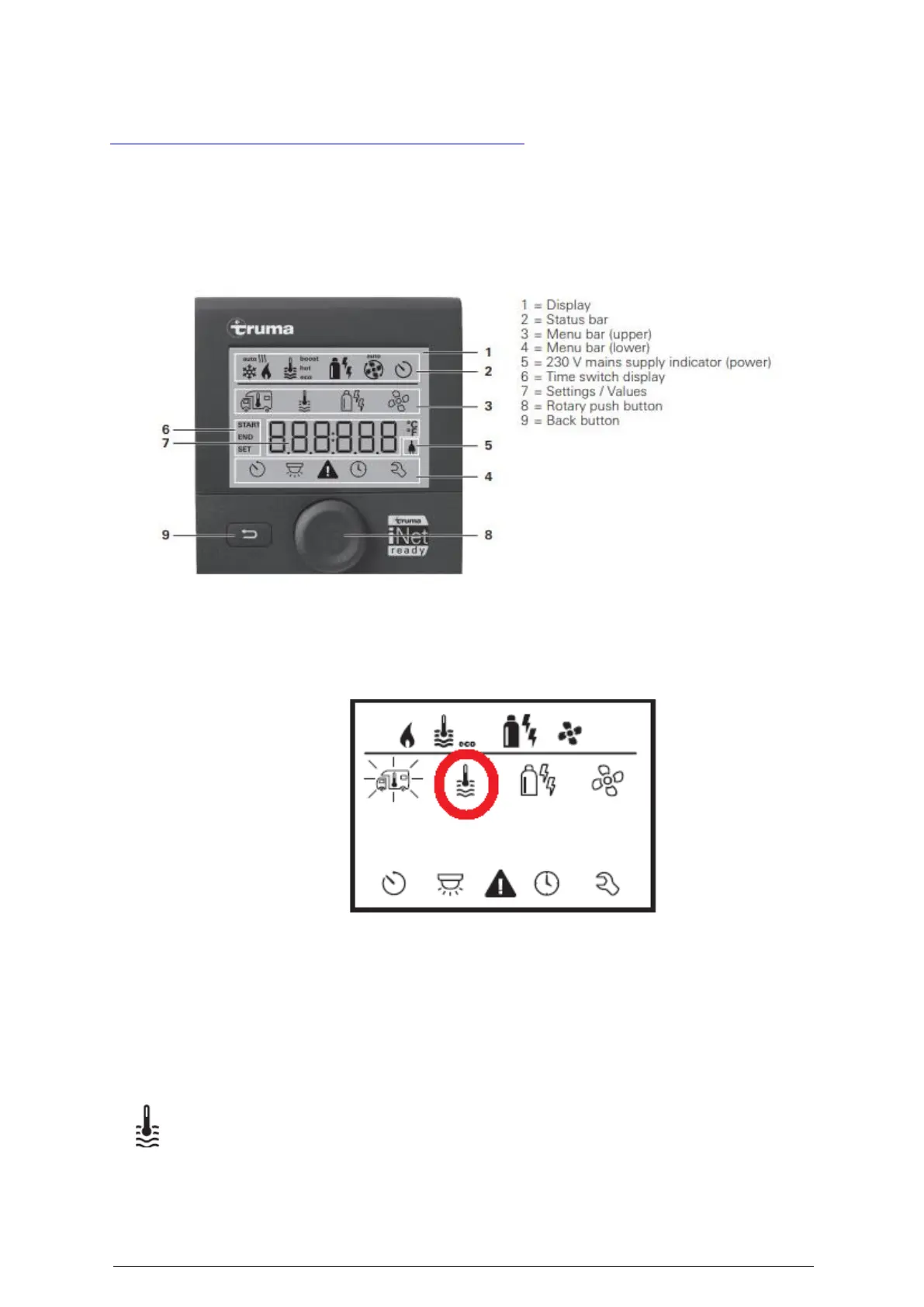
i. Locate the Truma control display on the driver-side, bed-side storage box
ii. Hold down the rotary push button
iii. Rotate the rotary push button to select the water temperature icon circled in red
below. It will then display the words “OFF” when you press the rotary push
button.
iv. Rotate rotary push button to select either desired temperature of “60°C” or
“Boost” (Targeted, rapid heating of water for maximum 40 minutes. When the
water temperature is reached, room heating continues if turned on.)
v. Set the water temperature setting level by pressing the rotary push button.
The HWS should power up and you will know by the air flow through the vent or the smell of
diesel fumes outside the trailer.
Allow approx. 45 - 60 minutes for the water to heat.
This symbol will flash until the selected water temperature is reached.
3. SWITCH TRUMA SYSTEM ‘OFF’
Hold down the rotary push button “OFF” will appear. It will take some time to turn the
system off.


 To Next Page