© CUB CAMPERS • C16 OWNER’S MANUAL • REVISION 1 - 6/02/2023 PAGE 51 of 59
31. WI-FI SET UP
Click for NCE Wi-Fi Modem User Manual
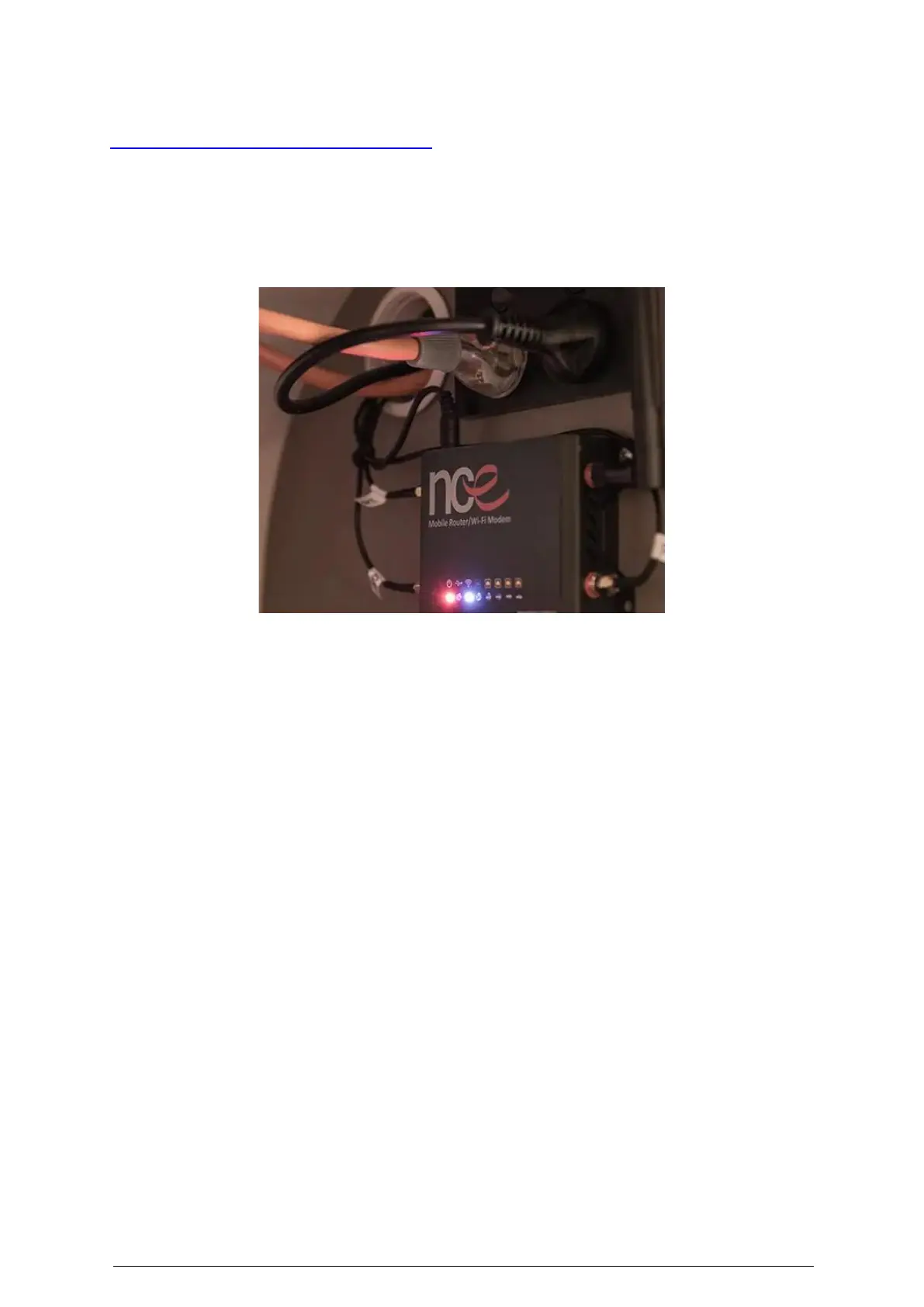
The C16 is equipped with a NCE 4GX Mobile Router/Wi-Fi Modem located above the internal
kitchen in the storage area left of the microwave. It features wireless internet access for
multiple devices and is designed for outdoor mobile use. Comes with a Bonus Telstra $2 SIM
kit or it can be used with any other internet provider. For more instructions, please refer to
the NCE Router User Manual.
To set up the router:
1. Make sure the power plug is NOT plugged into the Wi-Fi Router.
2. Insert your full-sized SIM Card into the SIM Slot on the left side of your Wi-Fi Router.
3. Now plug in the power plug into the side of the Wi-Fi Router.
4. On your smart device, open the Wi-Fi settings and locate the device “WIFI-59F634”.
(This is a unique number for every unit which will be different) and click on it. You now
should be connected to the router.
5. On your smart device open any web browser and in the web address bar type in
192.168.1.1 and click Go. On the “Welcome Page”, click in the white bar, type in
“admin” and click LOGIN.
6. In the top left-hand corner, click on the menu bars, and click Wi-Fi Set Up. To change
your Wi-Fi name, click on the “WIFI-59F634”, backspace on these digits, then type in
your own personal Wi-Fi name e.g., MYWIFI. Now click on the WPA PSK: (no
encryption) arrow and click on (encryption) Note: make sure you backspace on any
previous digits and type in your own personal password e.g.: ABCD1234, and then click
on save. In the top right-hand corner click on the body symbol and click on Logout, and
then you may close the web browser.
7. Now go back into your smart device settings, locate your personal WIFI name
“MYWIFI” and click on it. Now type in your new password “ABCD1234” and click
connect.


 To Next Page