© CUB CAMPERS • C16 OWNER’S MANUAL • REVISION 1 - 6/02/2023 PAGE 30 of 59
HEATER
• To change the room temperature, select this icon in the menu bar with the
rotary push button.
• It will display the words “OFF” when you press the rotary push button. Change to
desired temperature by rotating rotary push button.
• Press the rotary push button to set to desired temperature.
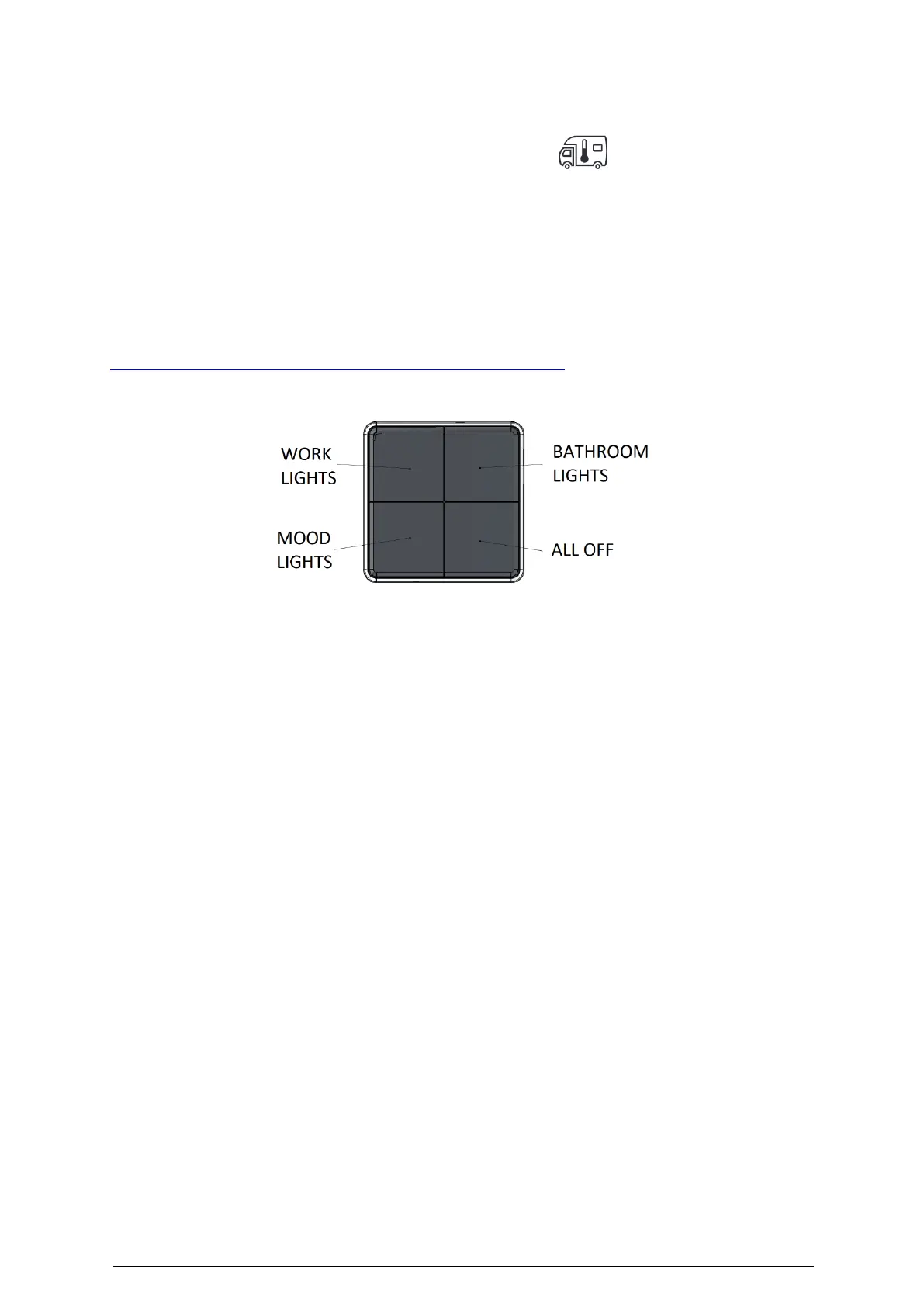
19. INTERIOR LIGHT CONTROLS
Click for HAFELE LED Lighting Control Panel User Manual
• Dim brightness: Hold down for dimming, release when your preferred setting is
reached
• Increase brightness: Let go and hold again to increase brightness
• The switch will remember the last brightness setting used
• To replace battery, removed cap and screw above the control. Then slide unit up to
release from the mounting holder. The unit takes battery type CR2430. For child safety
regulations, be sure to replace screw and cap afterwards.


 To Next Page