Cuda 2412 • 8.914-384.0 • Rev. 5/12
17
AUTOMATIC PARTS WASHER Troubleshooting Guide
SECTION 4: TROUBLESHOOTING
TROUBLESHOOTING THE
ELECTRICAL SYSTEM
To troubleshoot the electrical sys-
tem use the following diagrams to
eliminate the possibility of a blown
fuse or a bad connection, then refer
to Testing Individual Components
to determine which component is
causing the problem.
WARNING: Electrical shock
could cause serious injury or
death.
• Electricaltroubleshootingshouldbeperformed
by qualified personnel only.
• Avoidcontactwithpowerleads,terminals,and
fuses when power is connected.
• Disconnectpowertomachinebeforeremoving
fuses or other electrical components.
KEEP WATER SPRAY
AWAY FROM
ELECTRICAL WIRING.
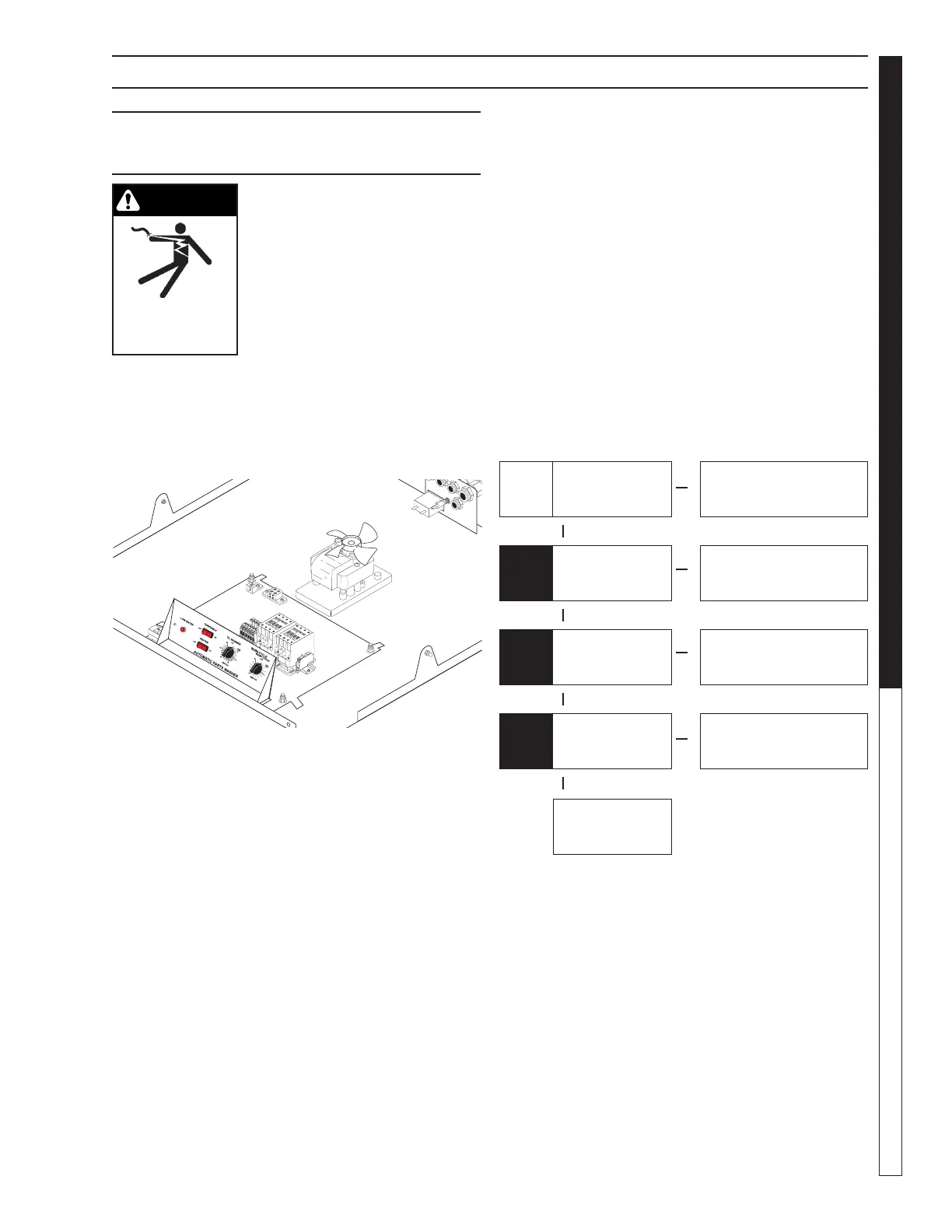
Troubleshooting the Electrical Panel
None
▲ ▲ ▲▲
▲
▲
▲
▲
Power
ON
Power
OFF
Power
OFF
Power
OFF
Measure Voltage Across
L1 and N Terminals on
Junction Box
Electrical Panel is OK,
Check Main Power
Disconnect
Visibly Inspect Heater
Relay
Heater Relay is Blown;
Replace the Relay
Visibly Inspect Pump
Relay
Pump Relay is Blown;
Replace the Relay
Check the Blue and
Grey Terminal Blocks for
Loose Connections
Tighten Loose
Connections
Electrical Panel is
OK, Refer to Testing
Individual Components
110 to 120V
OK
OK
OK
Black or
Deformed
Black or
Deformed
Loose


 To Next Page