We recommend Rayovac, Duracell, or Energizer
brand batteries only. (Choose batteries carefully
-
there is a dierence, especially in cold temperatures).
Lithium batteries provide better performance in
cold
(below freezing) temperatures. Refer to Appendix B:
Battery Life for more information on maximizing
battery life.
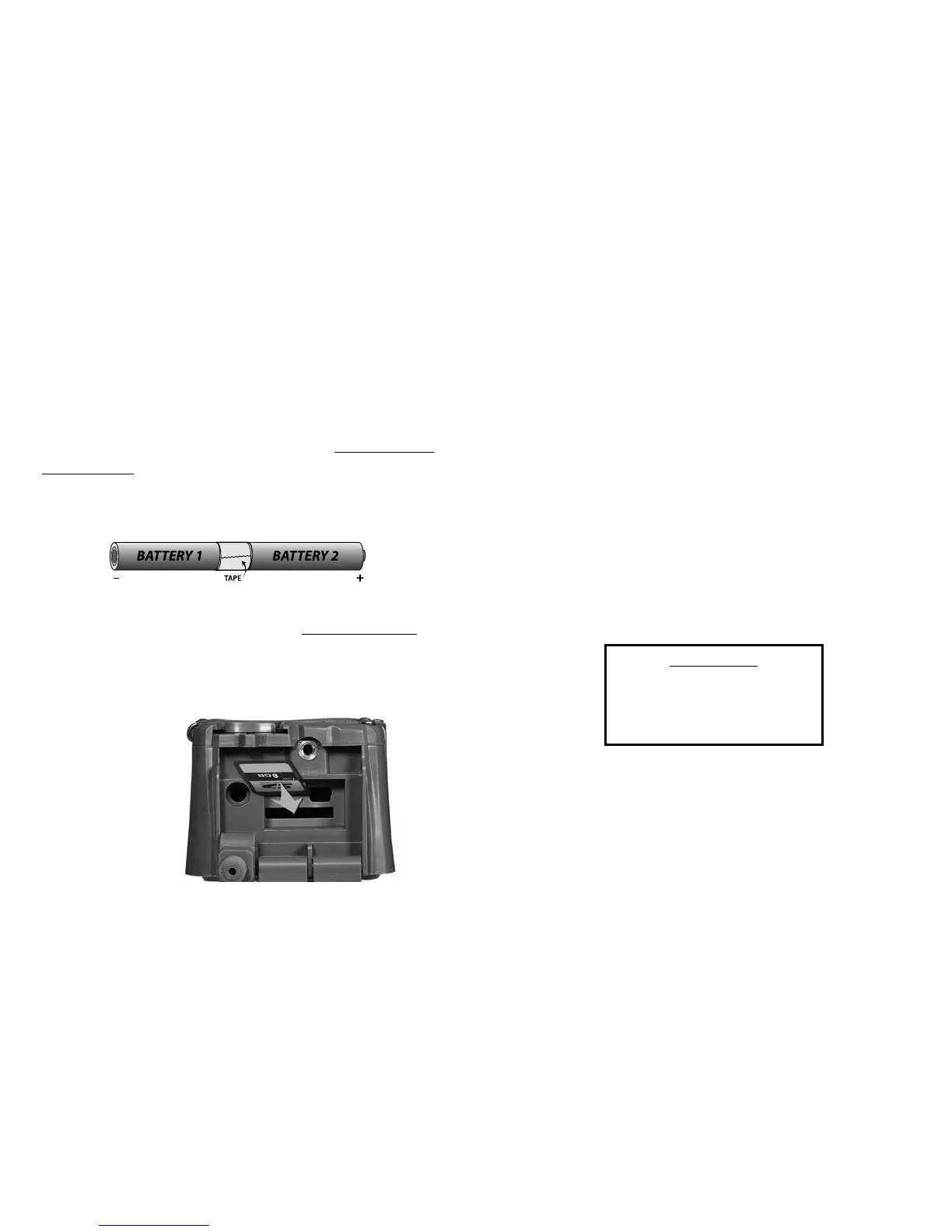
Install SD Card
Insert the SD card into the camera label side down.
Do not force the card. If it does not go in easily,
check to make sure you are inserting it correctly.
You will break the card socket if you force the card.
Zone Control
is camera is equipped with Cuddeback’s patented
Zone Control. e motion sensor can be set to detect
animals in a wide angle or a narrow view. Wide view
will capture more animals but is more susceptible
to triggering by non-target animals (such as birds)
which can lead to blank images. Narrow view is
very accurate and generates images with the animals
centered in the image. Slide the Zone Control shutter
to the appropriate position by placing your thumb as
shown in the diagram on page 10 (be careful not to
damage the Fresnel lens).
Insert SD card
with label facing
down or towards
the back of the
camera
Tip: For easier installation and to prevent improper polarity, we
recommend you tape the batteries together before inserting.
IMPORTANT
When changing the Zone Control
shutter position, we recommend
you also change the setting as
explained on page 18.
8 9



 To Next Page