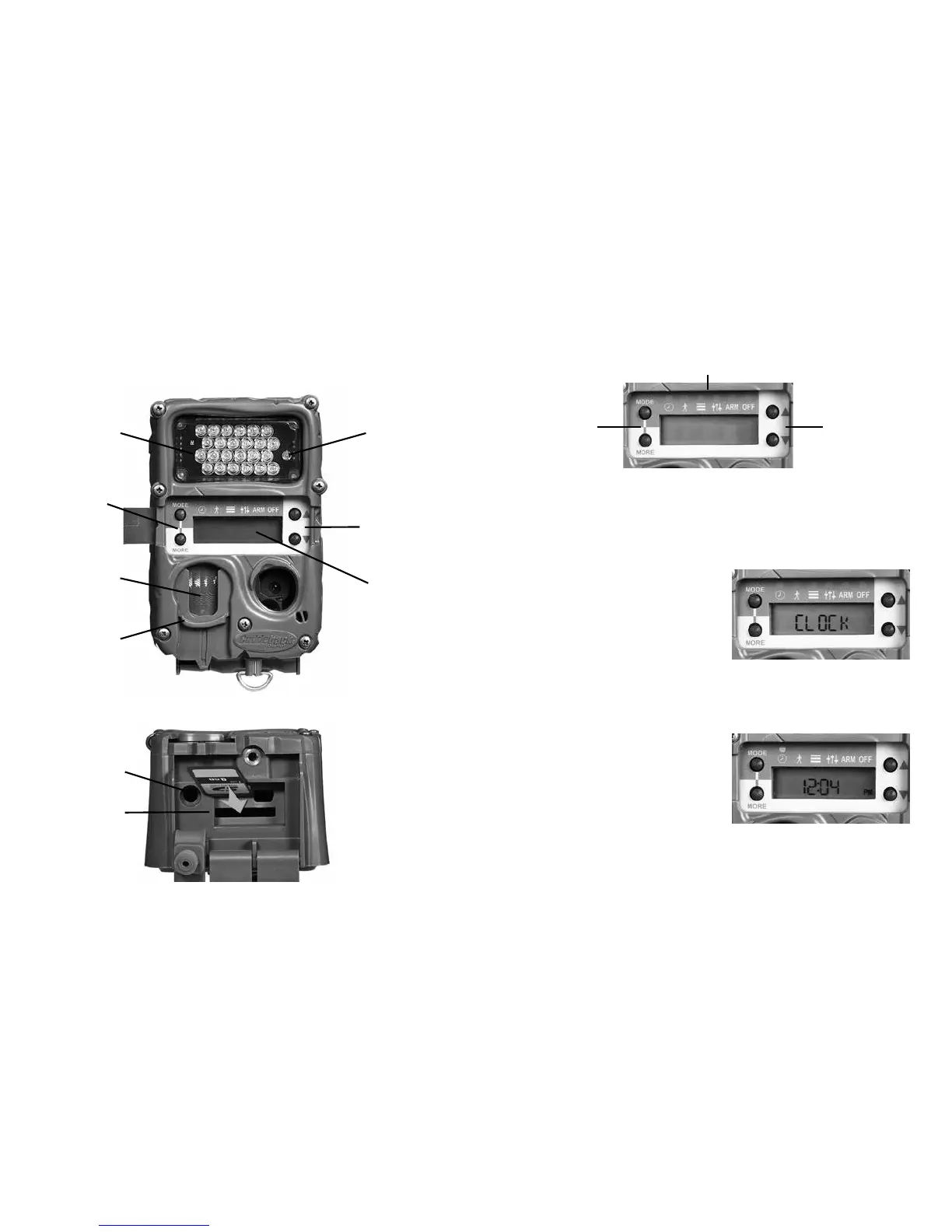
Setting the clock will demonstrate how the user
interface functions.
Clock Item
Press MODE until the
CLOCK LED is illuminated.
e current time will be
displayed. Press MORE and
the date will be displayed. Press MORE again
and the time will be redisplayed.
Set the clock
Press MODE until the
CLOCK LED is illuminated.
e time will be displayed.
With the time displayed
press UP or DOWN. e hour will start to ash
indicating you can set the hour. Press UP and/or
Up & Down
Keys
CLOCK, TESTS, COMMANDS, SETTINGS, ARM, OFF
LEDs
Mode &
More
Keys
( )
Flash LED’s
(Long Range IR)
C & E camera front view
(control panel door open)
C & E camera bottom view
(SD card panel door open)
Test LED
Up & Down
Keys
Mode &
More
Keys
Zone Control
shutter
SD card
slot
CuddePower
battery
connection
Fresnel lens
Display
1312



 To Next Page