Quick Start Guide (EZ Mode)
C & E model cameras have 2 operating modes, EZ
and ADVANCED. e default mode is EZ and we
will explain that rst.
ere are 6 LEDs named CLOCK, TESTS, COMMANDS,
SETTINGS, ARM, OFF that correspond to user
settings.
ere are 4 keys labeled MODE, MORE, UP, DOWN.
e MODE key changes the mode as indicated on
the LEDs and DISPLAY. Press MODE and TEST
illuminates, press MODE again and COMMANDS
illuminates, and so on. (Note – to conserve power
the LEDs will turn o aer 60 seconds).
e MORE key displays additional actions for the
selected MODE.
e best way to think of this is MODE moves
across the LEDs, and MORE moves down to display
additional items.
e UP and DOWN keys perform an action or
command.
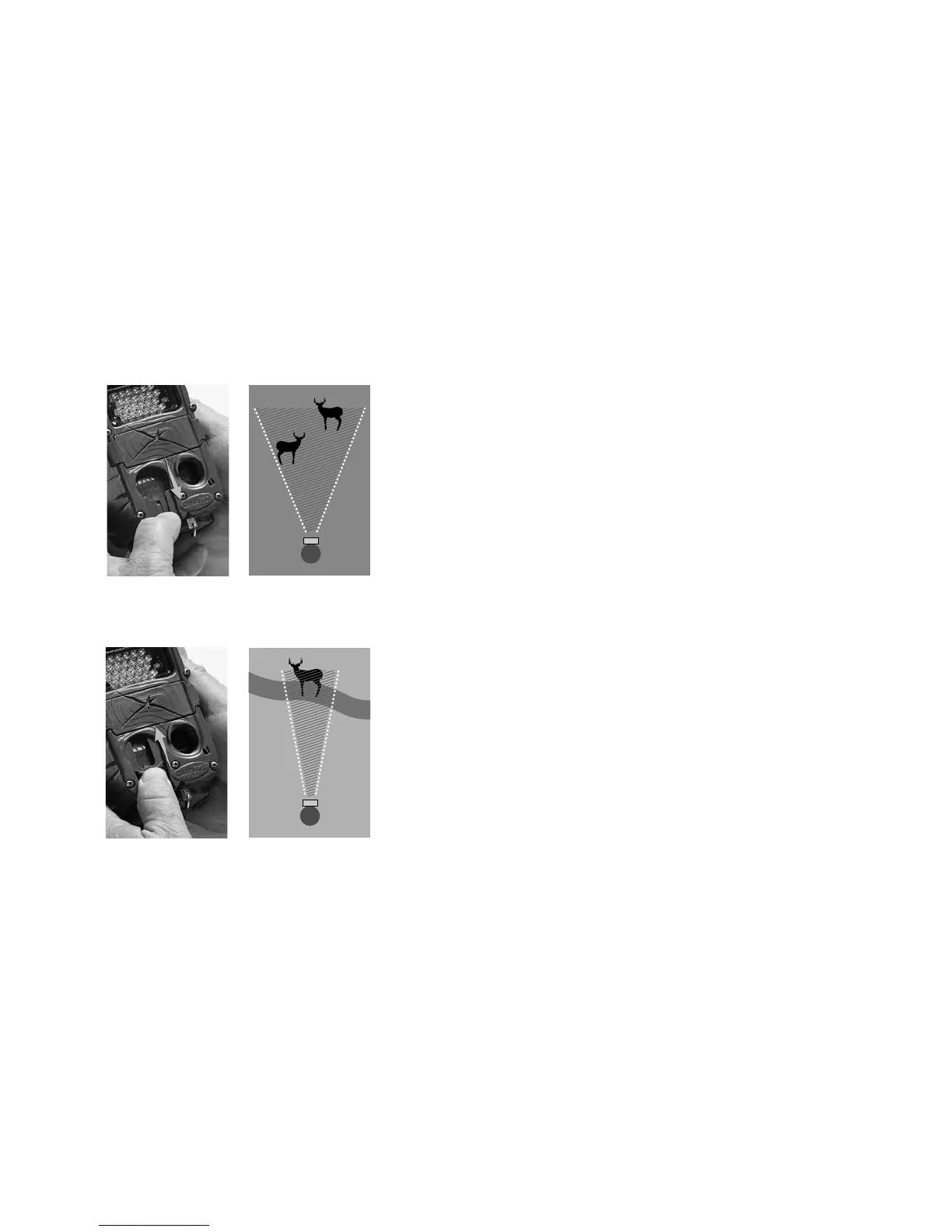
Slide up for narrow view
Slide down for wide view
10 11



 To Next Page