DOWN as needed to set the HOUR. When correct,
press MORE to advance to minute. Minute will
begin ashing and use the UP and DOWN to set the
correct minute. Press MORE again to complete the
time setting.
Set the date
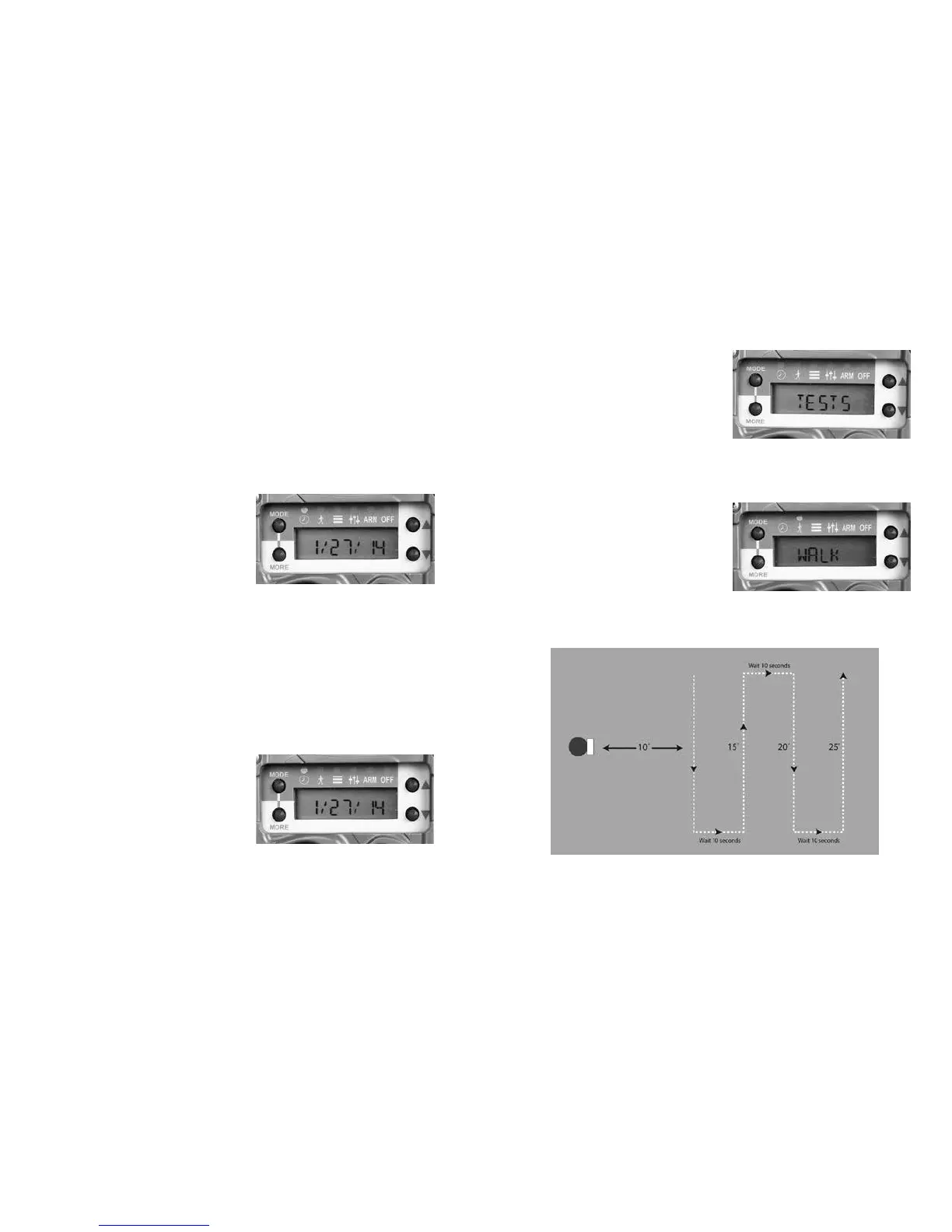
Press MODE until the
CLOCK LED is illuminated.
e time will be displayed.
Press MORE and the date
will be displayed. With the date displayed press UP
or DOWN. e month will start to ash indicating
you can set the month. Press UP and/or DOWN
as needed to set the month. When correct, press
MORE to advance to day. Day will begin ashing
and you use the UP and DOWN to set the correct
day. Press MORE to advance to the year. Press UP
or DOWN as needed to
set the correct year. Press
MORE again to complete
the date setting. Press MORE
to return to the time display.
Test Item
Press MODE until the
TESTS LED is illuminated.
Aer a short delay WALK
will be displayed and walk-test is enabled. When
test mode is enabled the RED LED (inside the ash
module) will illuminate
when a subject is detected.
Walk back and forth (not
toward) the camera to
verify the detection zone.
Diagram of “Walk” test
14 15



 To Next Page